CDM-840 Remote Router MN-CDM840
Appendix H Revision 3
H–6
H.2.2 E nable or Disable Header and Payload Compression Operation
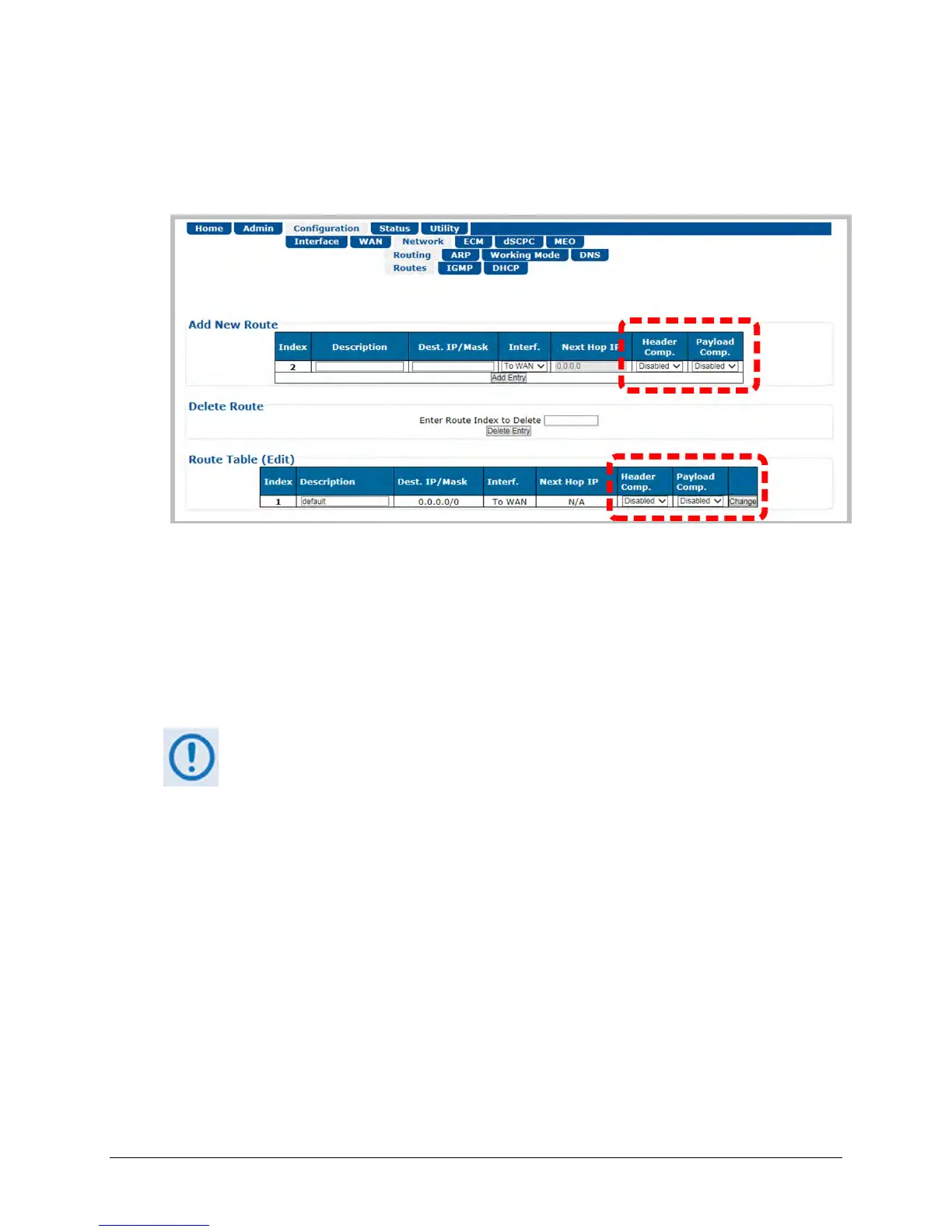
Use the ‘Configuration | Network | Routing | Routes’ page (Figure H-2) to enable or disable
Header and Payload Compression operation when operating in Router Mode.
Figure H-2. Configuration | Network | Routing | Routes Page
When operating in BPM (Bridge Point-to-Multipoint) Mode, use the Bridged Point-to-Multipoint
Configuration on the Compression Configuration Page. This will enable and disable the Header
and Payload compression for the entire Transmit path.
When enabled, the CDM-840 automatically identifies supported packets for Header
Compression. The only configurable settings are the Header and Payload Compression Refresh
Rates.
Header and Payload Compression is independent from QoS. The enabling or
disabling of this feature is required only on the sending Comtech EF Data VSAT
products (CDM-840, ODM/R-840, CTOG-250/CDM-800 or standalone CDM-800 for
FW Versions V1.5.1 or older). The need to Header and Payload Decompress
incoming packets on the ODM/R-840 or CDD-880 is automatic and transparent to



 To Next Page