CDM-840 Remote Router MN-CDM840
Appendix D Revision 3
D–7
Do these steps to configure the CDM-840 for VersaFEC ACM operation from the specified HTTP
Interfaces:
1. Configure a route from the CDD-880 to the CTOG-250 for the Management IP Address of the
CDM-840.
• Comtech EF Data CTOG-250 Comtech Traffic Optimization Gateway with
CDM-800 Gateway Router Installation and Operation Manual (CEFD P/N
MN-CTOG250)
• Comtech EF Data CDD-880 Multi Receiver Router Installation and Operation
Manual (CEFD P/N MN-CDD880)
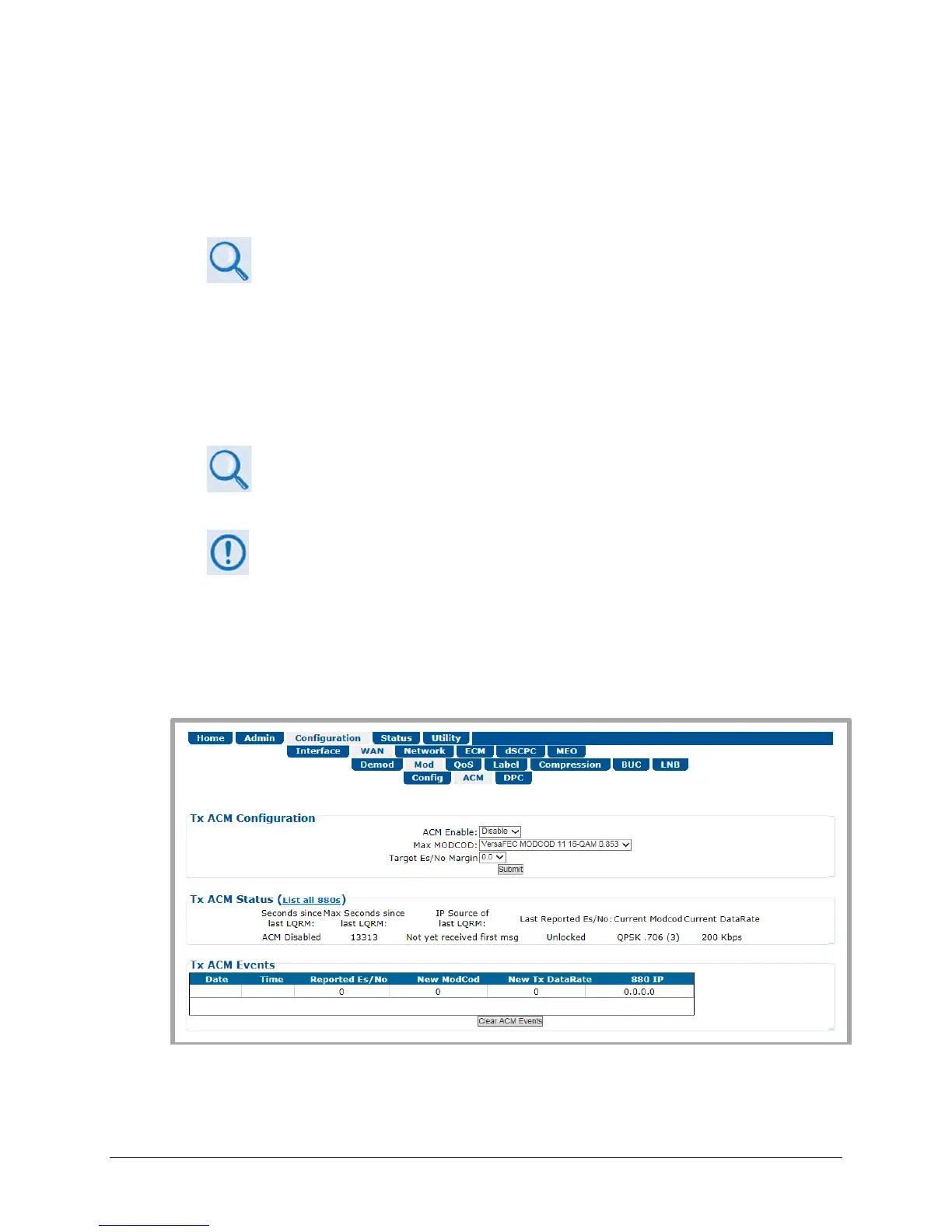
2. Use the CDM-840 HTTP Interface ‘Configuration | WAN | Mod | ACM’ page (Figure D-3) to
configure the Target Es/No margin and the Max ModCod.
Sect. 6.3.3.2.2.2 Configuration | WAN | Mod | ACM (Adaptive Coding and
Modulation) in Chapter 6. ETHERNET-BASED REMOTE PRODUCT
MANAGEMENT
1)
The recommended value for the target margin in order to maintain the link
at Ku is at least 0.5db.
2) The Max ModCod should be configured to the maximum ModCod that this
terminal can achieve given the link budget, antenna, look angle, BUC
power, etc.
3. Enable ACM.
Figure D-3. CDM-840 HTTP Interface – Configuration | WAN | Mod | ACM Page



 To Next Page