CDM-840 Remote Router MN-CDM840
Appendix G Revision 3
G–13
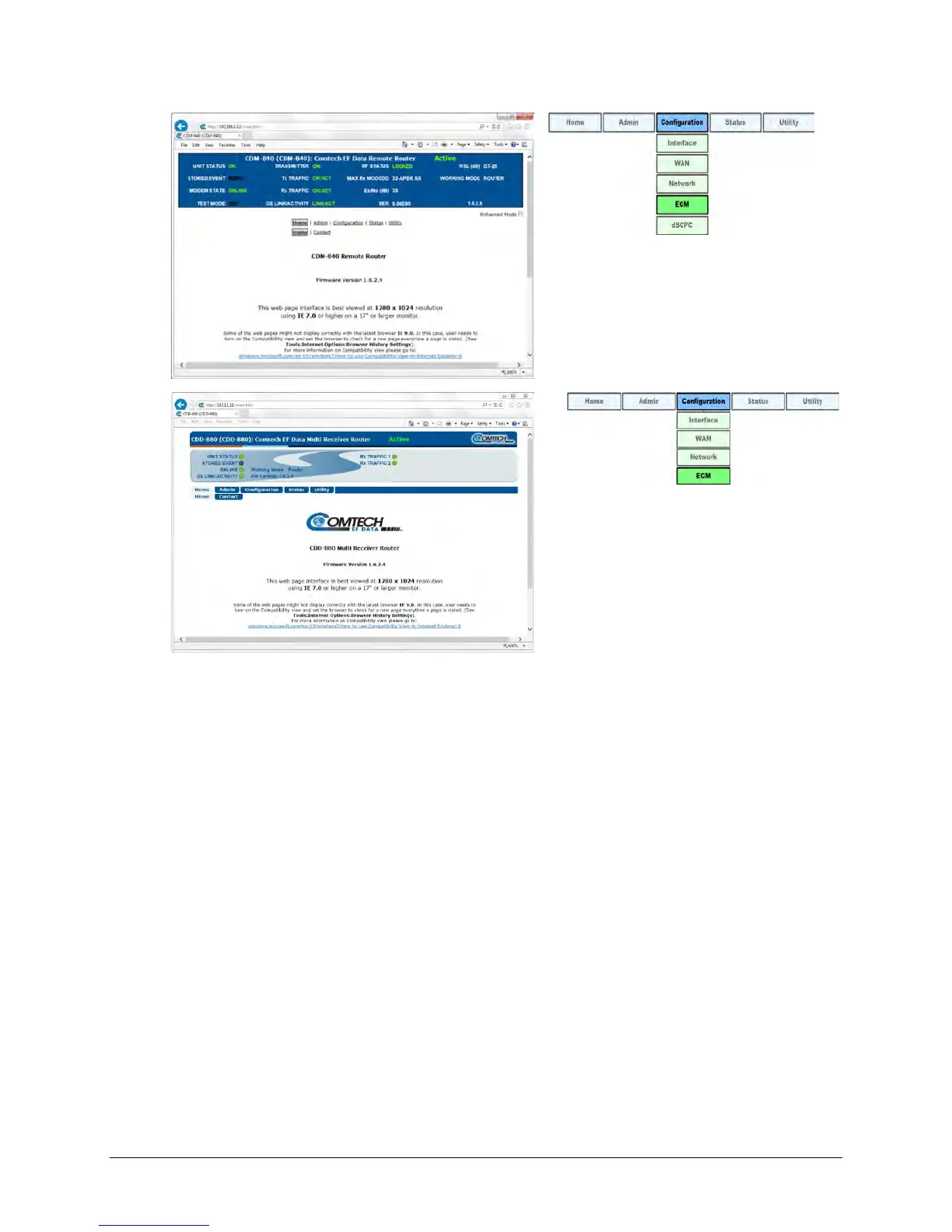
(TOP) CDM-840 HTTP Interface
(BOTTOM) CDD-880 HTTP Interface
Figure G-4. HTTP Interfaces – Splash Pages and ECM Operation Menu Trees
(FW Ver. 1.6.2.X)
Note that ECM uses Demod 1 as the ALOHA channel. Proper deployment of ECM in the
Advanced VSAT Network requires complimentary configuration of both the hub site CDD-880(s)
and the remote site CDM-840(s) using each product’s HTTP Interface ‘Configuration | ECM’
page (Figure G-5):
• Use the CDD-880 HTTP Interface to configure a basic set of parameters that define the
channel group. The settings consist of Enabling, TAP Multicast IP Address, TAP (group) ID,
and Guard Band.
• Use the CDM-840 HTTP Interface to configure one of three modes (states) of ECM
operation: Online, Wait or Offline.
You must also specify an LNB LO Frequency and Satellite Frequency Conversion to accommodate
mismatches between the hub site LNB and remote site BUCs. Channel parameters are
determined from the CDD-880 configuration settings. If spectral inversions apply, all hub
receiving CDD-880s that are part of that downlink chain must be set to match.



 To Next Page