CDM-570A/570AL Satellite Modem with Optional Packet Processor
Revision 5
Front Panel Operation 6–2 MN-CDM570A
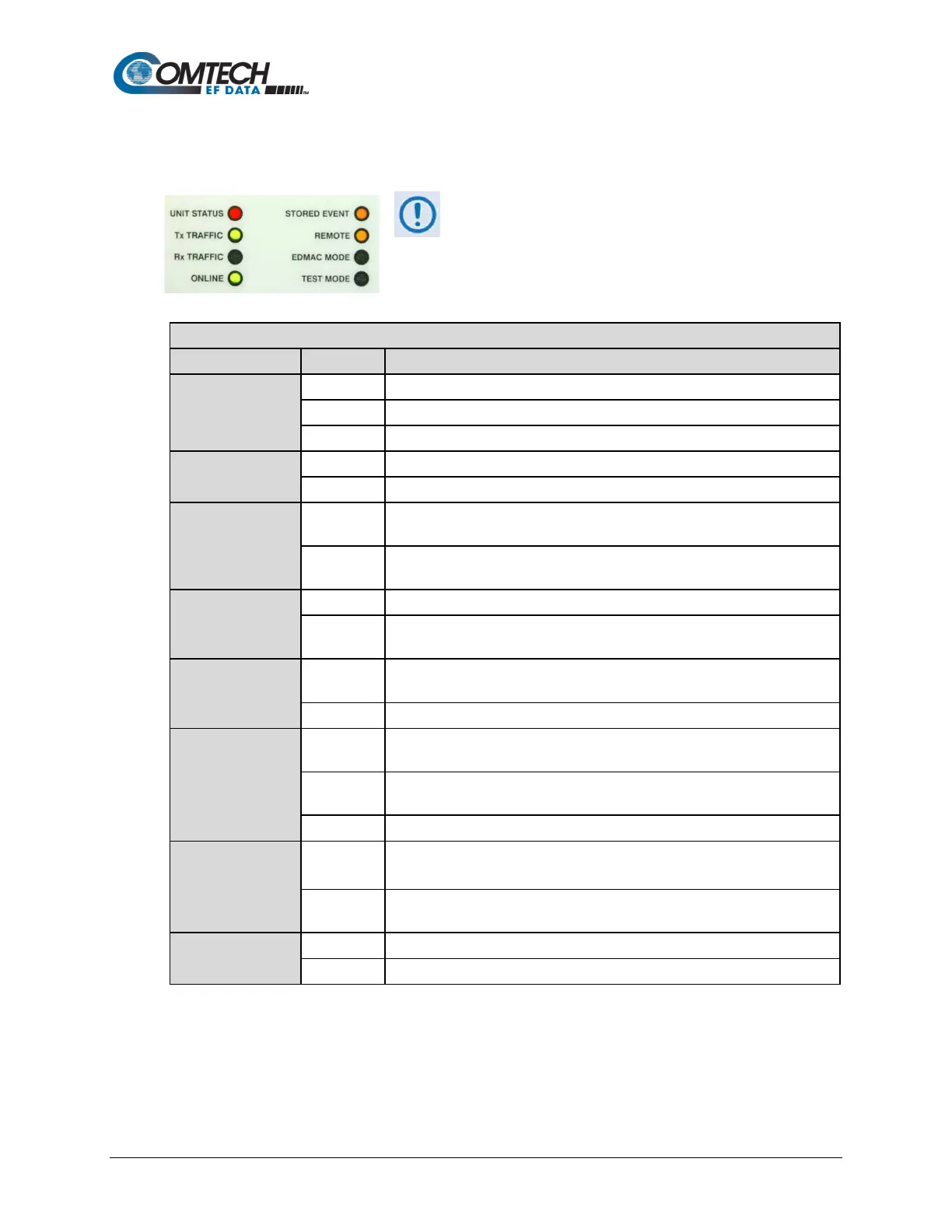
6.1.1 LED Indicators
In general, the alarm relay state reflects the state of
the Front Panel LEDs. For example, if the Unit
Status LED is red, the Unit Alarm relay is active.
This does not apply to the Transmit Traffic relay,
which activates only if a Tx Traffic Fault exists – it
does not reflect the state of the Tx carrier.
FRONT PANEL LED INDICATORS FUNCTIONAL DESCRIPTION
UNIT STATUS
A Unit Fault exists (Example: PSU fault)
No Unit Faults, but a Traffic Fault, or ODU (BUC or LNB) fault exists
No Unit Faults, or Traffic Faults
Tx TRAFFIC
A Tx Traffic fault exists OR the Tx Carrier is in OFF state
Rx TRAFFIC
Green
No Rx Traffic Faults (demod and Viterbi decoder are locked, everything is
OK)
Off
An Rx Traffic fault exists (the demod may still be OK – check the fault status
of the modem from the Monitor menu).
ONLINE
The modem is On Line, and carrying traffic
Off
The modem is Off Line (standby) - forced by externally connected 1:1 or 1:N
redundancy system
STORED EVENT
Orange
There is a Stored Event in the log, which can be viewed from the front panel,
or retrieved via the remote control interface
There are no Stored Events
REMOTE
Orange
The modem is in Remote Mode - local monitoring is possible, but no local
control
Off
The modem is in Local Mode - remote monitoring is possible, but no remote
control
ODU FSK control is enabled and there is a communications fault
EDMAC MODE
Orange
Framing on, EDMAC on, and unit defined as Slave - local monitoring is
possible, but no local control
Off
The modem is either in Transparent mode (no framing), or the framing is
selected but in AUPC-only mode or EDMAC Master configuration
TEST MODE
A Test Mode is selected (Example: IF Loopback)
There is no Test Mode currently selected



 To Next Page