CDM-570A/570AL Satellite Modem with Optional Packet Processor
Revision 5
Optional Packet Processor - Serial/Telnet CLI Operation 9–14 MN-CDM570A
Toggle as [Enabled] or [Disabled].
In response to the prompt, “
Configuring LAN-to-LAN Routing
disable the ICMP redirect Messages. Do you want
to continue (Y/N) [Enter :No]”
Type Y to enable. Otherwise, press [Enter] to maintain this feature as
This feature is fixed, at present, to display ALDC (Adaptive Lossless
Data Compression) as the sole and default payload compression type.
Future firmware versions will allow the use of Hot Key ‘A’ for toggling
between ALDC and other available compression types.
In response to the prompt, “
System Flows should match with
peer modem’s Config. Do you want to continue
(Y/N) [Enter :No]”
Type ‘Y’ to toggle between 20,000 (CDM-570 Compatibility Mode) or
64,000. Otherwise, press [Enter] to maintain this feature as configured.
Select to enter the RADIUS Configuration.
See Section 9.3.2.3.1.
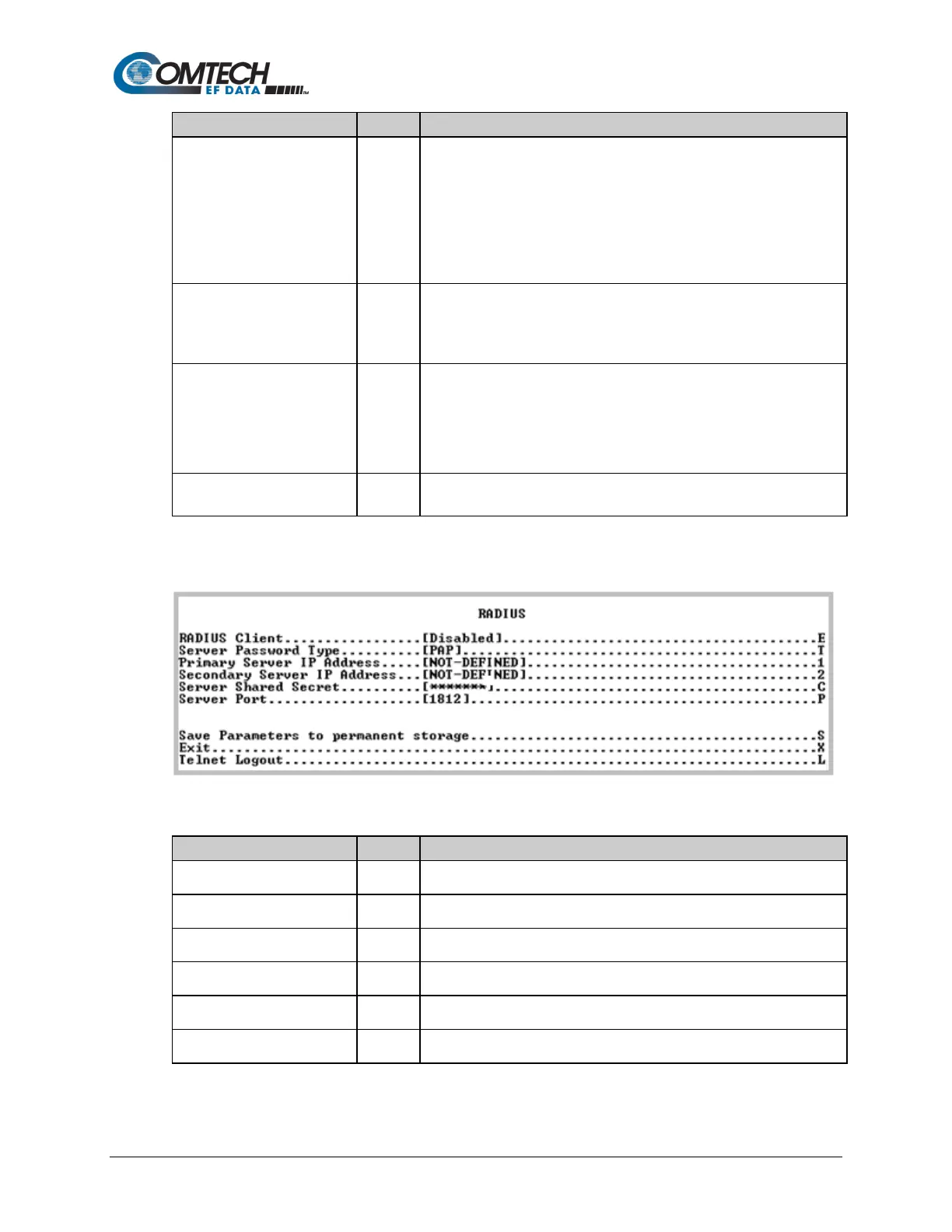
9.3.2.3.1 Administration > Feature Configuration >RADIUS Configuration
Figure 9-7. RADIUS Configuration
RADIUS Client
Toggle [Enabled] or [Disabled]:
Server Password Type
Toggle to select [PAP] or [CHAP]
Primary Server IP Address
Select to enter the Primary Server IP Address.
Secondary Server IP Address
Select to enter the Secondary Server IP Address.
Server Shared Secret
Select to enter the Server Shared Secret.
Server Port
Select to enter the Server Port.



 To Next Page