CDM-570A/570AL Satellite Modem with Optional Packet Processor
Revision 5
Optional Packet Processor - Serial/Telnet CLI Operation 9–29 MN-CDM570A
Specify TCP/UDP destination
port [MAX] (1-65535) <Enter:
***>
This prompt will not display if you do not select a MIN TCP/UDP destination
port. Set the maximum TCP/UDP destination port in your range, from 1 to 65535. If
you desire no maximum TCP/UDP destination port, press [Enter] – the port displays
Set WRED (Weighted Random
Early Discard)
Type ‘Y’ to enable, or ‘N’ to disable, Weighted Random Early Detect.
Specify Filtering for the rule
<Y or N> <Enter : N>
Type ‘Y’ to filter traffic (i.e., prevent traffic defined in rule from being forwarded).
Otherwise. type ‘N’ or press [Enter] to forward all traffic (no filtering) – this is the
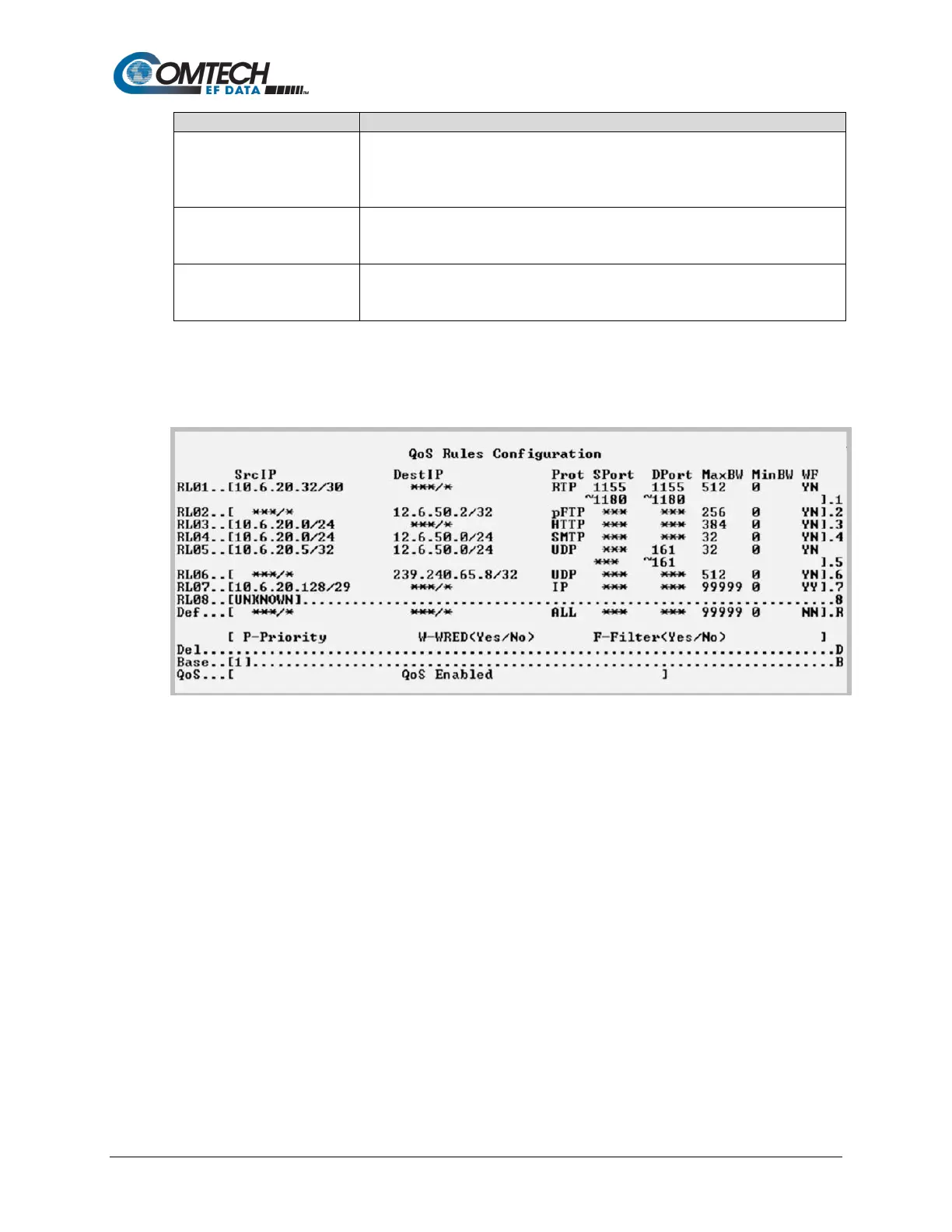
9.3.4.1.2 QoS Rules Configuration (Min/Max Mode)
Open the nested QoS Rules Configuration page from the QoS Configuration page.
Figure 9-18. QoS Rules Configuration (Min/Max Mode)
When in Minimum/Maximum Mode, the QoS Rules Configuration page contains the same
options and fields as for Max/Pri Mode (see Sect. 9.3.4.1) with the following exceptions:
• You cannot assign a Priority.
• You may assign a Minimum Bandwidth, or you may otherwise press [Enter] to assign no
Min Bandwidth (displays as ‘0’).



 To Next Page