CDM-570A/570AL Satellite Modem with Optional Packet Processor
Revision 5
Ethernet-based Remote Product Management 7–77 MN-CDM570A
7.4.3.6 Redundancy Page
1. This page is functional only when a Comtech EF Data Redundancy Switch is
connected to the CDM-570A/570AL in a redundant configuration:
• 1:1 Redundancy is supported using either a CRS-170A L-Band 1:1
Redundancy Switch (when using CDM/R-570AL modems) or a CRS-180
70/140 MHz 1:1 Redundancy Switch (when using CDM-570A modems), and
a user-provided, off-the-shelf Ethernet switch.
• 1:N Redundancy is supported only for serial data using a CRS-300/CRS-
280L 1:10 Redundancy Switch (when using CDM/R-570AL modems) or a
CRS-300/CRS-280 1:10 Redundancy Switch (when using CDM-570A
modems).
2. Refer to your actual Comtech EF Data Switch Installation and Operation
Manual for detailed information on setting up and using the CDM-570A/570AL
in a redundancy configuration.
3. If you submit any changes to this page when the optional Packet Processor is
INSTALLED, you must also open the ‘Admin | Pap Save’ page (see Sect.
7.4.3.2.8) and immediately click [Save PaP Parameters].
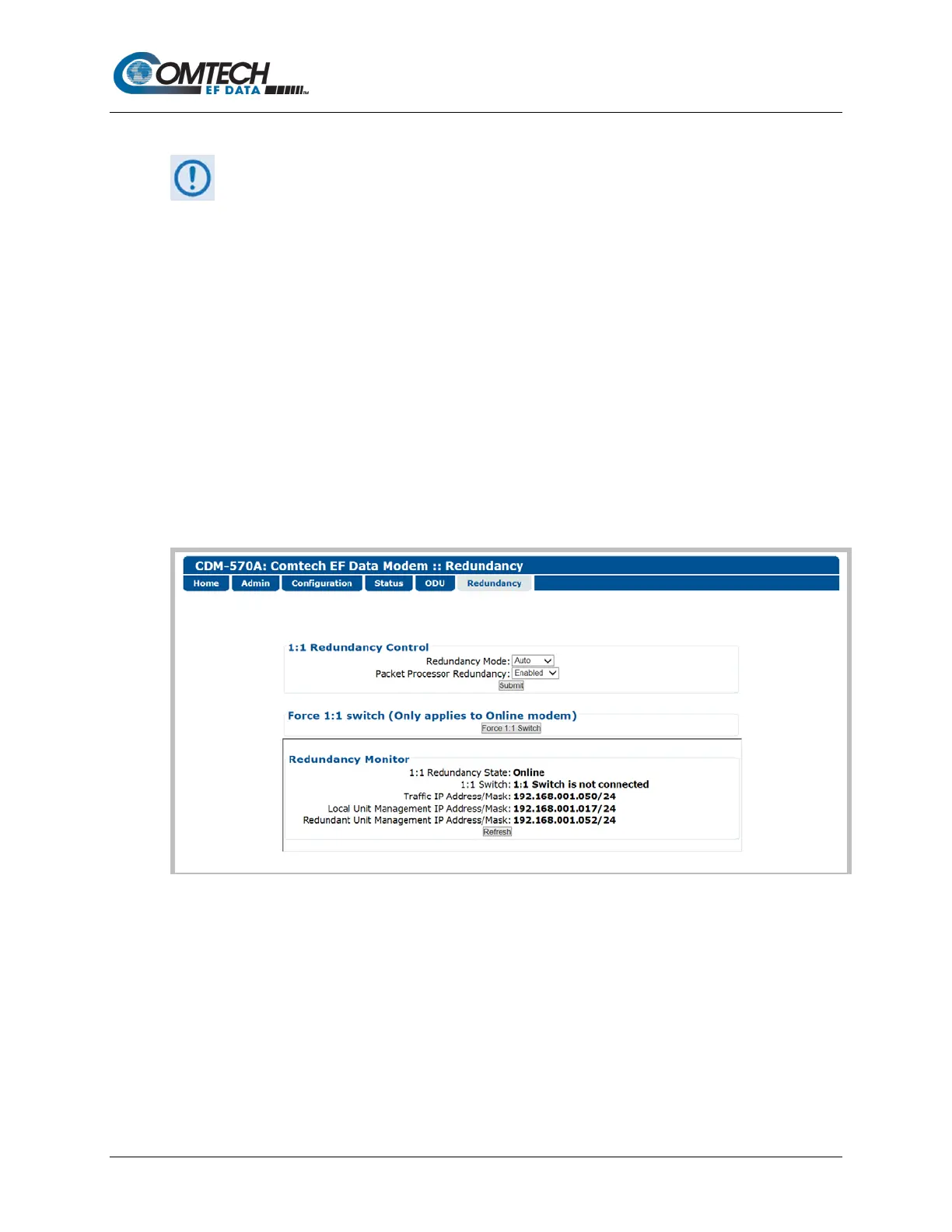
Figure 7-50. Redundancy Page
1:1 Redundancy Control
• Redundancy Mode – Use the drop-down list to set Redundancy mode as Auto or
Manual.
• Packet Processor Redundancy – When the optional Packet Processor is INSTALLED,
Use the drop-down list to set operation as Disabled or Enabled.
Click [Submit] to save.



 To Next Page