CDM-570A/570AL Satellite Modem with Optional Packet Processor
Revision 5
Optional Packet Processor - Serial/Telnet CLI Operation 9–52 MN-CDM570A
9.3.8.1.7 Satellite Modem > Configuration > BUC (Block Up Converter)
Configuration
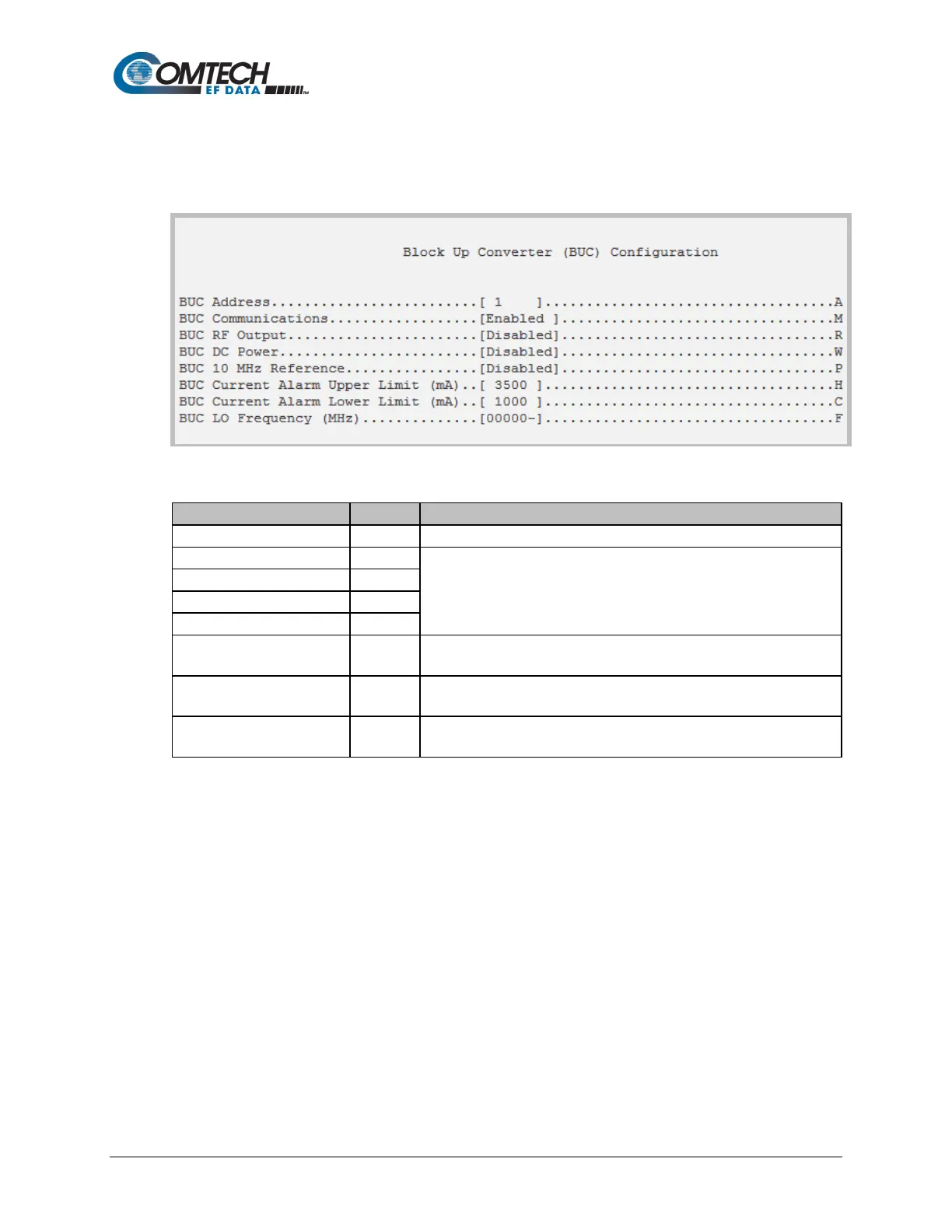
Open the nested Block Up Converter (BUC) Configuration page from the Configuration page.
Figure 9-36. BUC (Block Up Converter) Configuration
Set an address for the BUC in the range from 1 to 15.
Toggle to set operation as Enabled or Disabled.
BUC Current Alarm Upper
Limit (mA)
Set a value in the range from 500 to 4000.
BUC Current Alarm Lower
Limit (mA)
Set a value in the range from 0 to 3000.
Set a value in the range from 3000 to 65000. Set this value to 0 to
disable.



 To Next Page