CDM-570A/570AL Satellite Modem with Optional Packet Processor
Revision 5
Optional Packet Processor - Serial/Telnet CLI Operation 9–9 MN-CDM570A
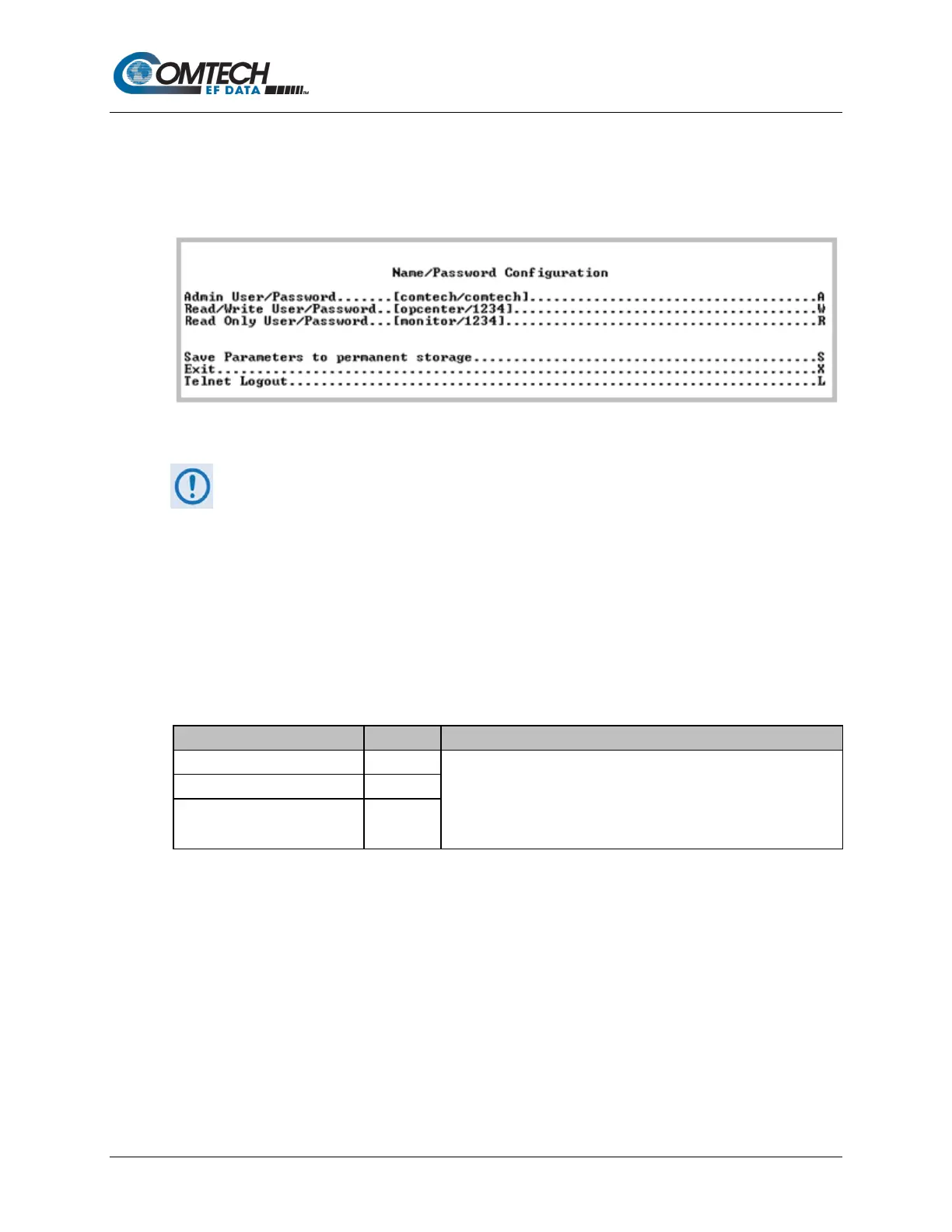
9.3.2.1 Administration > Name/Password Configuration
Open the nested Name/Password Configuration page from the Administration page.
Use this page to define the passwords required to access via HTTP, FTP, and Telnet.
Figure 9-4. Name/Password Configuration
• All Usernames and Passwords are case sensitive.
• There is a minimum of 1 and maximum of 11 characters.
• You may remove any or all of the Usernames and Passwords by typing
“NONE NONE” after each selection.
• Removing all Usernames and Passwords allows access only to the IP
functions when connecting via the Terminal Emulator serial connection
(because there is no log in).
• FTP access is restricted to Admin Username/Password only. FTP is only
used to update the Packet Processor firmware or to load or retrieve the IP
Parameter or IP Event log files.
Set the User Name and Password with a space delimiter.
Example: <user> <password>
Read Only User/Password R



 To Next Page