CDM-570L/570AL Satellite Modem with Optional Packet Processor
Revision 5
Optional High Performance Packet Processor D–4 MN-CDM570A
D.1.1.3.3 Field Upgrade Procedure
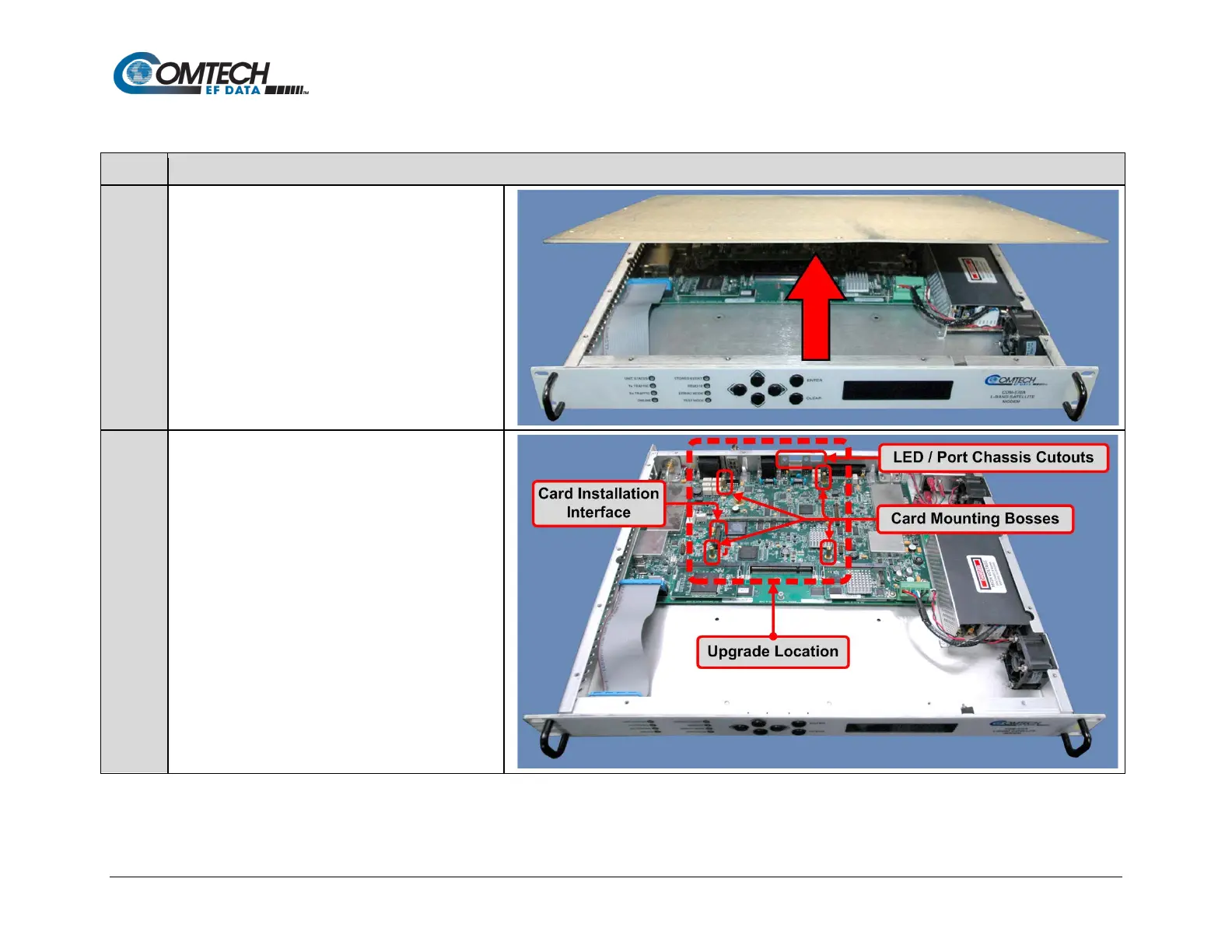
Turn off the CDM-570A/570AL and disconnect the
modem’s power cord from its power source.
Next, use the screwdriver to remove the top cover
mounting hardware.
Remove the cover from the CDM-570A/570AL
chassis.
IMPORTANT: Be sure to retain the top cover
mounting hardware for cover re-installation once you
have installed the Packet Processor Card.
The illustration at right identifies the features within
the chassis for assembly of the Packet Processor
Card onto the chassis-mounted card bosses.



 To Next Page