CDM-570A/570AL Satellite Modem with Optional Packet Processor
Revision 5
Optional Packet Processor - Serial/Telnet CLI Operation 9–80 MN-CDM570A
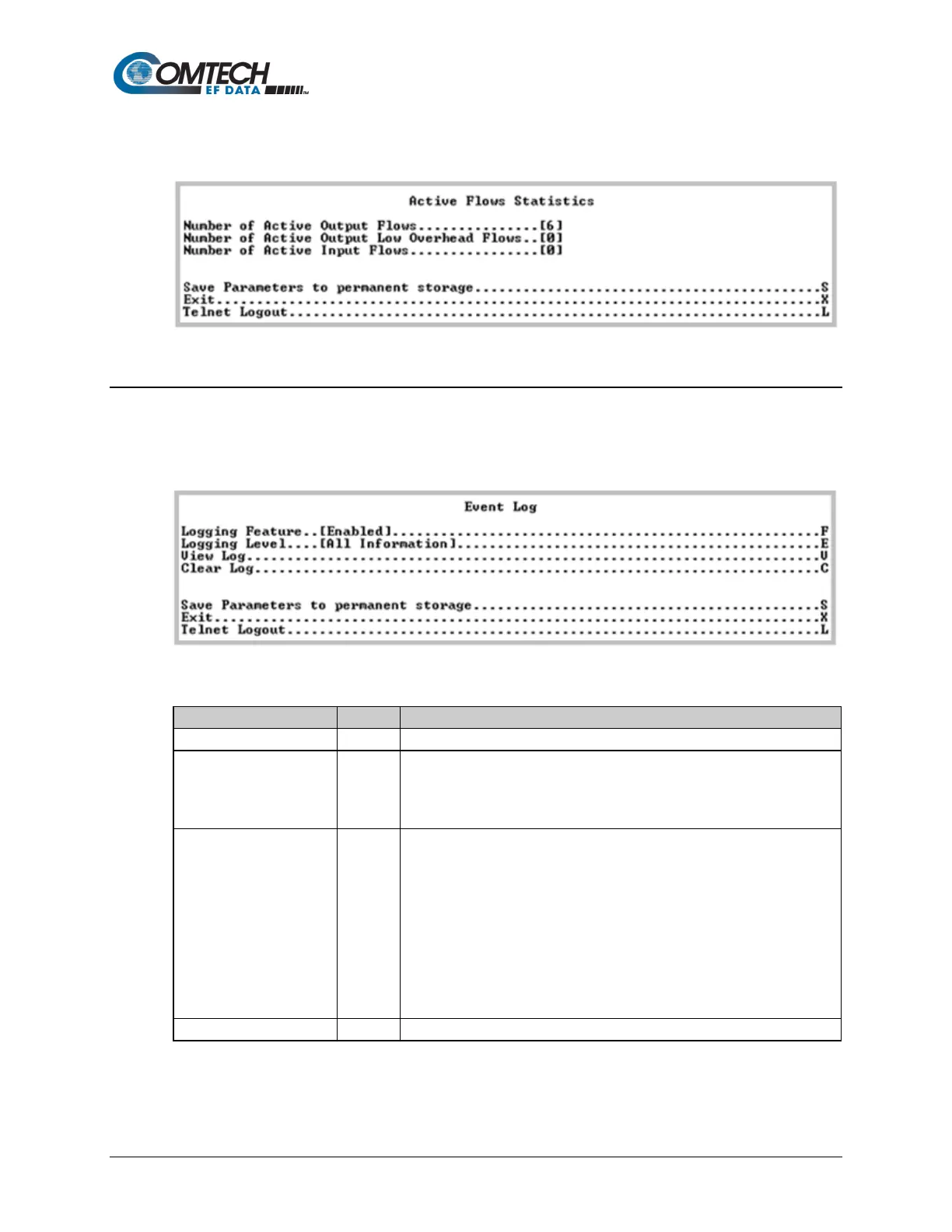
9.3.10.2.8 Operations and Maintenance > Statistics Menu> Active Flow
Statistics
Figure 9-62. Active Flow Statistics
9.3.10.3 Operations and Maintenance > Event Log
Open the nested Event Log page from the Operations and Maintenance page. Use this page to
view all logged Packet Processor events.
Figure 9-63. Event Log
Toggle event logging as [Enabled] or [Disabled].
Select the type of reported information:
1 – Errors Only
2 – Errors and Warnings
Select to view the most recent events. The top of the screen displays the
most recently logged event. As shown in the Figure 9-63 example, the
events log displays:
• Type – Error, Warning, or Information
• Date/Time – NOTE: During bootup, multiple Boot Events are created,
but a Date/Time will only be seen when the bootup has completed.
• Category – Boot, Database, FTP logins, upgrade file transfers, Ethernet
Link status change, Redundancy status.
• Description – Event details
Press any key to scroll through events or [Esc] to exit.
Select to clear log contents.



 To Next Page