CDM-570A/570AL Satellite Modem with Optional Packet Processor
Revision 5
Optional Packet Processor - Serial/Telnet CLI Operation 9–11 MN-CDM570A
9.3.2.3 Administration > Feature Configuration
Open the nested Feature Configuration page from the Administration page.
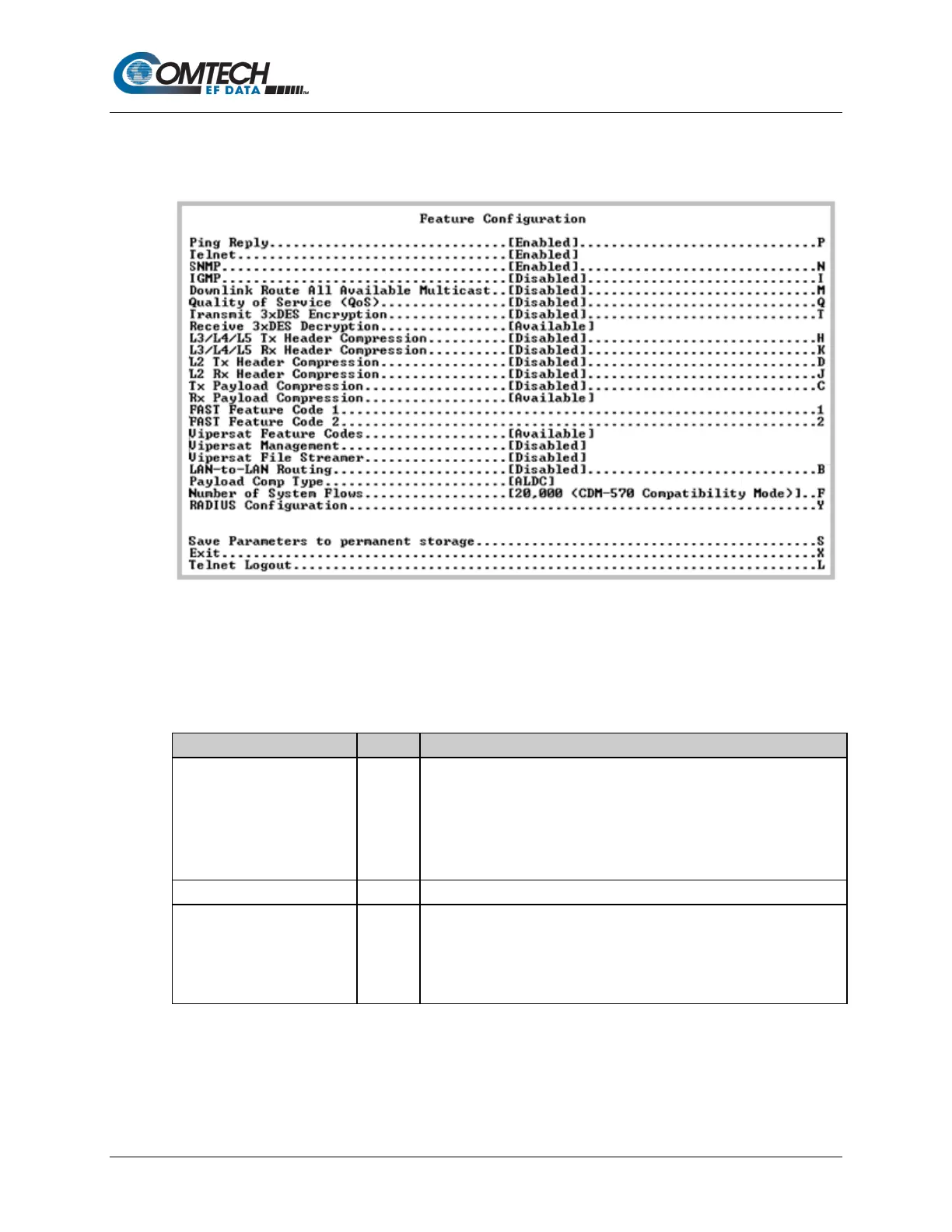
Figure 9-6. Feature Configuration
The Feature Configuration page communicates the current availability for each of the features. If
a feature is marked “Unavailable” then the item is a FAST feature.
Contact Comtech EF Data Product Support to purchase FAST features.
Toggle [Enabled] or [Disabled]:
• When Enabled, the Packet Processor responds to ping requests
directed to the Packet Processor Ethernet Interface.
• When Disabled, the Packet Processor does not respond to ping
requests. Use this as a security feature to prevent unauthorized
parities from determining if a device exists via the ping utility.
Toggle [Enabled] or [Disabled], only through the serial connection.
Toggle [Enabled] or [Disabled]:
• When Enabled, the Packet Processor responds to SNMP requests
against the private and public MIB.
• When Disabled, the Packet Processor does not respond to SNMP
requests against the private and public MIB.



 To Next Page