CDM-570A/570AL Satellite Modem with Optional Packet Processor
Revision 5
Optional Packet Processor - Serial/Telnet CLI Operation 9–26 MN-CDM570A
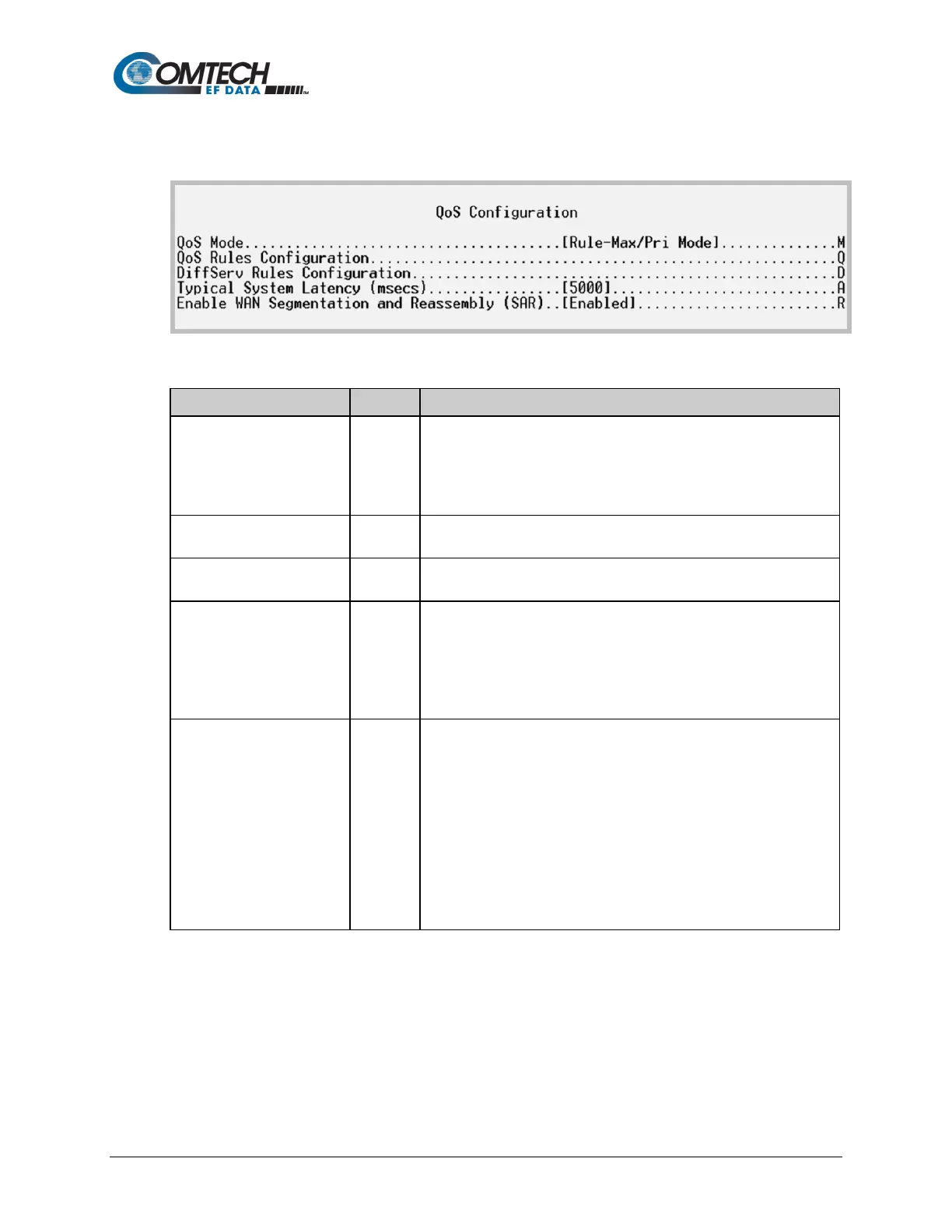
9.3.4 QoS (Quality of Service) Configuration
Open the QoS Configuration page from the Main Menu.
Figure 9-16. QoS Configuration
1 – Rule-Max/Pri Mode
2 – Rule-Min/Max Mode
3 – DiffServ Mode
4 – VLAN Priority/Max Mode
Defines QoS rules for Max/Pri Mode or Min/Max Mode.
See Section 9.3.4.1.
DiffServ Rules Configuration
Defines QoS rules for DiffServ Mode.
See Section 9.3.4.2.
(msecs)
Select this to specify the maximum depth of the QoS queue, from 200
to 5000 milliseconds of traffic that is destined to go over the satellite.
This defines the maximum duration that a packet will sit in a QoS
queue before being aged out and dropped. Lower priority packets are
dropped first until there is enough room to send the higher priority
and Reassembly (SAR)
Toggle Packet Segmentation and Reassembly (SAR) as Enabled or
Disabled.
SAR is automatically Enabled while QoS is Enabled. However, SAR is
an adaptive process; it will trigger only if the packet latency exceeds
the threshold value (default to 20 msecs). Latency value is calculated
based on the satellite transmission bandwidth. There is no minimum
segment size; however, if the last segment is less than 16 bytes, then
it is appended to the previous segment – excluding satellite HDLC
header – in order to avoid satellite overhead and consumption of CPU



 To Next Page