CDM-570A/570AL Satellite Modem with Optional Packet Processor
Revision 5
Ethernet-based Remote Product Management 7–22 MN-CDM570A
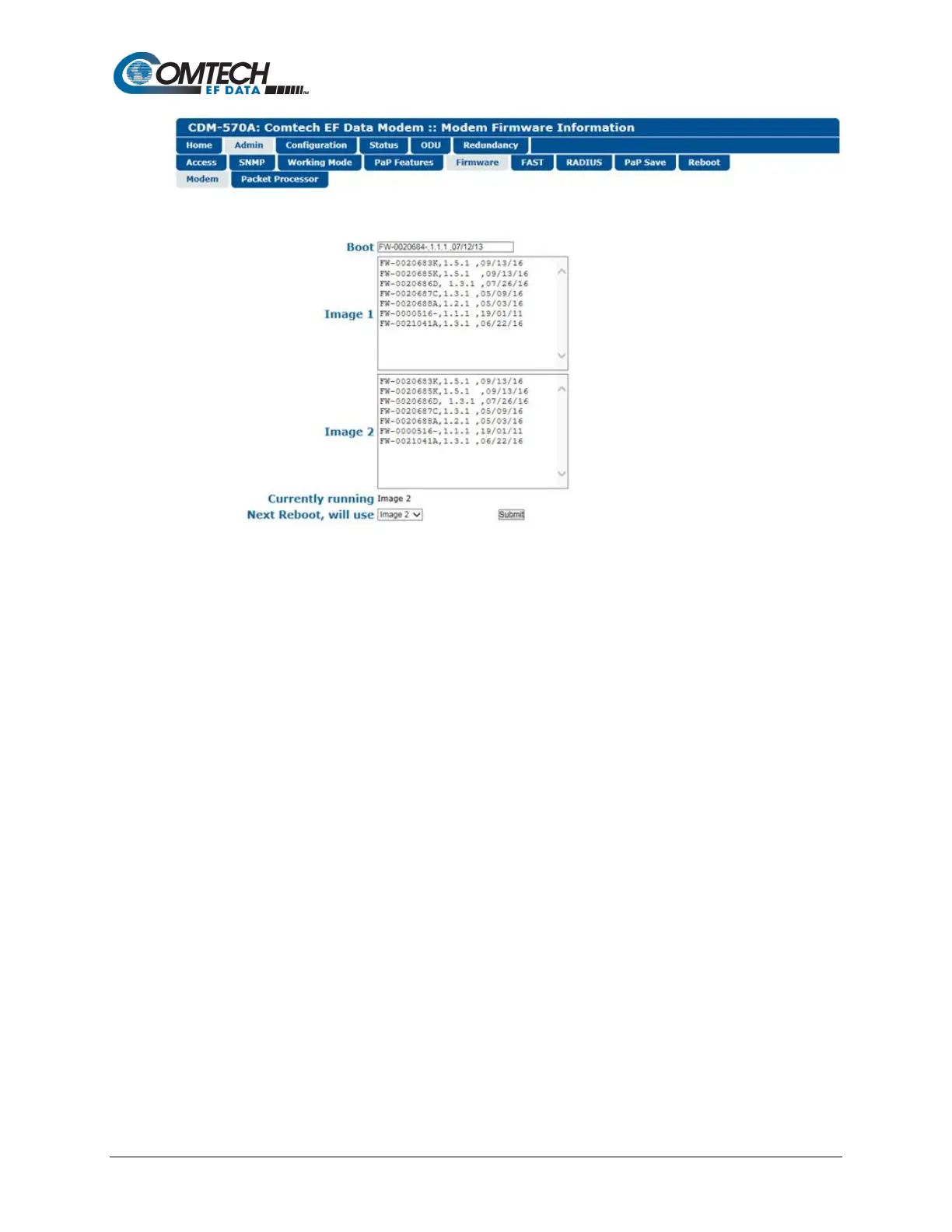
Figure 7-9. Admin | Firmware | Modem Page
Boot
This section identifies the firmware number, version, and release date that is loaded upon power-
up/boot up of the unit.
Image 1 / Image 2
These scrollable, read-only windows identify the Firmware numbers, versions, and release dates
that comprise the aggregate image load.
Currently Running (read-only)
The current running image is identified here.
Next Reboot, will use
Use the drop-down list to select Image 1 or Image 2 as the firmware image to use upon next
reboot.
Click [Submit] to save.



 To Next Page