CDM-570A/570AL Satellite Modem with Optional Packet Processor
Revision 5
1:1 IP Redundancy N–9 MN-CDM570A
6. While monitoring the CLIs for both modems, observe the following after powering on both
modems at the same time (also observe the switch Online LEDs to see which modem is
the Online modem).
• Online modem CLI will display:
1:1 Redundancy (Auto Detected)
Redundancy: PARAM File Connection Established.
Redundancy: Sending PARAM File...
• Offline modem will display:
1:1 Redundancy (Auto Detected)
Redundancy: Received PARAM File...
Writing 5447 bytes to PARAM file on Flash
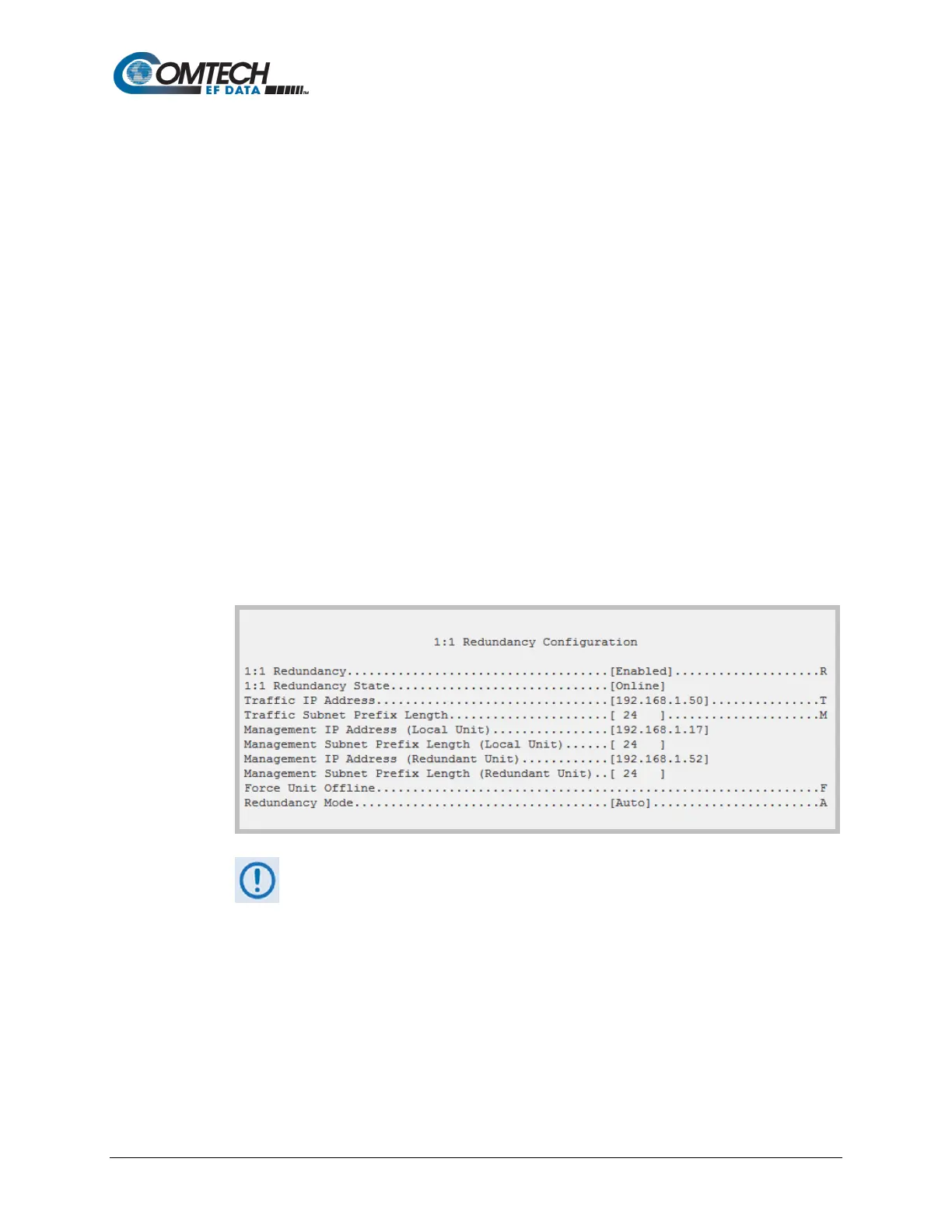
7. On the Online modem, select the Redundancy Configuration menu [R] from the CLI Main
Menu. Observe that the correct IP Addresses/Masks are displayed for the Local and
Redundant Units.
You must then set the Traffic IP Address/Mask (this also needs to be in the same subnet
as the Management IP addresses):
All configuration changes can only be made to the Online CDM-570A/570AL-IP
and require that you “Save Parameters to permanent storage [S]” so that the
configuration change is also applied to the Backup CDM-570A/570AL.



 To Next Page