Front Panel Operation Revision 4
CDM-760 Advanced High-Speed Trunking Modem MN-CDM760
6–52
6.2.3 SELECT: Monitor
Monitor: Live-Alarms Stored-Events ACM
Rx-Params CnC Stats Buffer MEO DPD ()
Use the arrow keys to select a parameter. Press ENTER.
6.2.3.1 (Monitor:) Live-Alarms
Live Alarms: Unit Transmit Receive
()
Use the arrow keys to select as parameter. Press ENTER.
6.2.3.1.1 (Monitor: Live-Alarms) Unit, Transmit, or Receive
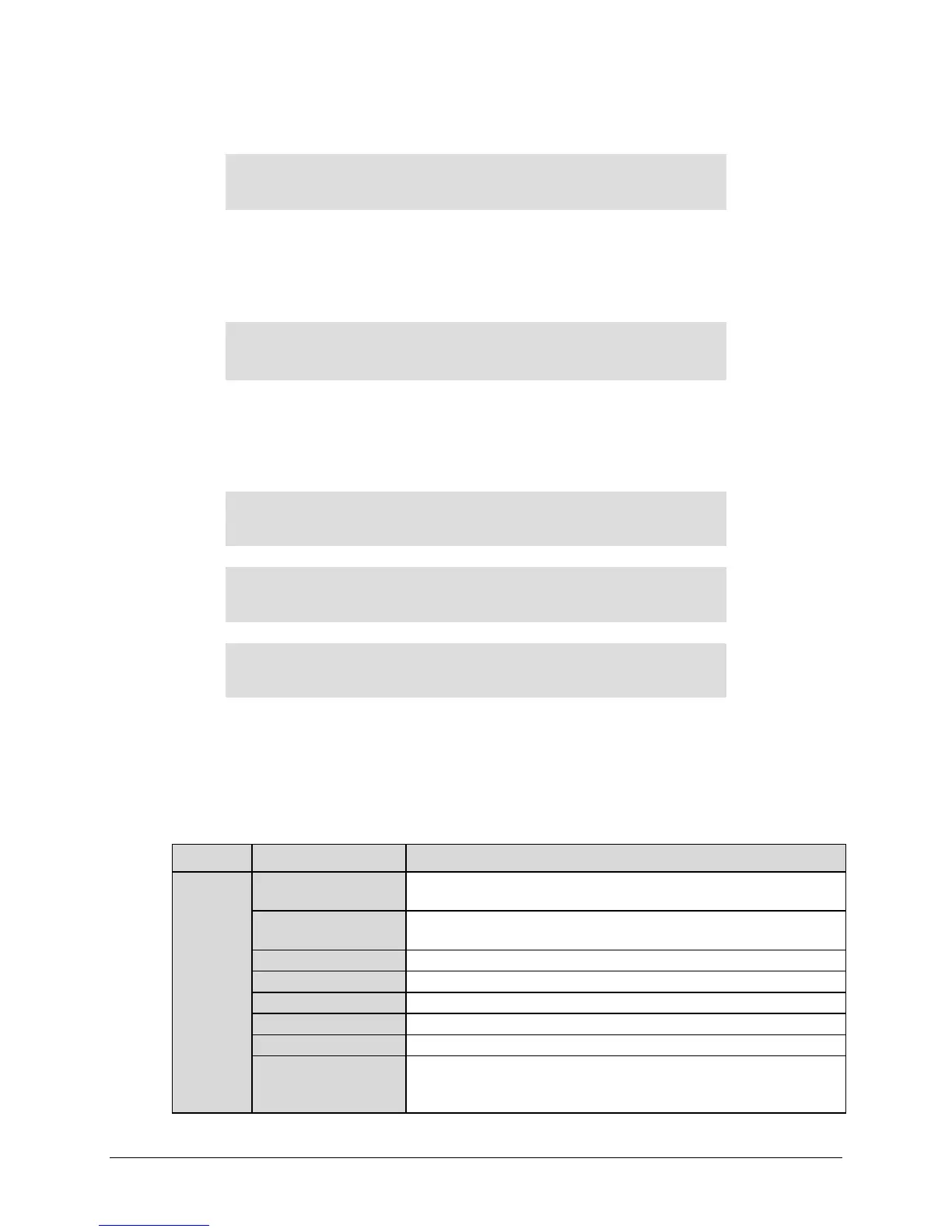
Live Press <ENTER> for Details
Unit:---+---+-------------------
Live Press <ENTER> for Details
Tx: -------
Live Press <ENTER> for Details
Rx: ++-------------
Press ENTER and use the arrow keys to move across the “-“ and “+” characters. Each
character represents a possible alarm. The “-“ character indicates the element in question is
NOT in alarm. The “+” symbol indicates the element is in an alarm (fault) state.
Possible alarms are as follows:
Type Alarm
MainPs X.X
Main Board Power Supply Fault
(3.3V, 1.5V, 1.2V, 1.8V, 1.0V, 2.5V, 1.25V)
MdmBdPs X.X
Modem Board Power Supply Fault
(5.8V, 3.8V, 2.8V, 3.3V, 1.5V, 1.2V)
Transmit power is not factory calibrated. Contact CEFD Product Support.
An FPGA could not be configured.
Unit could not lock to external reference clock input.
Unit has exceeded operating temperature.
PIIC1 ExtClk Act
A PIIC interface has been selected and the clock is set to lock to an
External Clock (as with G.703 or other Synchronous PIIC cards), however
no clock signal is detected.



 To Next Page