EasyManua.ls Logo

Comtech EF Data CDM-760 - Field Upgrade Procedure

Comtech EF Data CDM-760
441 pages
Print Icon
To Next Page IconTo Next Page
To Previous Page IconTo Previous Page
Loading...
Appendix F Revision 4
CDM-760 Advanced High-Speed Trunking Modem MN-CDM760
F–3
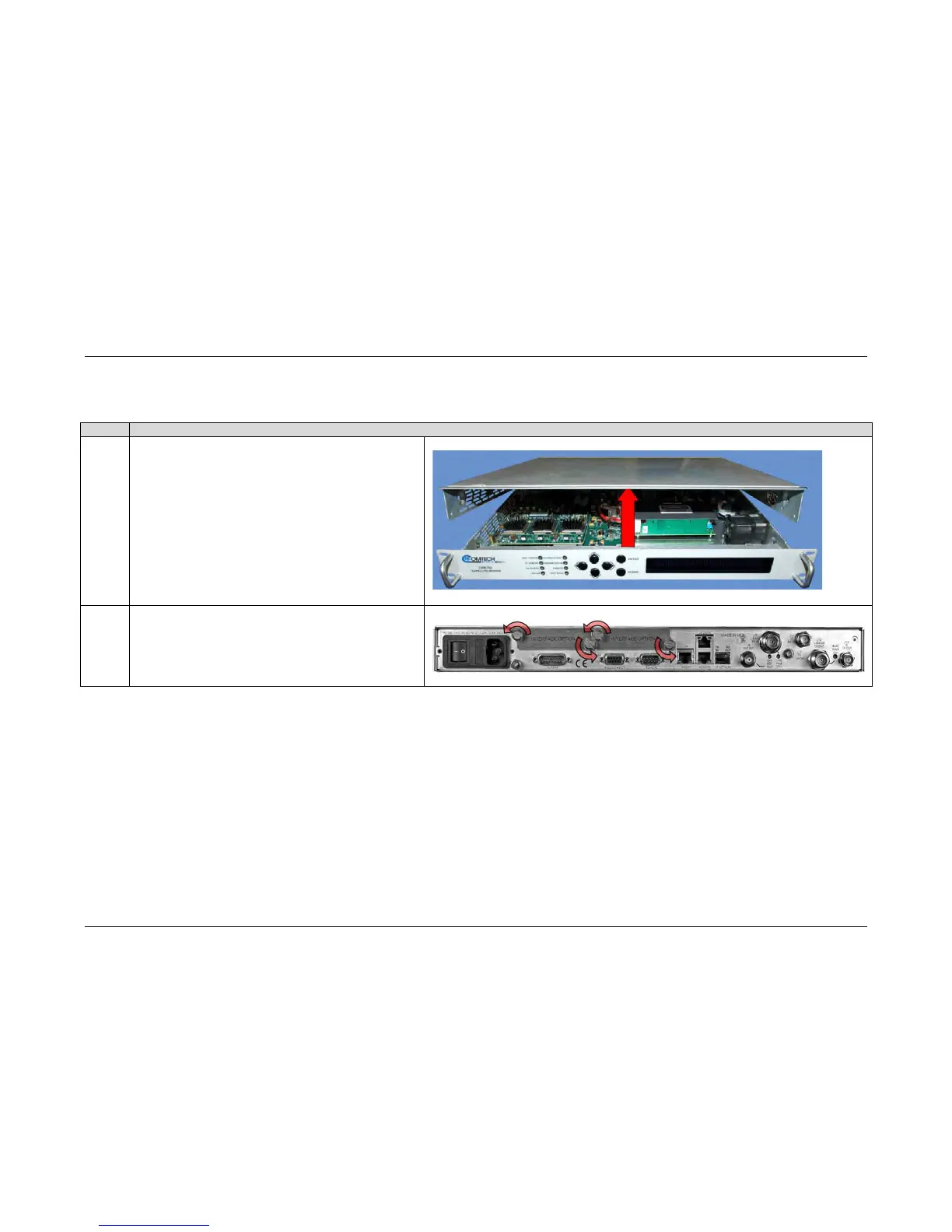
F.1.2.3 Field Upgrade Procedure
Do these steps:
Step
Task
1
Turn off the CDM-760 and disconnect the modem’s power cord
from its power source.
Use the screwdriver to remove the chassis cover top and side
fasteners. Remove the cover from the CDM-760 chassis.
IMPORTANT: Be sure to retain the cover’s top and side
fasteners for re-assembly of the cover to the chassis once the
upgrade is complete.
2
Remove and set aside both PIIC slot faceplates from the
modem rear panel. They are no longer needed after this
upgrade.

Table of Contents

Related product manuals