Appendix F Revision 4
CDM-760 Advanced High-Speed Trunking Modem MN-CDM760
F–10
F.2.2 Use the CDM-760 Front Panel to Enable Packet Processor Operation
See Chapter 6. FRONT PANEL OPERATION for in-depth information about the
function and operation of the CDM-760 front panel, when used for Packet Processor
operation.
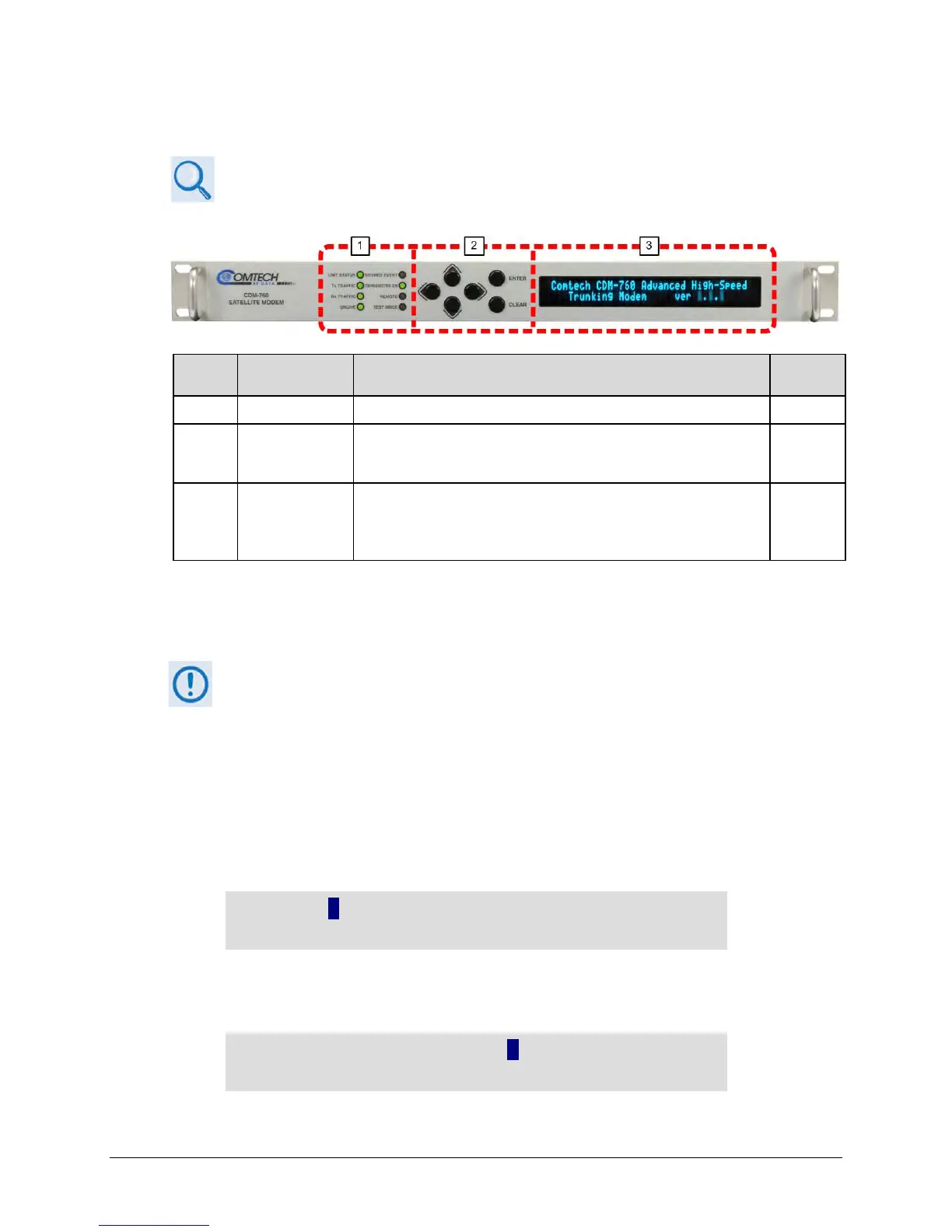
Feature Description Function
The LEDs indicate, in a summary fashion, the status of the modem.
2 Keypad
The keypad comprises six individual keyswitches. The keys have a
positive ‘click’ action that provides tactile feedback. Enter data via the
keypad. Data, prompts, and messages are displayed on the VFD.
6.1.2
3
Vacuum
Fluorescent
Display (VFD)
The VFD is an active display showing two lines of 24 characters each.
It produces a blue light with adjustable brightness. Nested menus
display all available options and prompt you to carry out a required
action.
6.1.3
Figure F-2. CDM-760 Front Panel Features
With the Packet Processor installed, you must first enable Packet Processor operation using the
CDM-760 Front Panel. Do these steps:
1)
Before proceeding, make sure that your rear panel Ethernet traffic and M&C
cabling connections have been made for Packet Processor operation.
2) Typical for all front panel screens, the flashing solid block indicates the cursor
position.
1. Use the nested Configuration | Interface menu to enable Packet Processor operation:
a) From the front panel main (SELECT:) menu, use the
◄ ►arrow keys to select the
Configuration menu branch. Press ENTER to proceed:
SELECT: Uonfiguration Monitor Test
Store/Ld Utility ODU FAST ()
b) From the CONFIG: screen, use the
◄ ► arrow keys to select the Intf (Interface) menu.
Press ENTER to proceed:
CONFIG: NetSpec Tx Rx Untf CnC Comp
Remote IP Mask Ref MEO ()



 To Next Page