Ethernet Interface Operation Revision 4
CDM-760 Advanced High-Speed Trunking Modem MN-CDM760
7–19
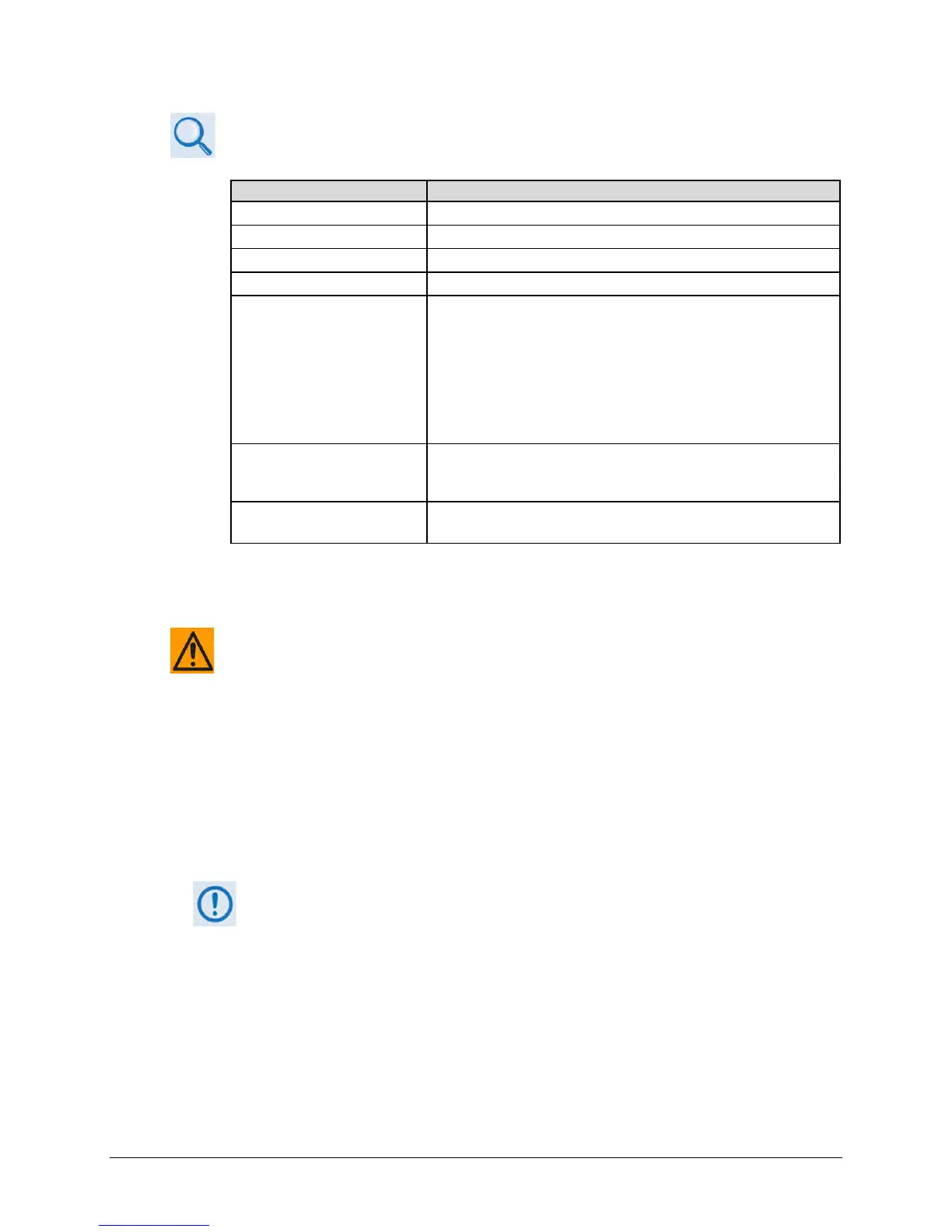
See Chapter 6. FRONT PANEL OPERATION for information about the configuration
parameters available on this page:
Operational Feature / Section
Chapter 6 Section Reference
6.2.2.1.1 (CONFIG: NetSpec) Network Spec
6.2.2.1.2 (CONFIG: NetSpec) Operating Mode
• For CnC operation, see 6.2.2.5 (CONFIG:) CnC (Carrier-in-
Carrier)
o Also see: Appendix J. DOUBLETALK
CARRIER-IN-CARRIER
OPTION
• For DPD operation, see 6.2.2.7 (CONFIG:) DPD (Dynamic
Predistortion)
o Also see: Appendix L. DYNAMIC
PREDISTORTION
OPTION
ACM
6.2.2.2.5 (CONFIG: Tx) ACM (Adaptive Coding and Modulation)
• Also see: Appendix G. ADAPTIVE CODING AND MODULATION
AUPC
6.2.2.2.4 (CONFIG: Tx) Power
(CONFIG: Tx) Power AUPC
7.4.4.3.2 Configuration | Interface Pages
Be sure to read about Single Stream Mode vs. MultiStream Mode Operation in
Chapter 6. FRONT PANEL OPERATION before you attempt to use either of the
Interfaces pages.
Use the Interface pages to configure and monitor the available base unit and optional Ethernet
and optional PIIC traffic data interfaces at the CDM-760 rear panel:
• The J5 | DATA Ethernet port
• The J6 | DATA Ethernet port
• The J7 | OPTICAL port, used with the optional Optical Ethernet SFP (Small Form Factor
Pluggable) module
• PIIC Slot 1 (PIIC1) and Slot 2 (PIIC2), which accept the optional PIIC modules: G.703
E3/T3/STS-1; OC-3 Single Mode; OC-3 Multi Mode; STM-1 Copper; or DVB ASI
• High-Speed Packet Processor
Use of the PIIC slots is unavailable when the Packet Processor is installed.
When installed, operation of the rear panel J4 |MGMT, J5 | DATA, and J6 | DATA
Ethernet ports are disabled and operation is transferred by the modem to the
Packet Processor’s P0 | MGMT, P1 | DATA, P2 | DATA, P3 | DATA, and P4 | DATA
Click the Interface primary page tab, and then select the Ethernet or PIIC tab to continue.



 To Next Page