Rear Panel Connections Revision 4
CDM-760 Advanced High-Speed Trunking Modem MN-CDM760
3–16
3.3.3 48V Direct Current (DC) Power Interface (Optional)
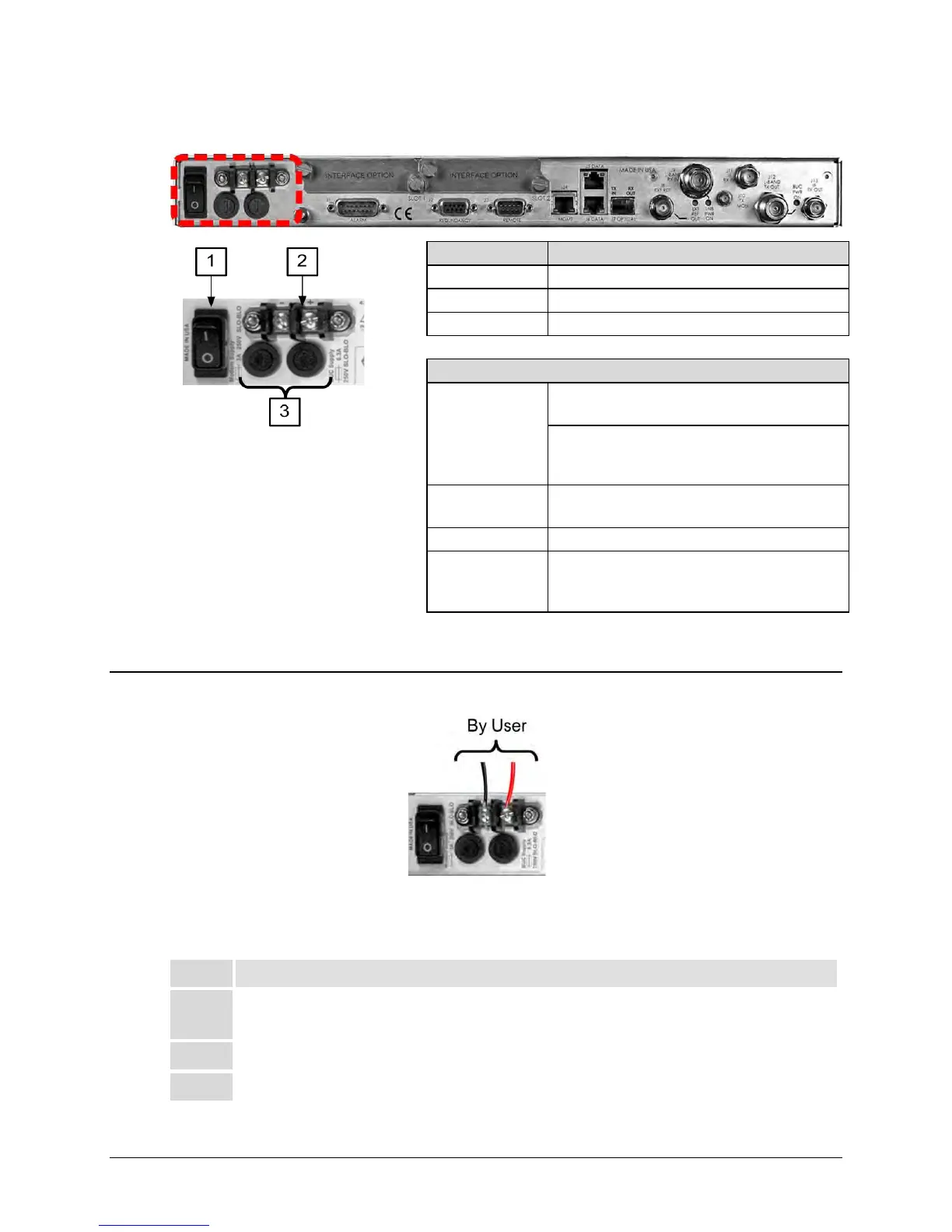
Figure 3-12. DC Power Interface
3.3.3.1 DC Operation – Apply Power
Figure 3-13. Apply DC Power to the unit
To apply DC power to the unit (Figure 3-13), do these steps:
Step Task
1 Connect the user-supplied (+) and (–) DC power leads to their respective terminals.
Number 18 AWG minimum wires are recommended.
Connect the user-supplied DC power leads to the user power source.
3 Switch the unit ON.
Screw-in Fuse Holders / Receptacles
Input Power
48 watts (typical with TPC/LDPC Codec and CnC
module installed), 68 watts (max)
280 watts (typical TPC/LDPC Codec, CnC
module and 48 volt BUC [FUTURE] supply
installed), 300 watts (max)
Input Voltage
43-60 VDC Nominal
36-60 VDC Maximum
Fuse Protection
(2X) 5mm x 20mm Slow-blow type fuses:
Modem Fuse: 3Amp/250Volts
BUC Fuse: 6.3 Amp/250 Volts



 To Next Page