Rear Panel Connections Revision 4
CDM-760 Advanced High-Speed Trunking Modem MN-CDM760
3–14
3.3.2 115V/230V Alternating Current (AC) Power Interface (Standard)
IEC Three-prong Connector
Input Power
48 watts (typical with TPC/LDPC Codec and
CnC module installed), 68 watts (max)
280 watts (typical TPC/LDPC Codec, CnC
module and 48 volt BUC [FUTURE] supply
installed), 300 watts (max)
Input Voltage
100V to 240V AC, +6%/-10%, autosensing
(total absolute max. range is 90V to 264V AC)
Fuse Protection
(2X) 5mm x 20mm Slow-blow type fuses:
T4A ( 250V AC operation)
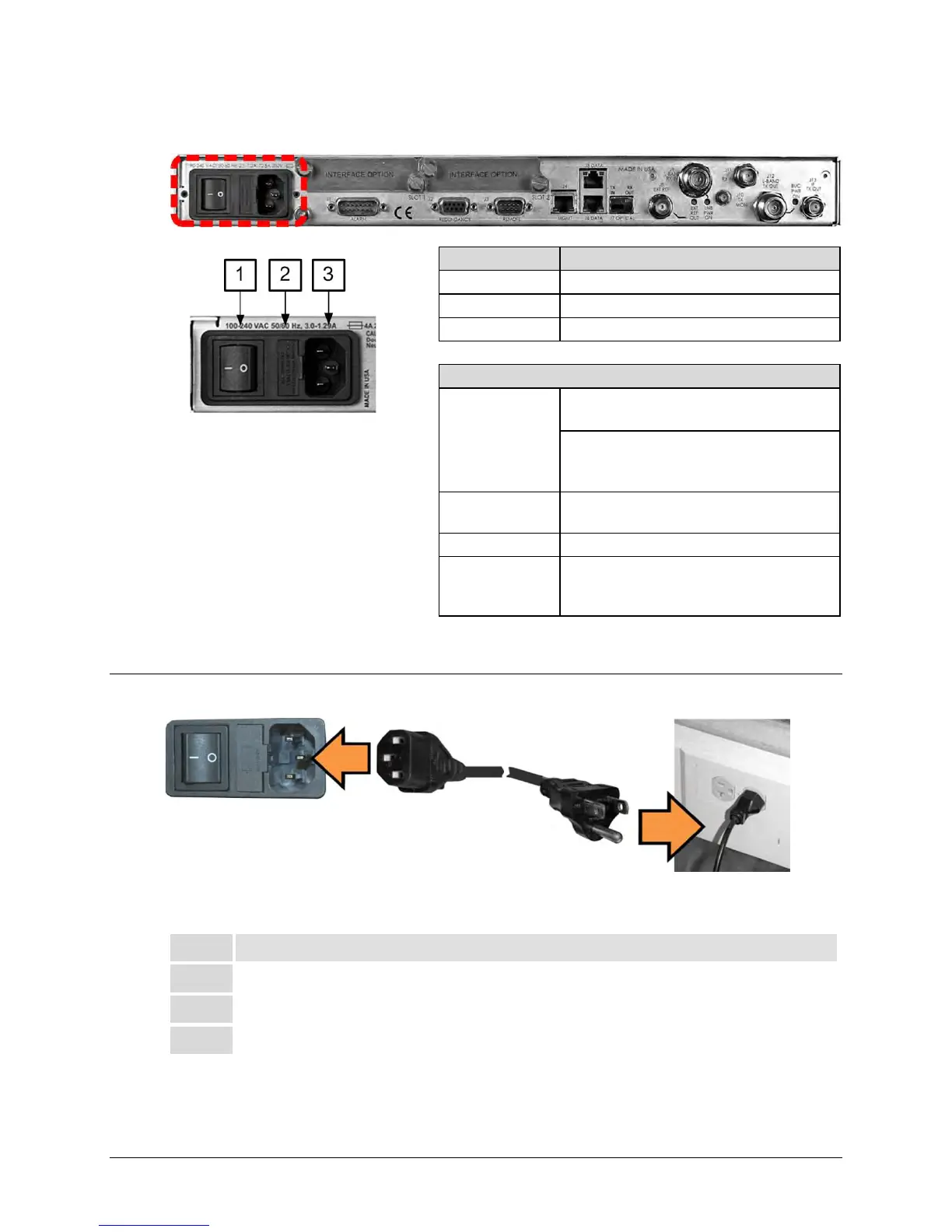
Figure 3-9. AC Power Interface
3.3.2.1 AC Operation – Apply Power
Figure 3-10. Apply AC Power to the unit
To apply AC power to the unit (Figure 3-10), do these steps:
Plug the provided AC power cord female end into the unit.
Plug the AC power cord male end into the user-supplied power source.



 To Next Page