Appendix A Revision 4
CDM-760 Advanced High-Speed Trunking Modem MN-CDM760
A–7
A.3.2 Install and Configure the FileZilla FTP Utility on the User PC
You can download FileZilla from http://filezilla-project.org/download.php. For detailed
information on using installing and using FTP clients such as FileZilla, refer to your specific utility
program Help documentation.
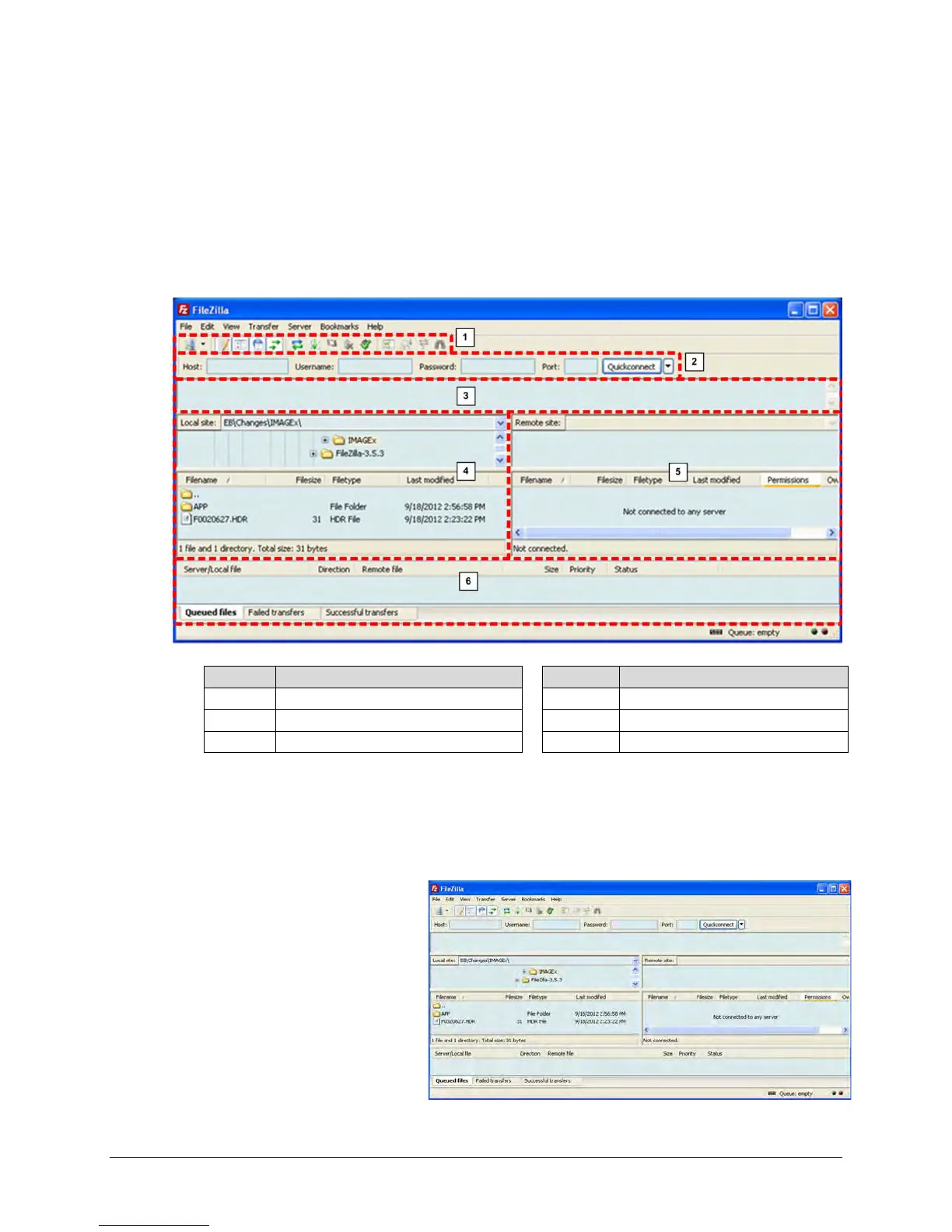
Figure A-1 shows the operating features of the FileZilla FTP Utility. The screen shots featured in
this appendix depict use of FileZilla Version 3.5.3, but any later version will suffice.
Figure A-1. Filezilla FTP Utility Features (Version 3.5.3 shown)
Once you install FileZilla on the User PC, you must then configure it to match the CDM-760’s FTP
server before attempting the firmware FTP update procedure.
Do these steps:
1. Open FileZilla. The FileZilla
FTP Utility, similar to this
example, appears (see Figure
A-1 to identify the FileZilla FTP
Utility features):



 To Next Page