Ethernet Interface Operation Revision 4
CDM-760 Advanced High-Speed Trunking Modem MN-CDM760
7–6
7.4 HTTP (Web Server) Interface
A user-supplied web browser allows the full monitor and control (M&C) of the CDM-760 from its
HTTP Interface. This non-secure embedded web application is designed for, and works best
with, Microsoft Internet Explorer Version 8.0 or higher.
7.4.1 User Login
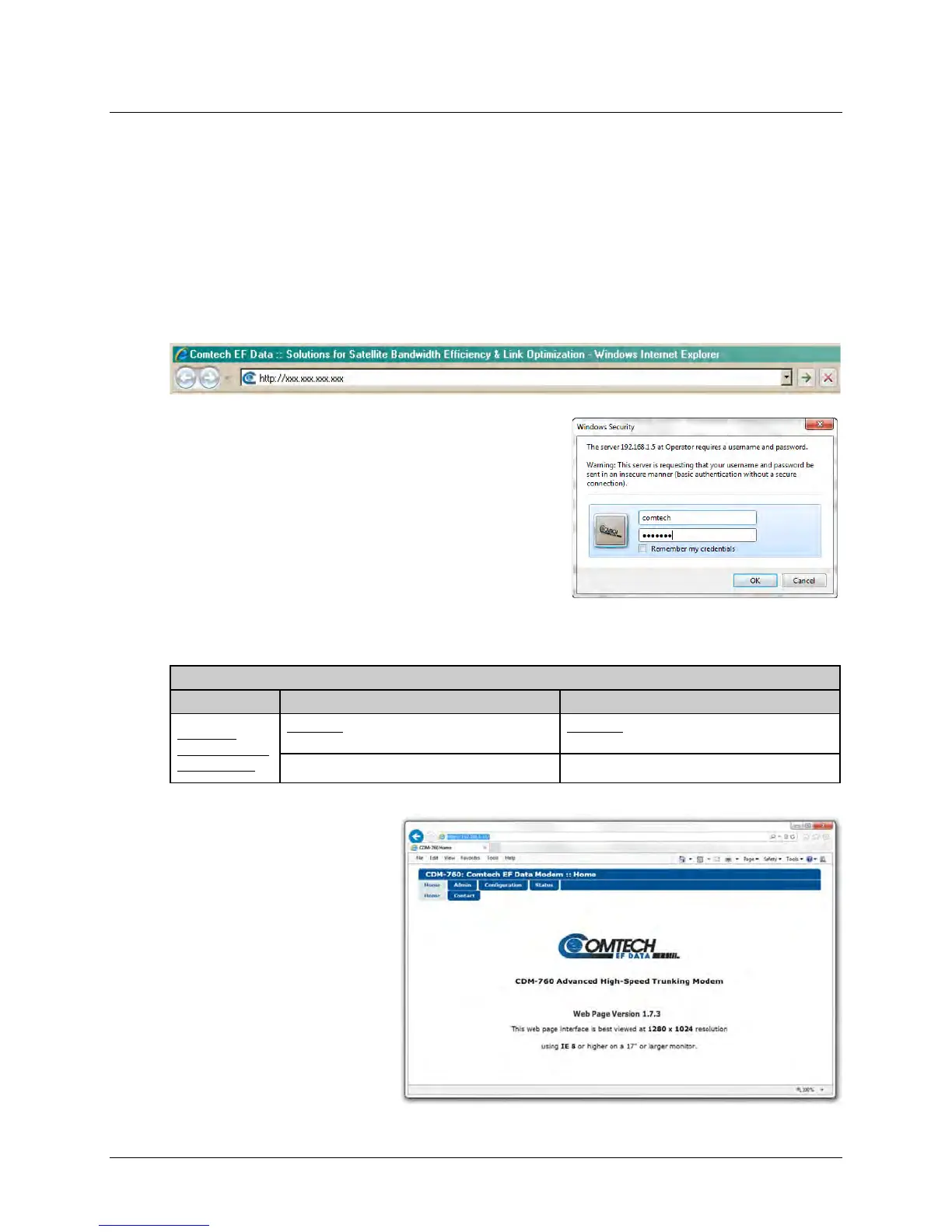
Type the CDM-760 Management IP Address (shown here as http://xxx.xxx.xxx.xxx) into the
Address area of the User PC web browser:
Once you enter a valid IP Address and before the
modem grants access to the HTTP Interface, it prompts
you for a User Name and Password via the Login
Window, similar to the example shown at right.
Default Admin User name – comtech
Default Admin Password – comtech
Type the User Name and Password, and then click [OK].
HTTP Login Access Levels are defined as follows:
HTTP Login User Access Level
Read/Write
(FULL) access to
all web pages.
No access to Admin or High-Speed Packet
Processor-related web pages.
No access to Admin or High-Speed Packet
Processor-related web pages.
Read/Write (FULL) access for all other web pages Read-only (VIEW) access for all other web pages.
Once you enter a valid User
Name and Password, the HTTP
Interface Home page displays:



 To Next Page