Rear Panel Connections Revision 4
CDM-760 Advanced High-Speed Trunking Modem MN-CDM760
3–15
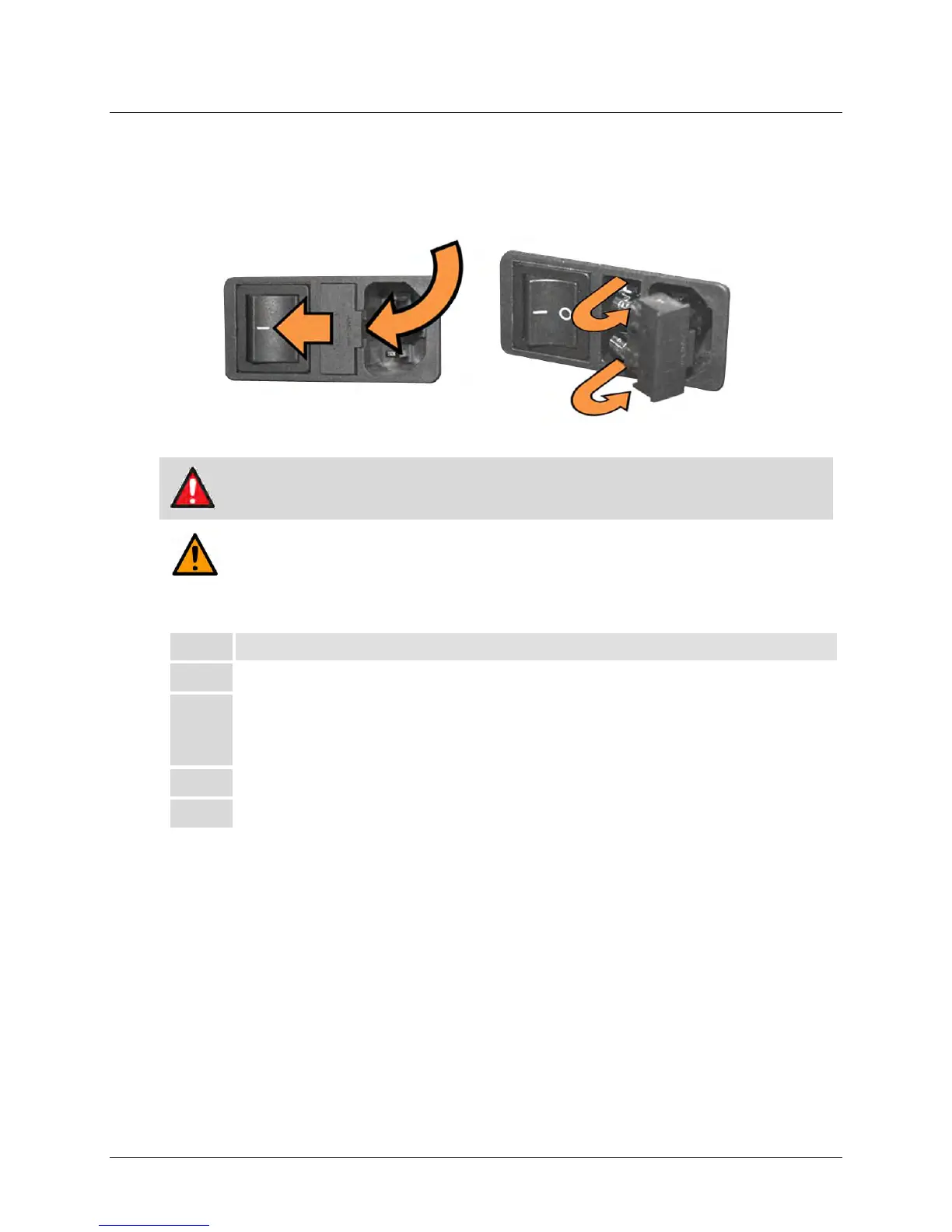
3.3.2.2 AC Operation – Replace the Fuses
For AC operation, the unit uses two common 5mm x 20mm Slow-blow fuses – one each for line
and neutral connections. The fuses are contained on the rear panel in a fuse holder that is press-
fit into the body of the IEC power module (Figure 3-11).
Figure 3-11. Replace the AC Fuses
WARNING!
DEATH OR PERSONAL INJURY POSSIBLE
DISCONNECT THE POWER SUPPLY BEFORE PROCEEDING!
CAUTION
ALWAYS REPLACE THE FUSES WITH THE CORRECT TYPE AND RATING. SEE FIGURE 3-9
FOR THE AC FUSE SPECIFICATIONS.
To replace the AC fuses (Figure 3-11), do these steps:
Step Task
1 Disconnect the power supply.
2 Unseat the fuse holder from the IEC power module:
• Use the slot to pry the holder outward from the IEC power module.
• Pull the holder straight out, and then swing the holder away from the module.
Remove and replace the fuses as necessary.
Re-seat the fuse holder in the IEC power module.



 To Next Page