Updating Firmware Revision 4
CDM-760 Advanced High-Speed Trunking Modem MN-CDM760
4–5
4.2.1.4 Make a Temporary Folder (Subdirectory) on the User PC
The temporary folder is where you store the firmware archive download. There are several ways
you can make a temporary folder on a Windows PC:
• To use the Windows Desktop, see Section 4.2.1.4.1.
• To use Windows Explorer, see Section 4.2.1.4.2.
• To use the Run and Browse windows, see Section 4.2.1.4.3
.
• To use Wind
ows Command-line or the Command Prompt, see Section 4.2.1.4.4.
1) These examples specify drive letter “c:”. You can use any valid, writable drive
letter.
2) T
ypical for many of the tasks that follow, type the command as instructed and
then press
Enter.
After you make the temporary folder, proceed to Section 4.3 t
o download and extract the
firmware files.
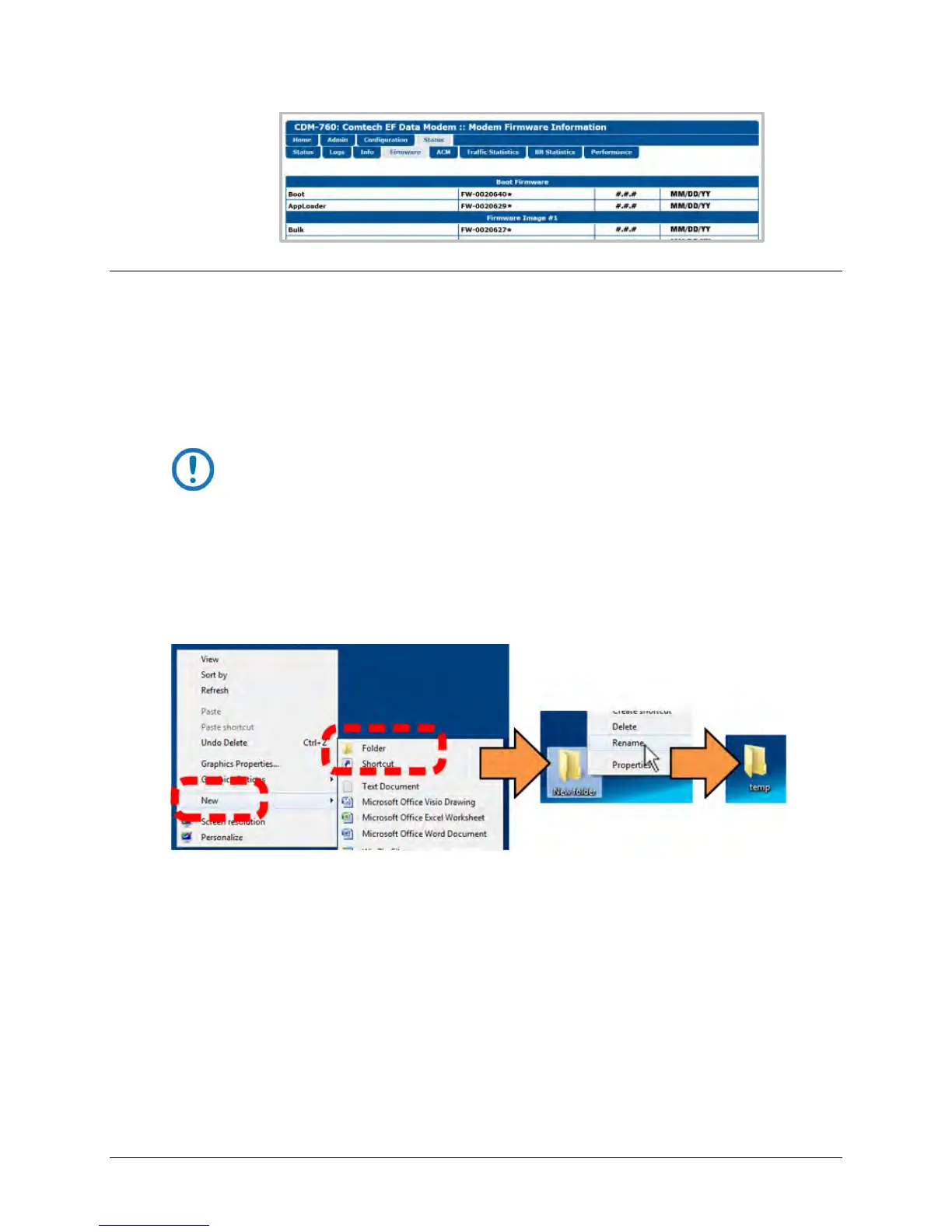
4.2.1.4.1 Use Windows Desktop to Make a Folder
Do these steps:
1. Right-click anywhere on the desktop to open the popup submenu.
2. Select New > Folder to make the new, temporary folder on the desktop.
3. Right-click on the new folder and then select Rename from the popup submenu. Rename
this folder to “CDM760” or some other convenient,
unused name.



 To Next Page