FAST Activation Procedure Revision 4
CDM-760 Advanced High-Speed Trunking Modem MN-CDM760
5–3
3. Contact Comtech EF Data Product Support to order features:
a. Provide the modem’s 9-digit Baseboard Serial Number to the representative.
b. Identify and purchase the desired FAST option(s).Obtain the invoice, the register-specific
20-digit FAST Access Code(s), and the FAST option activation instructions.
When you purchase a FAST Access Code from Comtech EF Data, it will be for a
specific option register
4. Enter the FAST Access Code(s):
. The FAST options are linked to the three option
registers explained in Sect. 5.2.
a. Press CLEAR to return to the SELECT: FAST Options (Register #) Set menu.
b. Use the arrow keys (◄ ►▲▼) to carefully enter your register-specific 20-character
FAST Access Code.
FAST: Set register1: Enter code below
00000000000000000000 then [ENTER] (◄ ►▲▼)
c. Press ENTER to execute the FAST upgrade. The modem responds with “Configured
Successfully” if the FAST upgrade is accepted; the modem then resets to its newly-
incorporated default configuration. However, if an invalid code is entered, the following
message displays:
Failure to configure. Re-enter code.
88888888888888888888 then [ENTER] (◄ ►▲▼)
Repeat the FAST Access Code entry procedure. Should the code entry error persist,
contact Comtech EF Data Product Support for further assistance.
5.3.2 FAST Activation Using the CDM-760 HTTP (Web Server) Interface
See Chapter 7. ETHERNET INTERFACE OPERATION for complete information about
using this product management interface.
Do these steps:
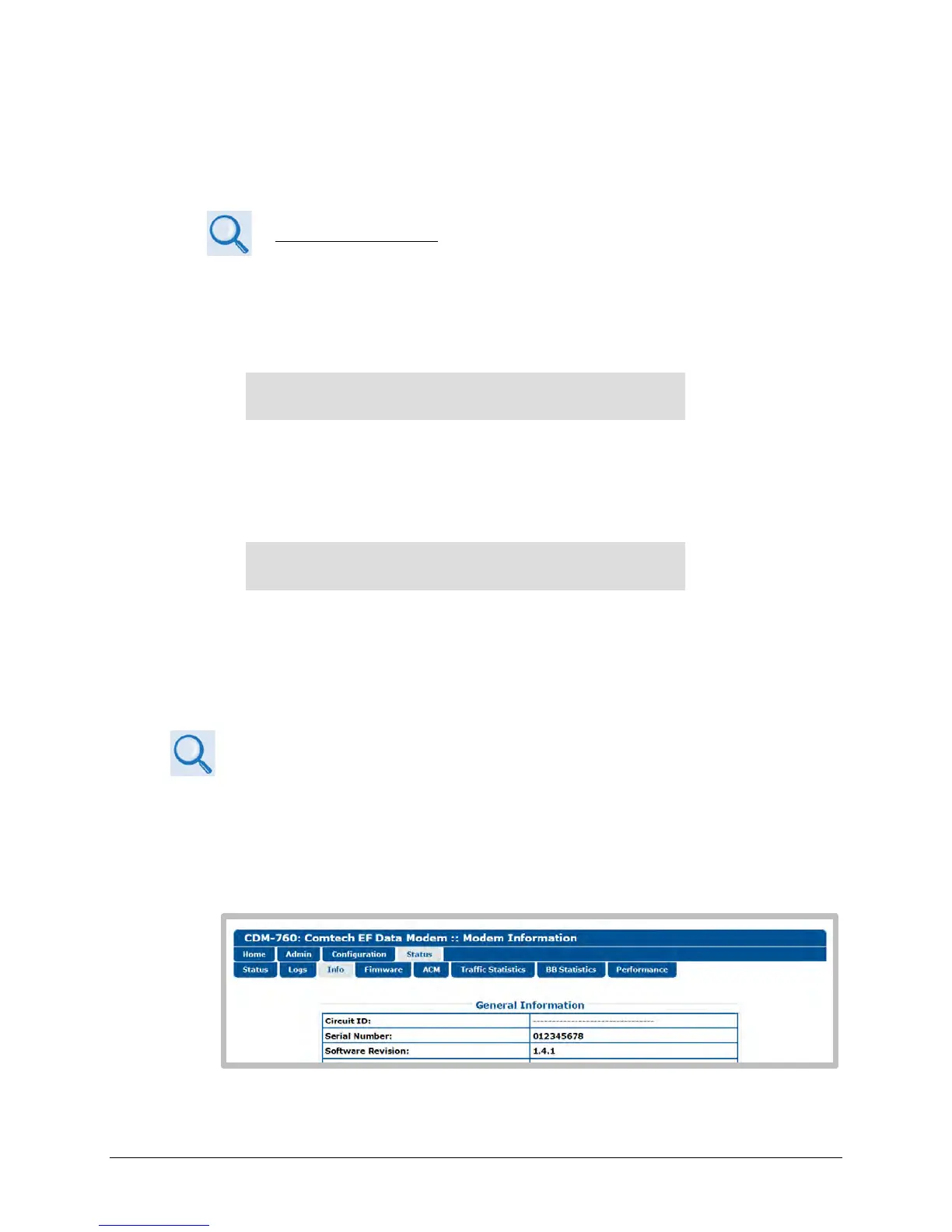
1. Before contacting Comtech EF Data Product Support to order FAST feature upgrades, obtain
and record the modem’s baseboard serial number:
a. Log in to the CDM-760 HTTP Interface, and open the ‘Status | Info’ page. The serial
number is provided in the General Information section of this page:
b. Record the Serial Number: ______________________________________



 To Next Page