Appendix A Revision 4
CDM-760 Advanced High-Speed Trunking Modem MN-CDM760
A–9
A.3.3 Performing the FileZilla-based FTP Update Procedure
Do these steps:
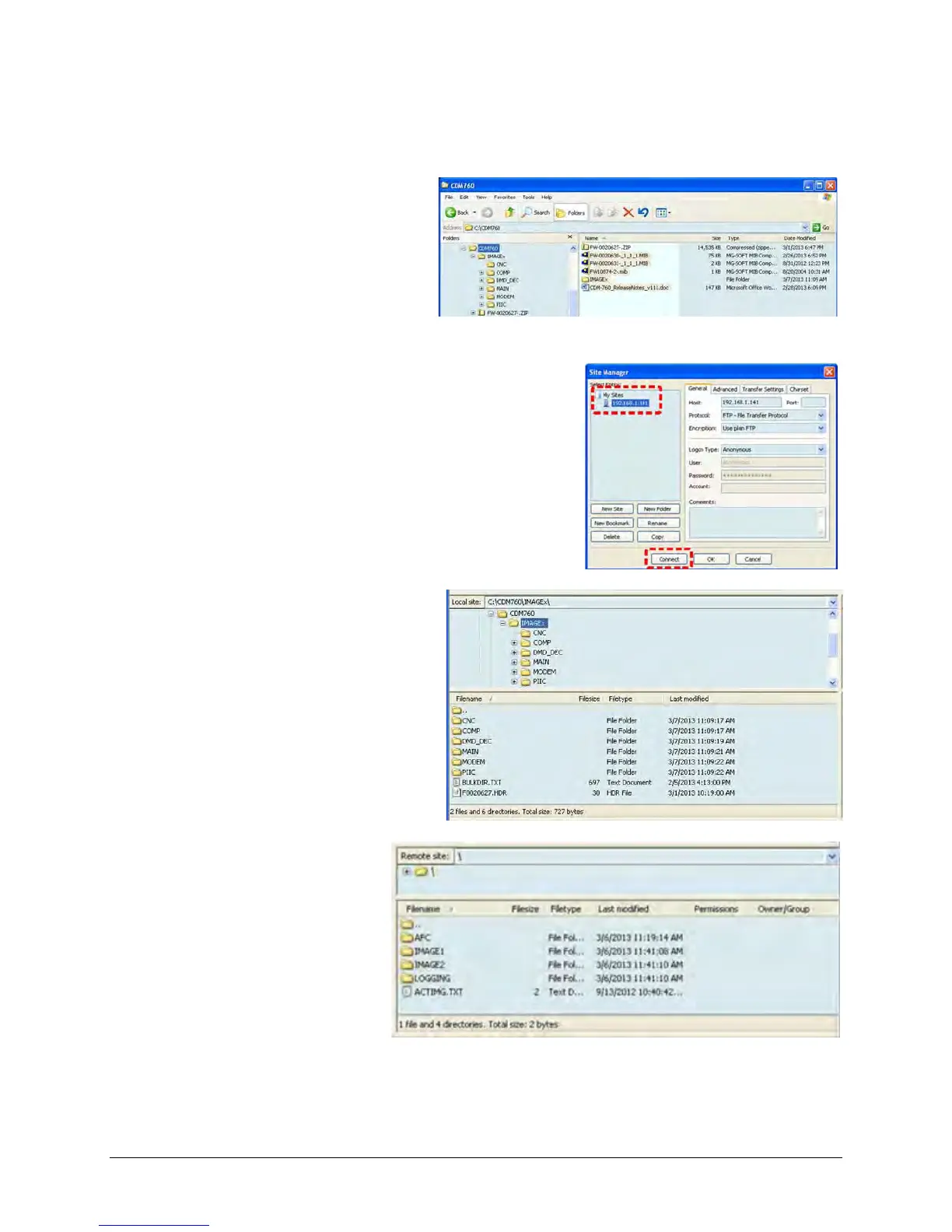
1. Confirm that the firmware
update file was properly
downloaded and extracted to
your working folder. The
contents of the C:\CDM760
folder should look like this:
(The “IMAGEx” folder contains the firmware update files.)
2. Select File → Site Manager... or click the Site
Manager icon. Select the site created earlier, and
then click [Connect].
The “Local site:” pane (on the
left-hand side, representing the
User PC working folder) should
look like this:
The “Remote site:” pane
(on the right-hand side,
representing the CDM-
760) should look like this:



 To Next Page