Installation Revision 4
CDM-760 Advanced High-Speed Trunking Modem MN-CDM760
2–6
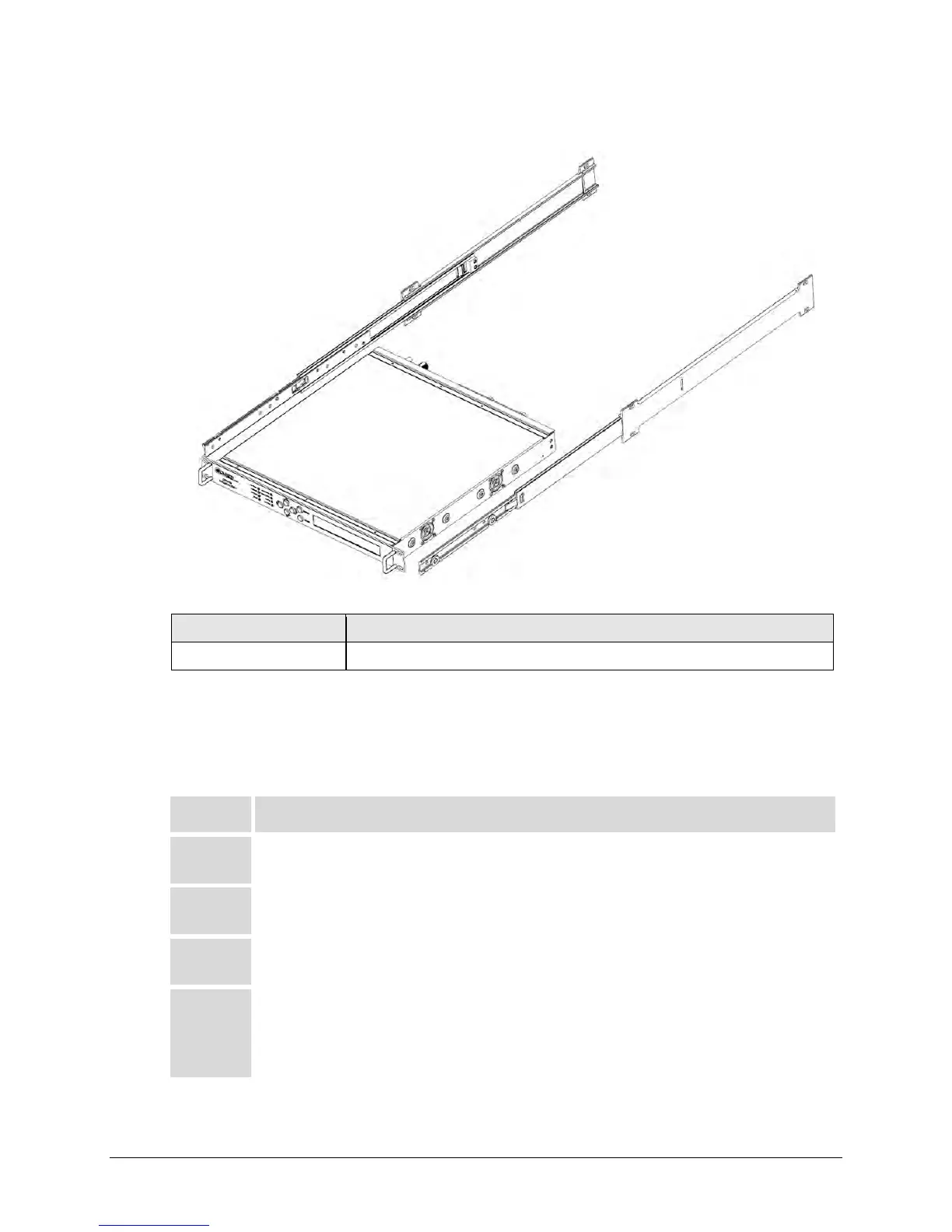
2.2.2 Install the Optional Bearingless Rack Slide Set
CEFD Part Number Description
FP/SL0006 Bearingless Rack Slide Set – 26”
Figure 2-4. Install the Optional Bearingless Rack Slide Set
The optional FP/SL0006 Bearingless Rack Slide Set may be installed into the equipment rack
enclosure and onto the sides of the CDM-760.
Do these steps to install the slide set (Figure 2-4):
Step Task
1
Use the provided mounting hardware to install one slide onto each side of the
CDM-760 chassis.
2
Use the provided mounting hardware to install the slide rail components into
each interior side of the rack enclosure.
3
Mount the unit into the front of the rack enclosure. Ensure that the slides
properly engage the enclosure-mounted slide rails.
4
Continue to slide the modem into the rack enclosure to its final operating
position. You may then use four user-supplied screws to secure the modem to
the enclosure’s threaded front mounting rails (through the modem front panel
mounting slots).



 To Next Page