Ethernet Interface Operation Revision 4
CDM-760 Advanced High-Speed Trunking Modem MN-CDM760
7–51
7.4.4.4.2.2 Status | Logs | PP Log
This nested page is accessible only to Admin users when the optional High-Speed
Packet Processor card is installed and enabled. See Sect. 7.4.3.1 for information
about using conditional access pages.
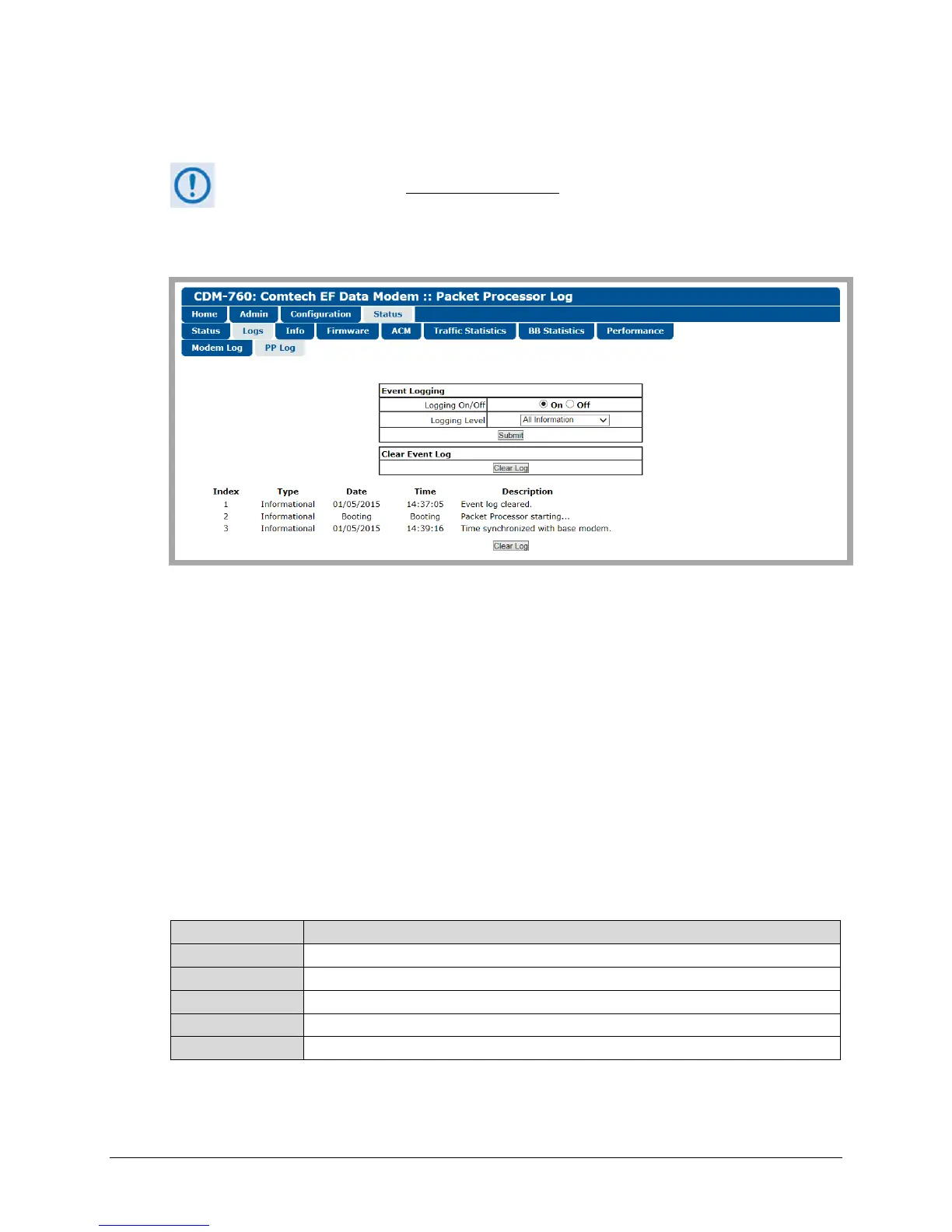
Use this page to view logged events, faults and alarms attributed to the Packet Processor.
Figure 7-30. Status | Logs | PP Log Page
Event Logging
• Logging On/Off – Click On or Off to enable or disable event logging.
• Use the Logging Level drop-down list to select Errors Only, Errors and Warnings, or All
Information.
Click [Submit] to execute.
Clear Event Log
Click [Clear Log] to clear the log buffer and remove all event entries. The table then displays a
single event, labeled “Event log cleared.”
This page provides a scrollable table of stored events, sorted by occurrence from earliest to
latest. This table displays up to 256 events as follows:
The event is sequentially numbered.
Type The Fault/Alarm Type displays here as Informational, Warning, or Error.
Date The event date displays here in MM/DD/YY format.
Time The event time displays here in HH:MM:SS format.
Description This column provides a brief summary of the event.



 To Next Page