Appendix H Revision 4
CDM-760 Advanced High-Speed Trunking Modem MN-CDM760
H–9
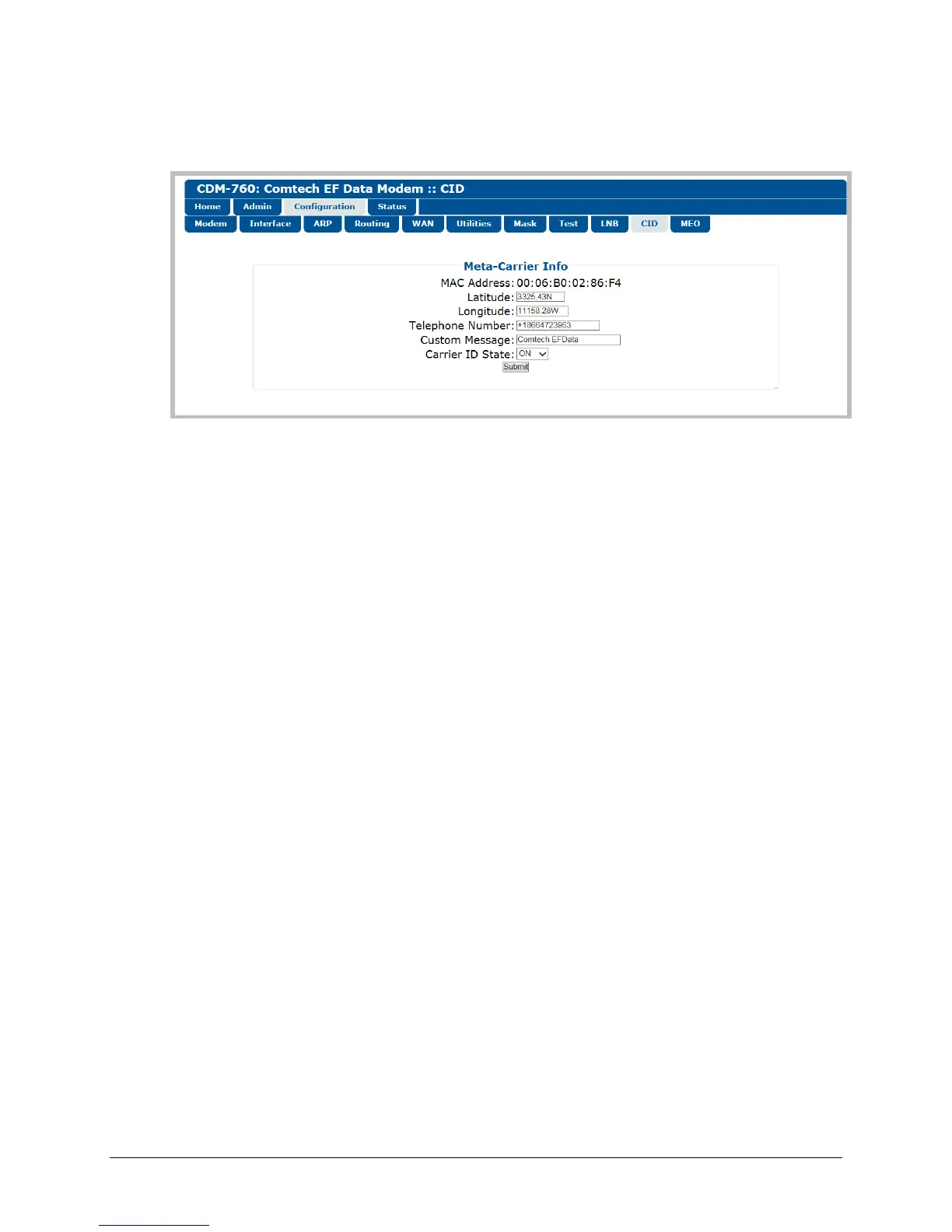
To open the Carrier ID page (Figure H-3), click the Configuration navigation tab, and then
select the CID page tab.
Figure H-3. Configuration | CID Page
Meta-Carrier Info
• The read-only MAC Address for the M&C card on the CDM-760 is displayed here.
• Set the modem’s physical location in Latitude in the form DDMM.mmC, where:
o DD = degrees (00 through 90)
o MM = whole minutes (00 through 60)
o mm = fractional minutes (0 through 99 (tenths or hundredths))
o C = compass cardinal point (N = North, S = South)
• Set the modem’s physical location in Longitude in the form DDDMM.mmC, where:
o DDD = degrees (000 through 180)
o MM = whole minutes (00 through 60)
o mm = fractional minutes (0 through 99 (tenths or hundredths))
o C = compass cardinal point (E = East, W = West)
• Enter a CID Telephone Number to provide a valid emergency contact number to call to
resolve operational issues – e.g., in case the modulator’s Tx output is causing interference
on the satellite. Providing this phone number allows a satellite operator to quickly call the
person(s) responsible for correcting any issues.
• Create a Custom Message to provide additional information that may be useful in resolving
operational issues, e.g., to quickly resolve interference.
• Use the Carrier ID State drop-down list to select operation as On or Off. This setting enables
the transmission of CID information by the modem. The default is On.
Click [Submit] to save your settings.



 To Next Page