EasyManua.ls Logo

Fujitsu M10-4 - Page 239

Fujitsu M10-4
342 pages
Print Icon
To Next Page IconTo Next Page
To Previous Page IconTo Previous Page
Loading...
OK
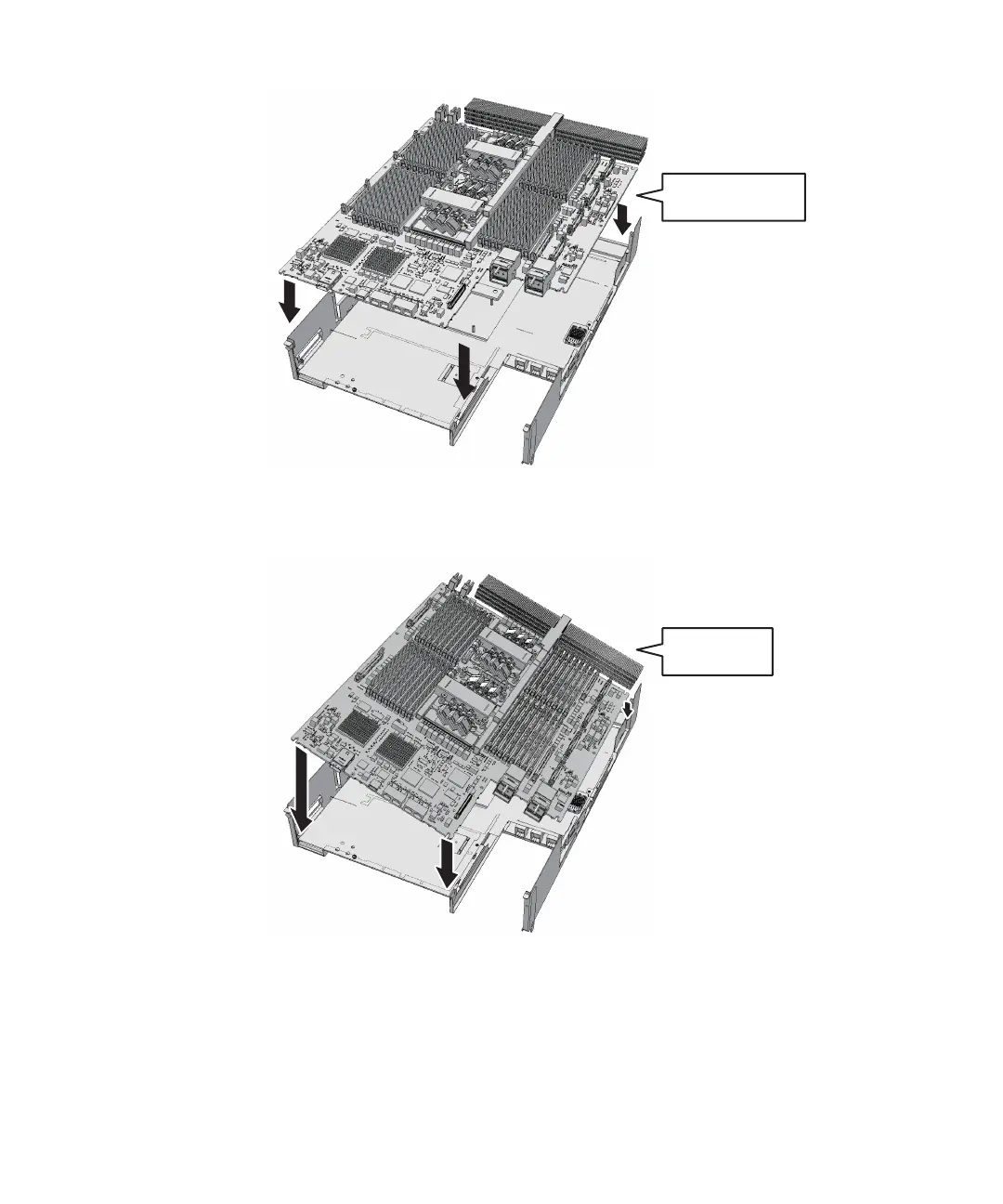
Installing the
board horizontally
NO
Installing the
board tilted
Figure
9-45
  
Correct
position
of
the
CPU
memory
unit
board
Figure
9-46
  
Wrong
position
of
the
CPU
memory
unit
board
-
For
the
SPARC
M10-4/M10-4S
with
a
FRAME-A
CPU
memory
unit
Install
the
board
so
that
the
bent
tip
of
the
frame
(C
in
the
figure)
can
be
inserted
into
the
space
(B
in
the
figure)
between
the
end
face
on
the
far
side
of
the
CPU
memory
unit
board
and
the
radiator
(A
in
the
figure).
a.
Insert
the
board
carefully
into
the
frame,
keeping
it
horizontal.
b.
If
the
threaded
hole
of
the
board
and
the
threaded
hole
of
the
frame
(D
in
the
figure)
do
not
match
when
you
are
inserting
the
board,
place
the
board
Chapter
9
 
Maintaining
the
CPU
Memory
Unit/Memory 225

Table of Contents

Related product manuals