CHAPTER 7
154
Gerber Solara ion Web Pages
4/29/10 Rev G
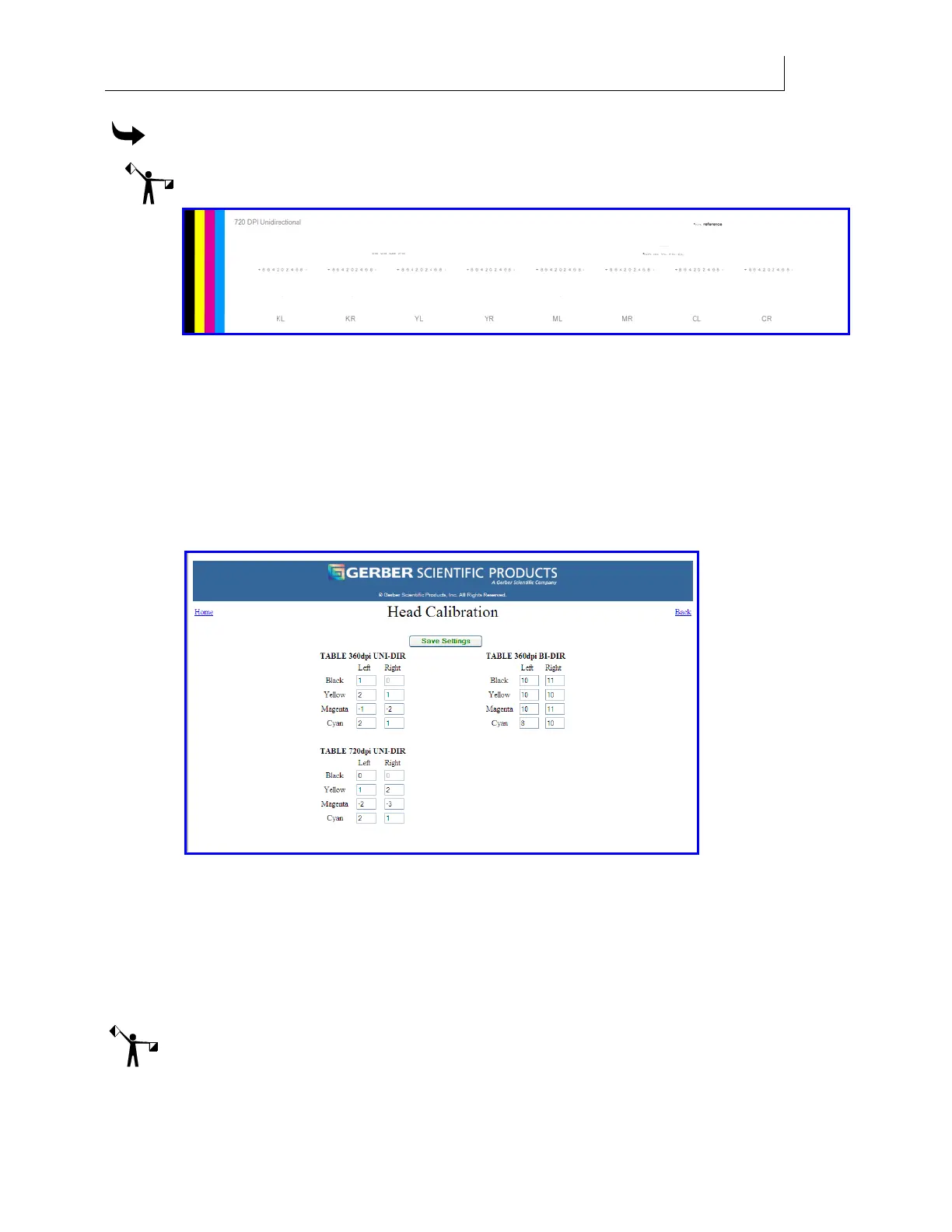
To calibrate 720 unidirectional printing
Note: Always perform 360 mode alignments prior to 720.
1 Select the 720 Horiz Align job on the printer.
2 Examine the print. For each color, select the line (-10 through 10) that are best aligned
to the black line underneath it.
3 Open the web browser on the computer connected to the printer and enter the IP
address of the Gerber Solara ion printer to open the Gerber Solara ion Home web
page.
4 Click the Calibration web page, click the Print head CAL PAGE button to open the
Head Calibration web page.
5 Enter the corresponding number into the field in the UNI-DIR section on the left side
of the web page. For example, if CL aligns best at –5, that number should be added to
the current values in the Cyan Left field. For instance if the current value in the field is
-2, add the new value (-5) to it, and enter -7 in Cyan Left field. Continue to enter the
new alignment values for each color print head, both Left and Right, in the UNI-DIR
columns.
6 Click the Save Settings button to accept the values.
Note:
* The UNI-DIR Black Right should always be set at Zero.



 To Next Page