INS
GUI User’s Manual
Inertial Labs, Inc
TM
Address: 39959 Catoctin Ridge Street, Paeonian Springs, VA 20129 U.S.A.
Tel: +1 (703) 880-4222, Fax: +1 (703) 935-8377 Website: www.inertiallabs.com
129
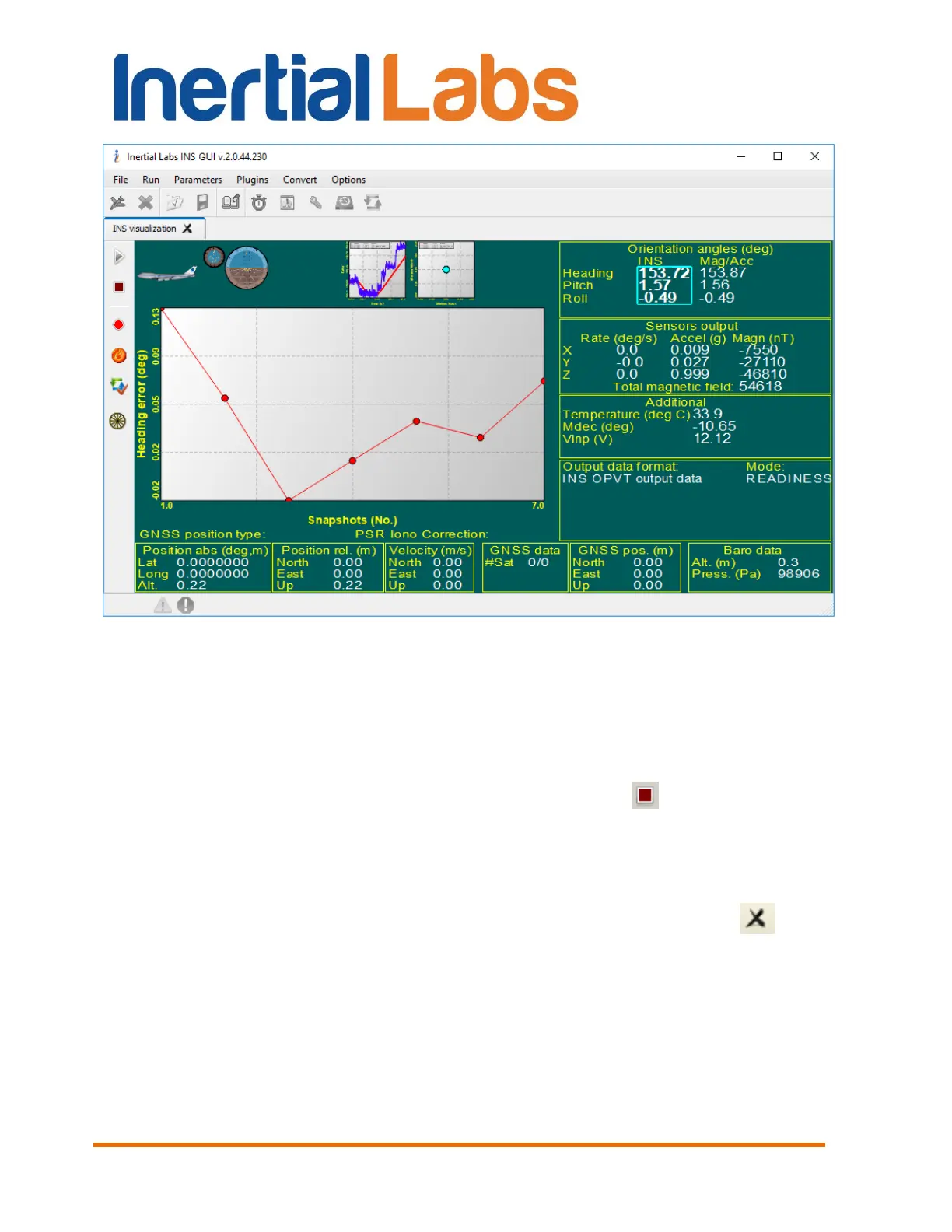
Fig. 10.22
Plotted graph is scalable. To zoom in please click and hold left button on
mouse and drag mouse in down-right direction. To zoom out please click
and hold left button on mouse and drag mouse in up-left direction. Click and
hold right button on mouse to shift plot.
Step 13. To stop the accuracy test click “Stop” button. If the INS
data were writing and time set in “Record time” in the “Options \ Test
option” menu was reached then accuracy test will be stopped too.
Step 14. To close the “On-the-fly accuracy” tab simple go to the other
visualization style or close “INS visualization” tab by clicking the in the
title of current tab.
Accuracy test data are automatically saved to the *.csv file. Its name
consists of “TestFullData” word, date and time digits separated by dash
symbols where the first 4 digits are the year, the next 2 digits are the month,
then 2 digits of day, next digits are hours, minutes and seconds of operation
(f.e. TestFullData-2013-03-05-15-44-47.csv).


 To Next Page
 Loading...