Chapter 4: Getting Started (The Standard Template)
Your First Mix
Eclipse User Guide 2.0 109/ 526
3. Press SEL on the other FX sends.
The Main Mix display shows that each one is pre-configured:
• FX1 – Just-Verb (Small Plate setting)
• FX2 - Just-Verb (Big Hall setting)
• FX3 - Chorus
• FX4 - MultiTap Delay
Of course you can change these plug-ins, or add other plug-ins
to the modules in each rack. For now, we’ll assume that you
want to use the Just-Verb which is patched from FX1.
4. Press SEL on any input fader you wish to send to the
effect.
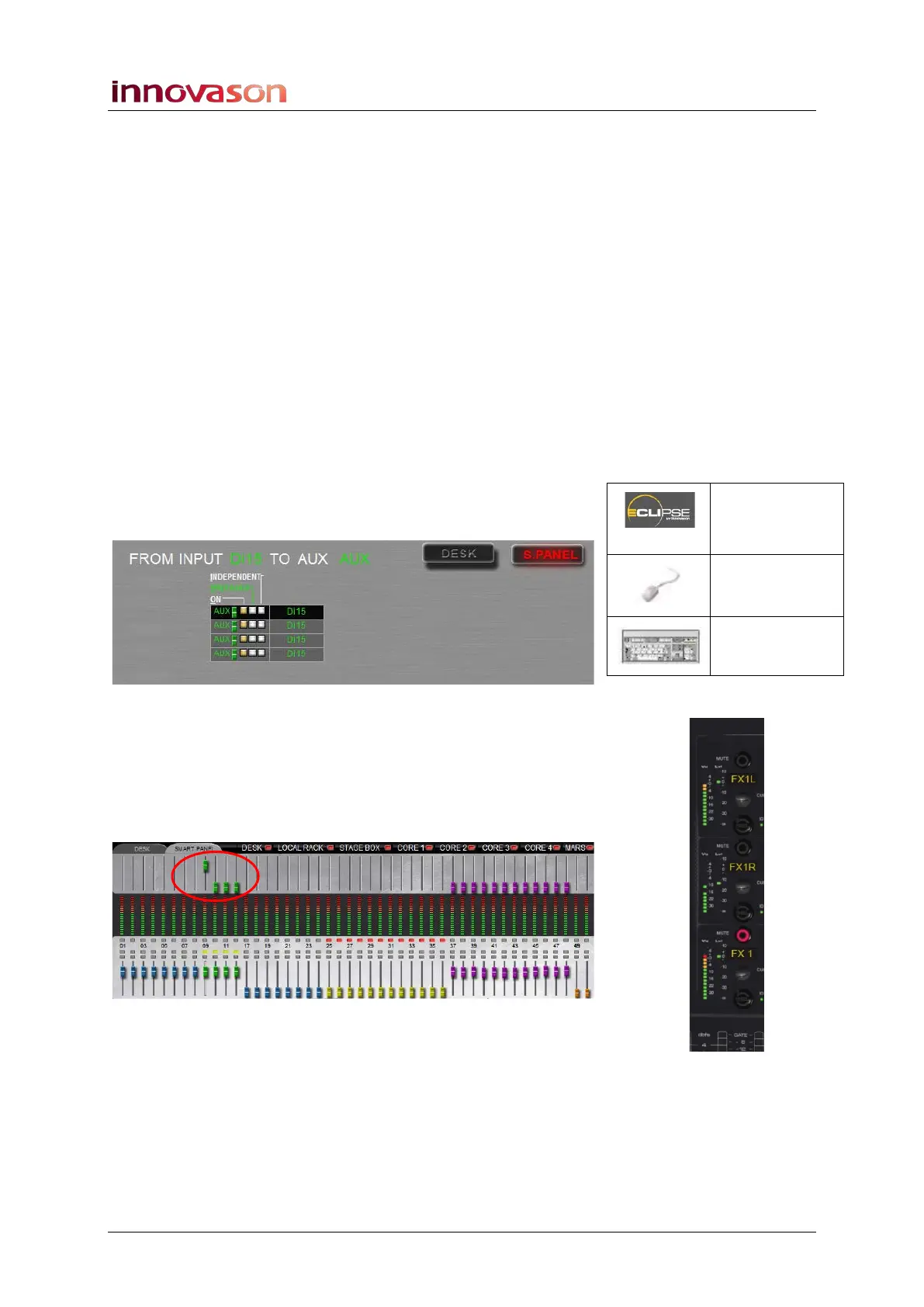
Notice that the SEL buttons on the Smart Panel FX1 to FX4
channels are selected (steady state). This means that the Aux
sends are routed (on).
If you open the PAN display, you will also see that the sends
have been prepared as post-fader:
5. Close the PAN display, and with your input fader
selected, move the FX1 rotary control to adjust the FX
send.
You can confirm that you are adjusting the Aux send level by
flipping the Main Mix display to the SMART PANEL and looking
at the upper row of faders as you move the FX1 control:
You should also see level on the FX1 VU meter.
Pre/Pan
(UTILITIES)
“GRID ->
Pan Screen”
n/a



 To Next Page