Chapter 4: Getting Started (The Standard Template)
Your First Mix
Eclipse User Guide 2.0 113/ 526
Inserting an External Device
The Templ1 file pre-configures 16 mono inserts:
• 8 mono internal effects bays (patched to and from the
second FM8-VB card)
• 8 Local Line Level inserts (patched to and from the first
eight line level I/Os on the Sy80 card). See Appendix A.
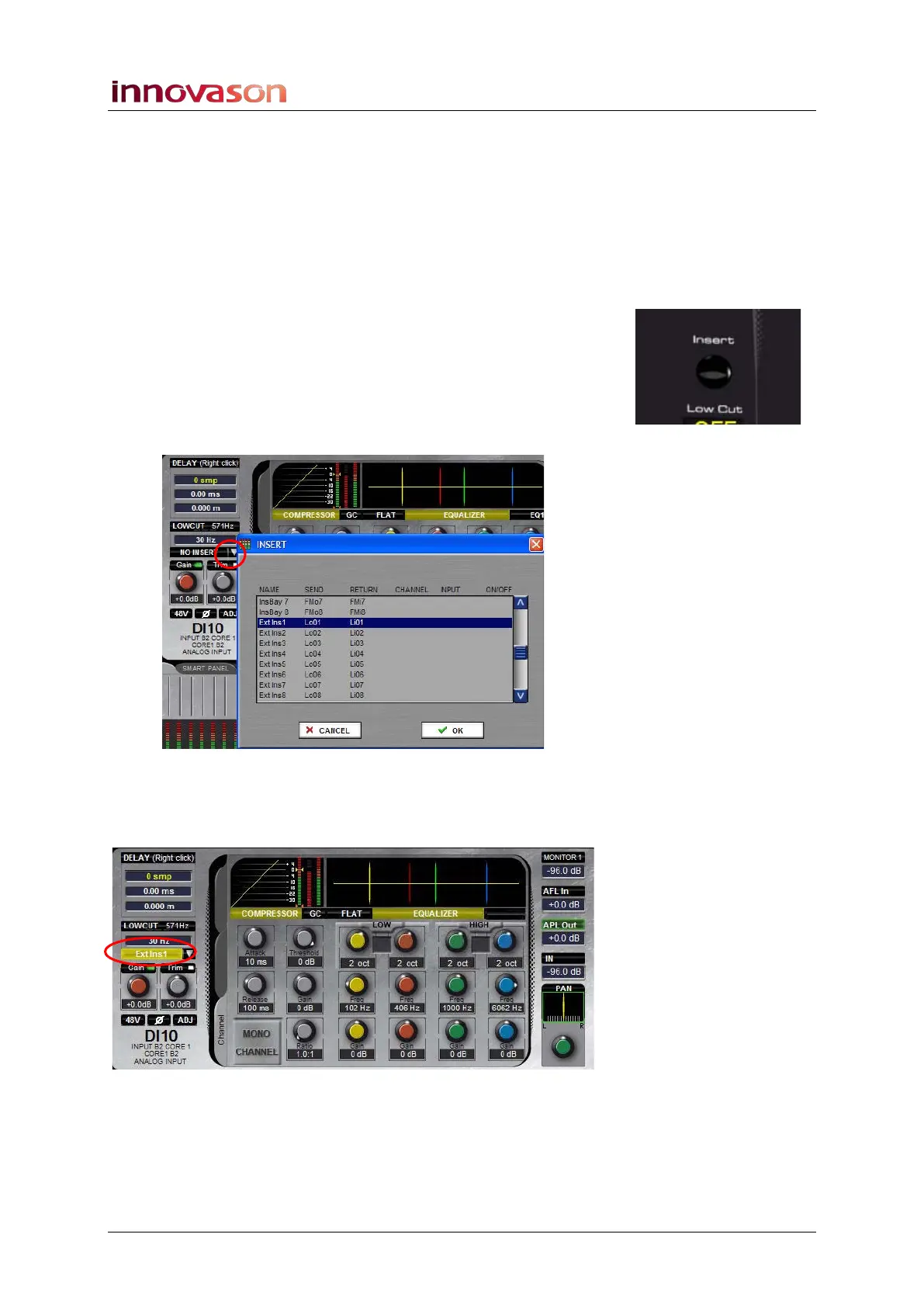
To insert an external device:
1. Connect your device to Line Level input 1 and output 1.
2. Press SEL on your input channel.
3. From the Main Mix display, click on the down arrow
beside the insert on/off button to open the INSERT
selection list:
4. Select the insert you wish to assign - Ext Ins1 - and OK.
The insert point named ExtIns1 is now assigned to the channel
and is automatically switched on:
As this is an external insert, you need to control settings on the
outboard device! However, if you insert an internal effects bay,
you can control and store its settings by clicking on the InsPre
processing tab. See Page 309 for more details on Inserts.



 To Next Page