Chapter 1: Overview
Control Surface Overview
14/ 526 2.0 Eclipse User Guide
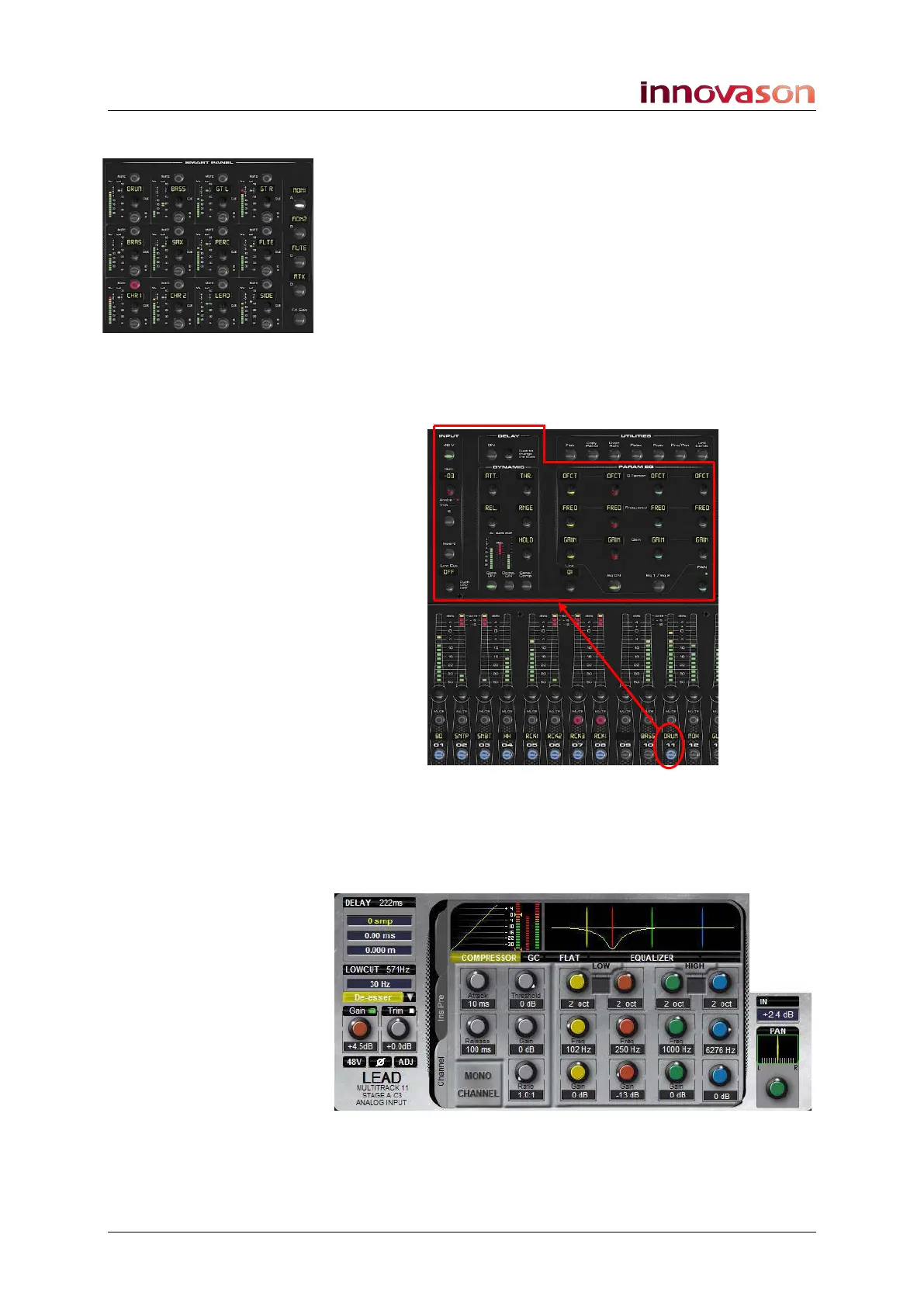
Smart Panel “Strips”
Above Fader strips 14 to 20 you will find the SMART PANEL.
This provides 48 additional control strips available in 4 layers:
A, B, C and D.
Each Smart Panel strip features the same functionality as a
Fader strip, except level and cue are adjusted by a rotary
control, and there is no Gain/Trim/Pan control.
Selected Channel Control
To the left of the SMART PANEL are the INPUT, DELAY,
DYNAMIC, PARAM EQ and PAN sections. Together these form
a “channel strip” for the selected Fader or Smart Panel strip:
Once a SEL button is active (flashing), these panels offer direct
control of all settings – gain, insert switching, low cut filter,
delay, dynamics, equalisation and panning. The controls work
in conjunction with the Main Mix display which provides
graphical feedback on the selected channel:



 To Next Page