Chapter 1: Overview
Control Surface Overview
Eclipse User Guide 2.0 15/ 526
Utilities
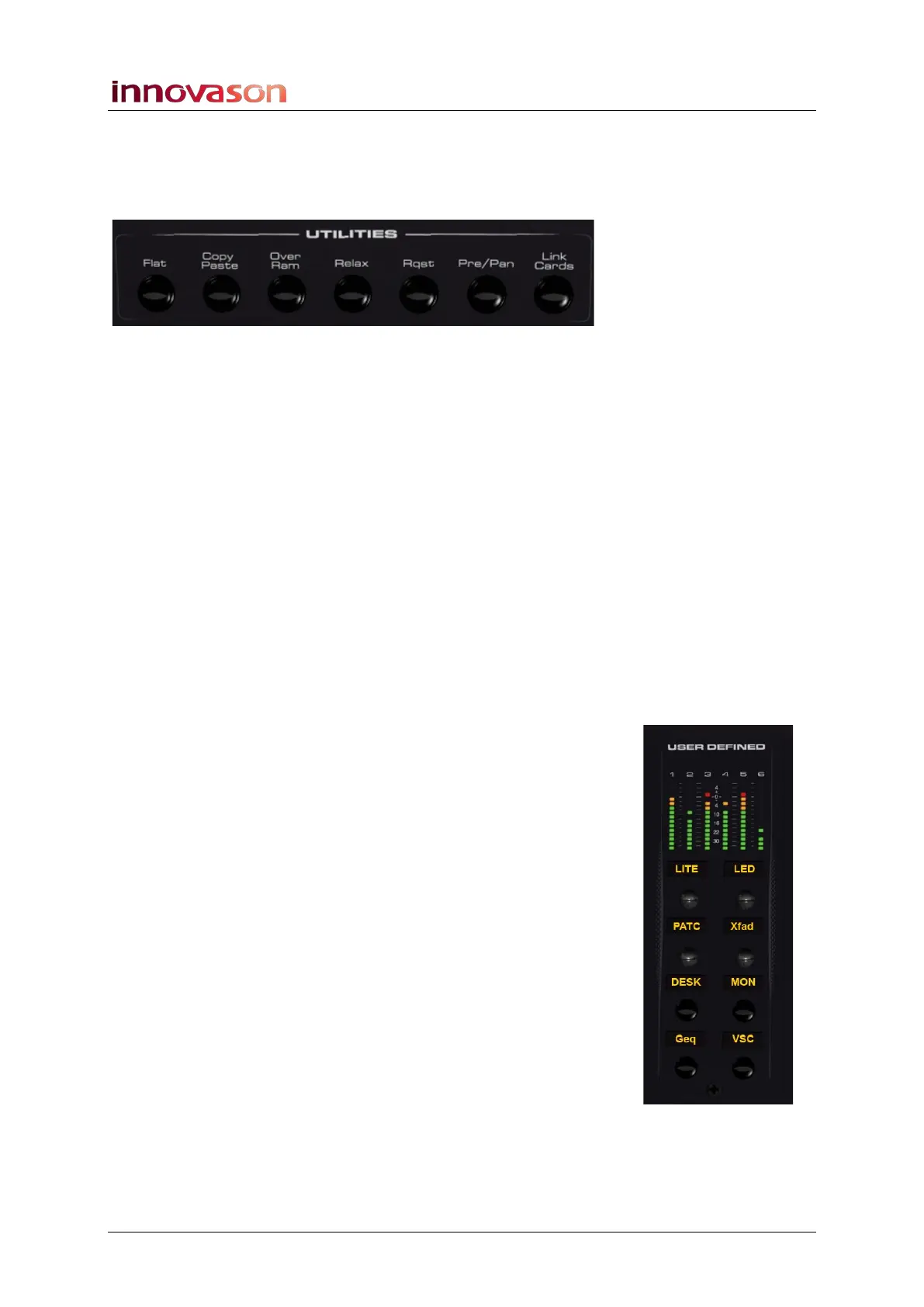
Above the PARAM EQ is a UTILITIES panel with access to a
range of functions:
• Flat – resets the Gate, Compressor, Parametric EQ or
Graphic EQ section on the selected (SEL) channel.
• Copy Paste – used to copy and paste channel
parameters.
• Over Ram – writes parameters from the selected
channel into other Pages (snapshots). For example, to
overwrite a new mic gain into all the Pages for a show.
• Relax – isolates parameters so that they are not reset
by a Page load. For example, if you are using Pages to
recall a different mix for each song, you might Relax the
vocal faders so that there are no sudden jumps in level.
• Rqst – turns the channel select (SEL) buttons into on/off
buttons for a requested parameter. For example, to turn
EQ on or off across multiple channels.
• Pre/Pan – provides an overview of bus routing from the
selected channel (or to the selected output), with options
to configure pre-fader or independent pan sends.
• Link Cards – links I/O parameters on an input or output
card. For example, to link mic preamp gain on input
cards, or to link output processing on output cards.
User Defined Panel
The USER DEFINED panel provides six VU meters, four rotary
controls and four switches. Functions are assigned to each
control from the “UTIL -> User defined assignment” menu.



 To Next Page