Chapter 5: Console Operation
Input Channels: PARAM EQ
142/ 526 2.0 Eclipse User Guide
To control equalisation:
1. Turn on the Eq ON button to activate the EQ section.
The button lights and on the Main Mix display the on-screen
EQUALIZER button lights (yellow):
2. You can now use the rotary controls to adjust the 4
bands of parametric EQ.
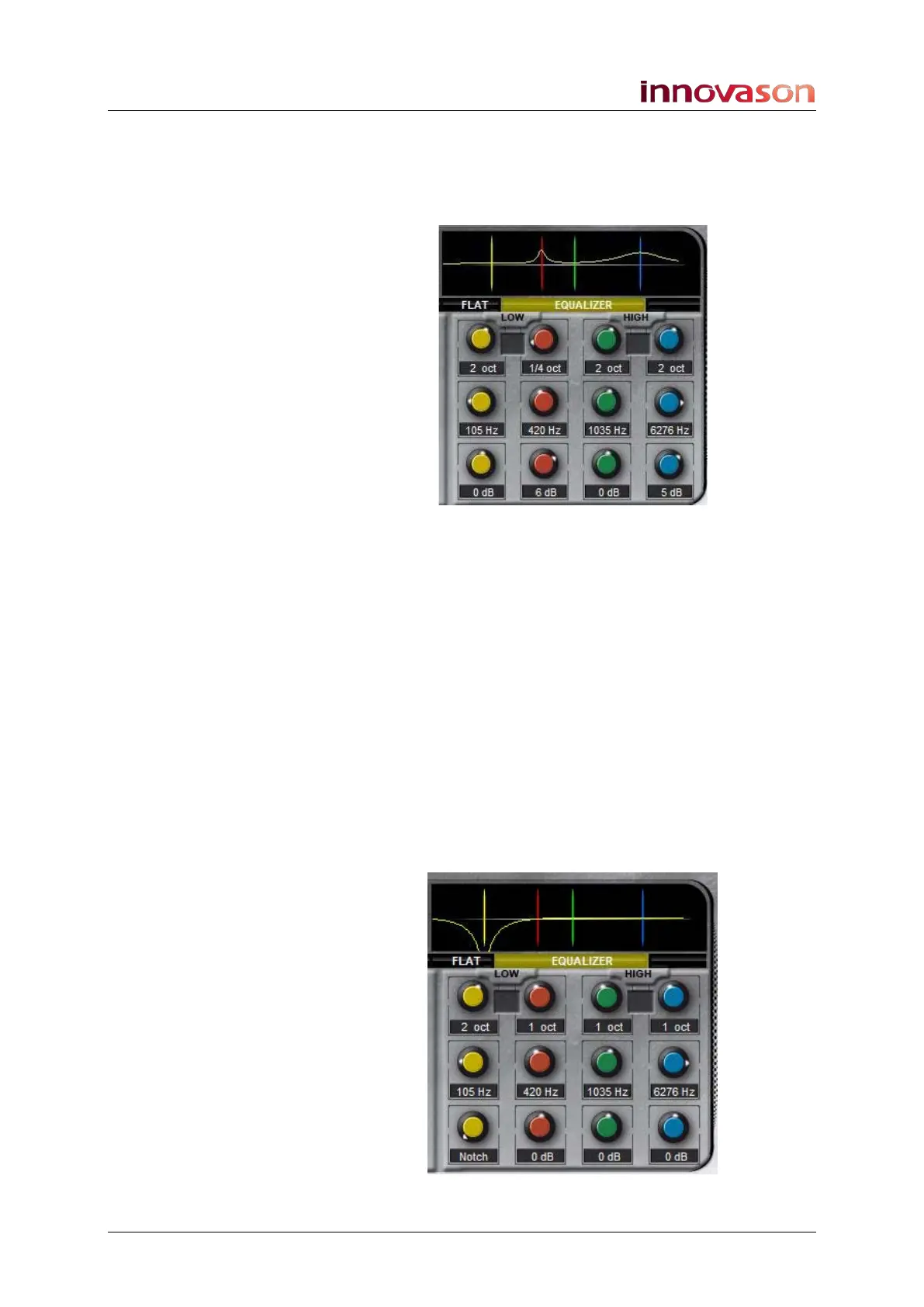
The default Frequency, Gain and Q parameters are as follows:
• Band 1: 102Hz, 0dB, 1 octave
• Band 2: 406Hz, 0dB, 1 octave
• Band 3: 1000Hz, 0dB, 1 octave
• Band 4: 6062Hz, 0dB, 1 octave
The range of values for every band is as follows:
• Frequency: 27Hz to 19698Hz (96 values)
• Gain: ±15 dB (in steps of 1 dB) plus a Notch (at -50 dB)
• Q Factor: from 1/8 to 8 octaves (by the power of 2)
3. Reduce the Gain to minimum to activate the Notch filter:



 To Next Page