Chapter 5: Console Operation
Input Channels: PARAM EQ
Eclipse User Guide 2.0 143/ 526
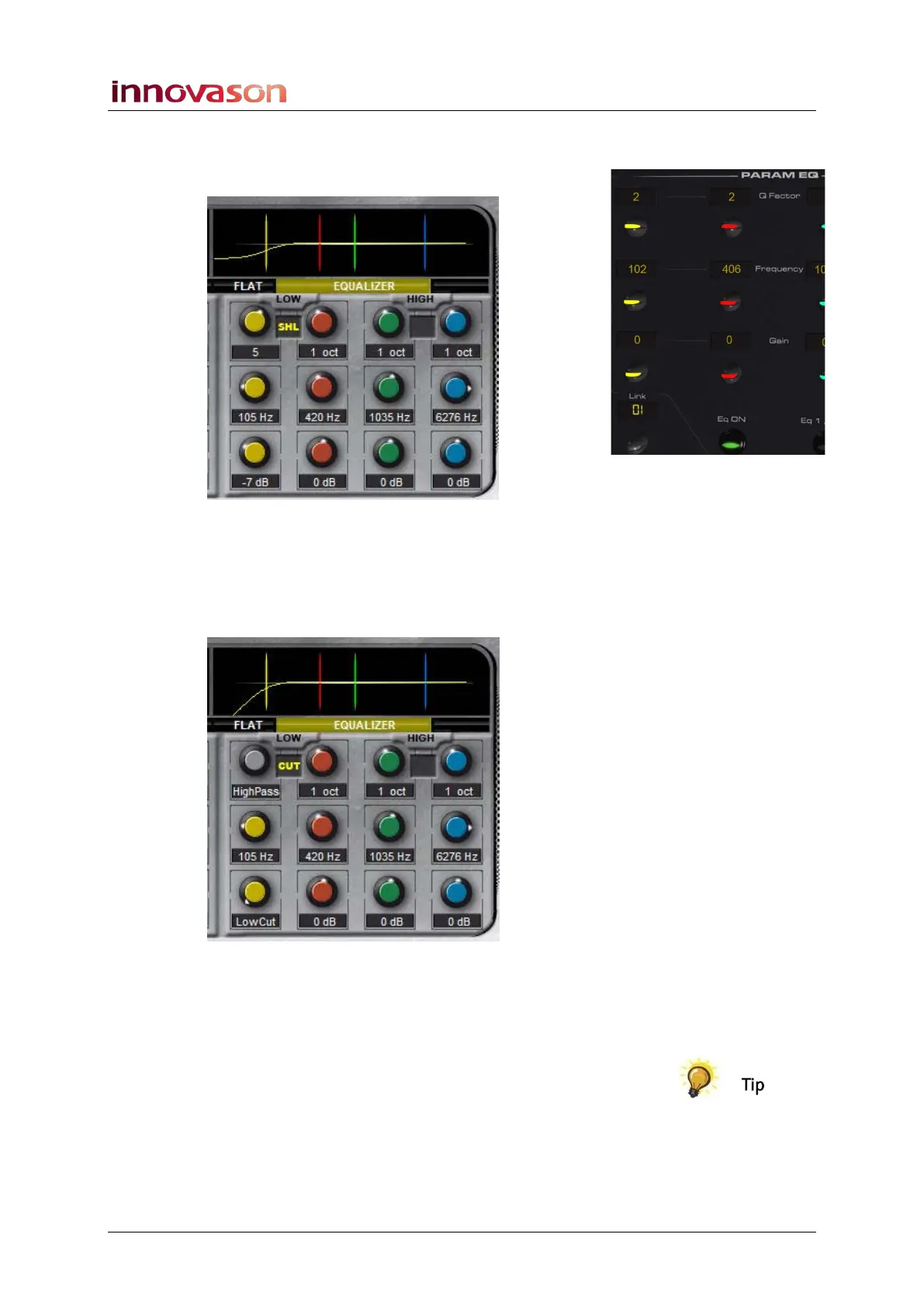
4. On Bands 1 and 4, press down on the Q Factor control
to switch the band from parametric to shelving EQ:
5. Adjust the Gain and Frequency as before. The Q Factor
control adjusts the slope of the shelf.
6. Having switched to shelving EQ (Bands 1 or 4), turn the
Gain control to minimum (anticlockwise) for a high or
low pass filter:
7. Turn the Frequency control to adjust the roll-off
frequency of the filter.
8. Press down again on the Q Factor control to return the
band to parametric EQ.
You can reset the Parametric EQ settings to flat using the FLAT
button as described on Page 393.



 To Next Page