Chapter 5: Console Operation
Input Channels: Aux Send Levels
Eclipse User Guide 2.0 147/ 526
Aux Send Levels
Aux send levels are also adjusted by the console’s Faders and
Smart Panel rotary controllers.
Note that send levels can be adjusted even if the channel is not
routed to the aux. In addition, sends can be pre or post the
main channel level, and sends to stereo auxes can follow the
main channel pan or be independent. See Page 163.
There are two methods to adjust send levels:
Forward Assign
1. Press SEL on the input channel.
The SEL button and Label on the input should be flashing.
2. Move an Aux Fader, or Smart Panel controller, to adjust
the send level to the Aux.
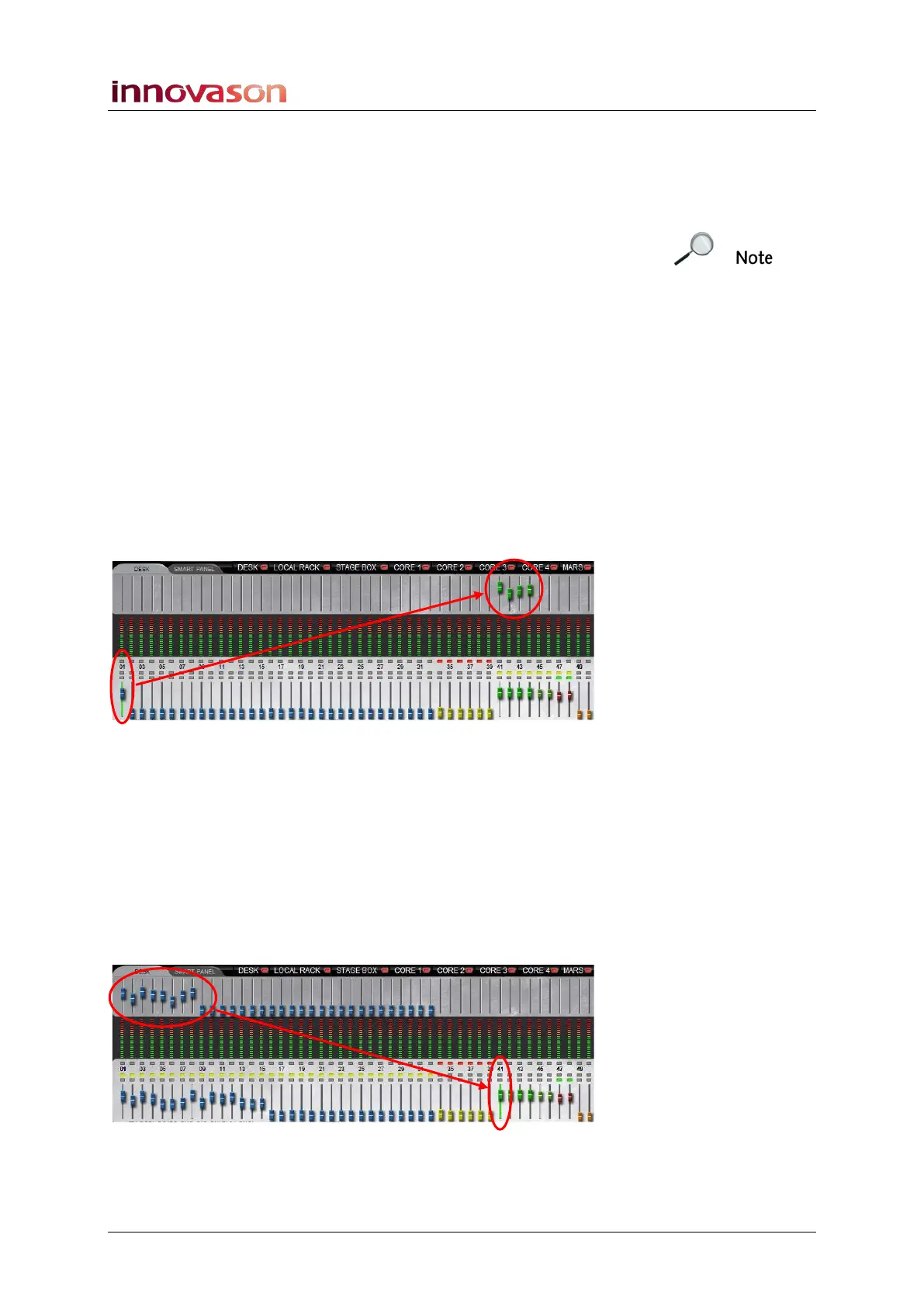
The upper row of faders on the DESK or SMART PANEL Main
Mix display provides confirmation of the send levels from the
selected channel:
Reverse Assign
1. Press SEL on the Aux channel.
The SEL button and Label on the Aux should be flashing.
2. Move an input Fader, or Smart Panel controller, to
adjust the send level to the Aux.
The upper row of faders on the DESK or SMART PANEL Main
Mix display provides confirmation of the send levels to your
selected Aux:
Note that this default fader mode (Dual) can be altered from the
General Preferences window, see Page 428 for details.



 To Next Page