Chapter 5: Console Operation
Smart Faders (SFADs): Controlling Slaves from the SVCA
Eclipse User Guide 2.0 157/ 526
This feature really comes into its own when you are working
quickly on a console with lots of Smart Fader VCAs.
Each time you press SEL on a SVCA, the last active input is
remembered and you may adjust its EQ, DYNAMICS, etc. from
the Selected Channel controls.
So, for example, you can move between the EQ on a lead
guitar (controlled by a Guitars Smart VCA), to the EQ on the
Bass DI (controlled by a Bass Smart VCA) simply by pressing
SEL on the Guitars or Bass SVCA channels.
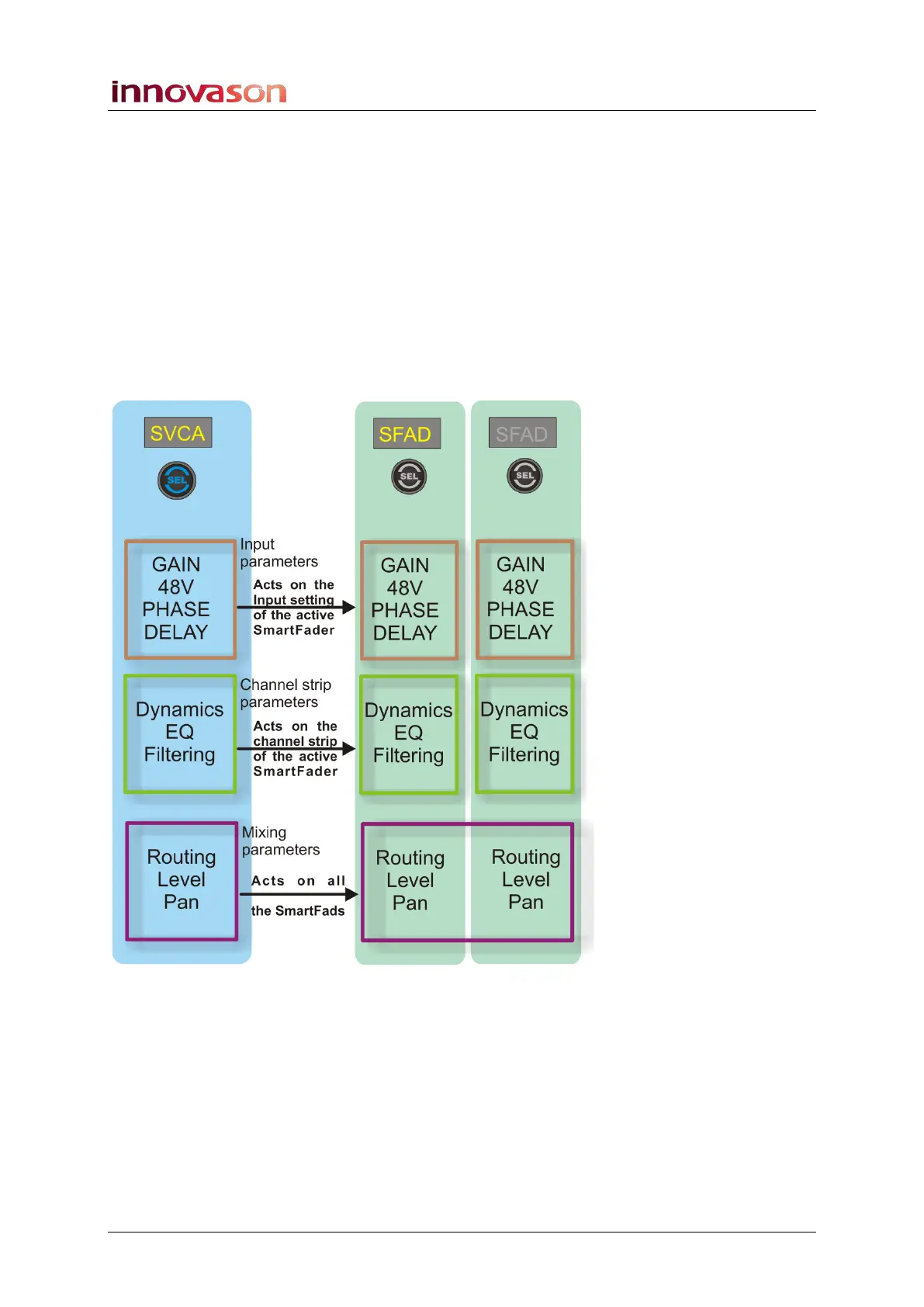
The diagram below summarises the control from the Smart
Fader VCA channel (SVCA):



 To Next Page