Chapter 5: Console Operation
Mix Busses: Bus Routing
160/ 526 2.0 Eclipse User Guide
Bus Routing
Once you have input and output (mix bus) channels on the
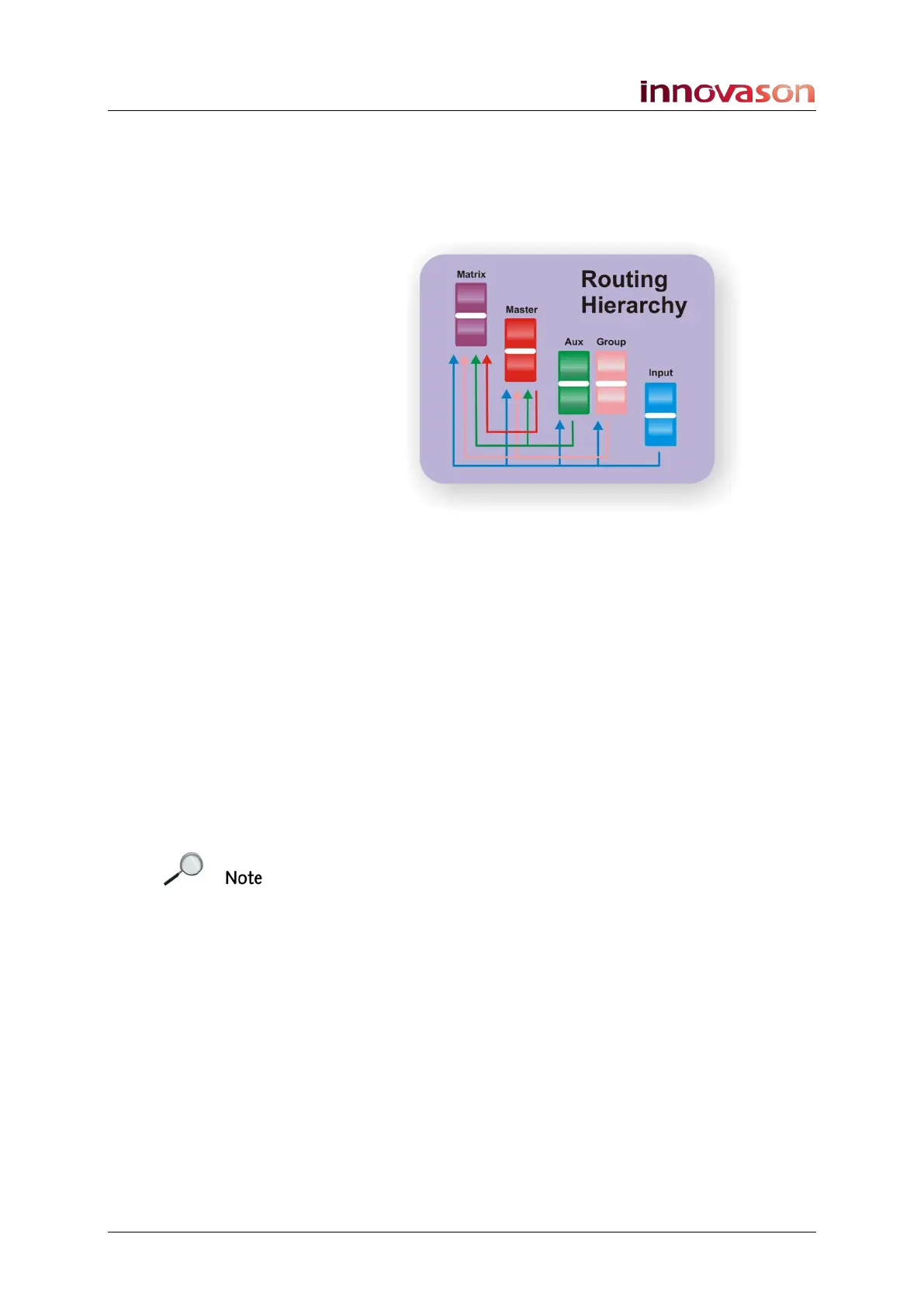
console surface, you can route any input to any output, or route
bus to bus providing you obey the rules of the bus hierarchy:
The console uses a reciprocal routing system which uses the
SEL buttons on the surface to display and modify routing
assignments. There are two different approaches to making a
route:
• Forward Assign – this is the conventional method for
routing a channel onto a bus, and allows you to route a
single channel onto multiple busses quickly. For
example, when you want to assign an input channel to a
Group, Aux and Master.
• Reverse Assign – this method allows you to interrogate
and modify the assignments onto an individual bus. This
is great when you wish to route a range of channels to a
single bus output. For example, to adjust the routing and
send levels going to an Aux output.
Note that both bus routing and any send levels are set from the
console’s SEL buttons and Faders (or Smart Panel controllers)
in one operation. This means that the console Faders (or Smart
Panel controllers) can be operating in one of two modes:
• Controlling the main level of the input channel or mix
bus master.
• Controlling the send level from the input channel or mix
bus master to an Aux or Matrix send.
Please refer to Page 74 for an example of forward and reverse
bus assign.
Note that you can set a General Preferences option so that
when an input is routed to an Aux, the Aux send is
automatically set to 0dB, see Page 428.



 To Next Page