Chapter 5: Console Operation
Mix Bus Sends: The PAN Display
164/ 526 2.0 Eclipse User Guide
The PAN Display
The PAN display provides an overview of bus assignments to
Auxes, Groups and Masters. The display shows where a
channel is assigned, and whether the assignment is pre-fader,
post-fader or independent of channel panning. Matrix
assignments are not included as they cannot be switched
individually between pre-fader and post-fader, and do not
support independent panning.
The display works slightly differently depending on whether you
have an input channel or output channel selected when you
open the display; let’s look at an example of each:
Interrogating Assignments from an Input Channel
1. Press SEL on an input channel.
The SEL button and Label on the input should be flashing.
2. Open the PAN display by pressing the Pre/Pan button
on the UTILITIES panel.
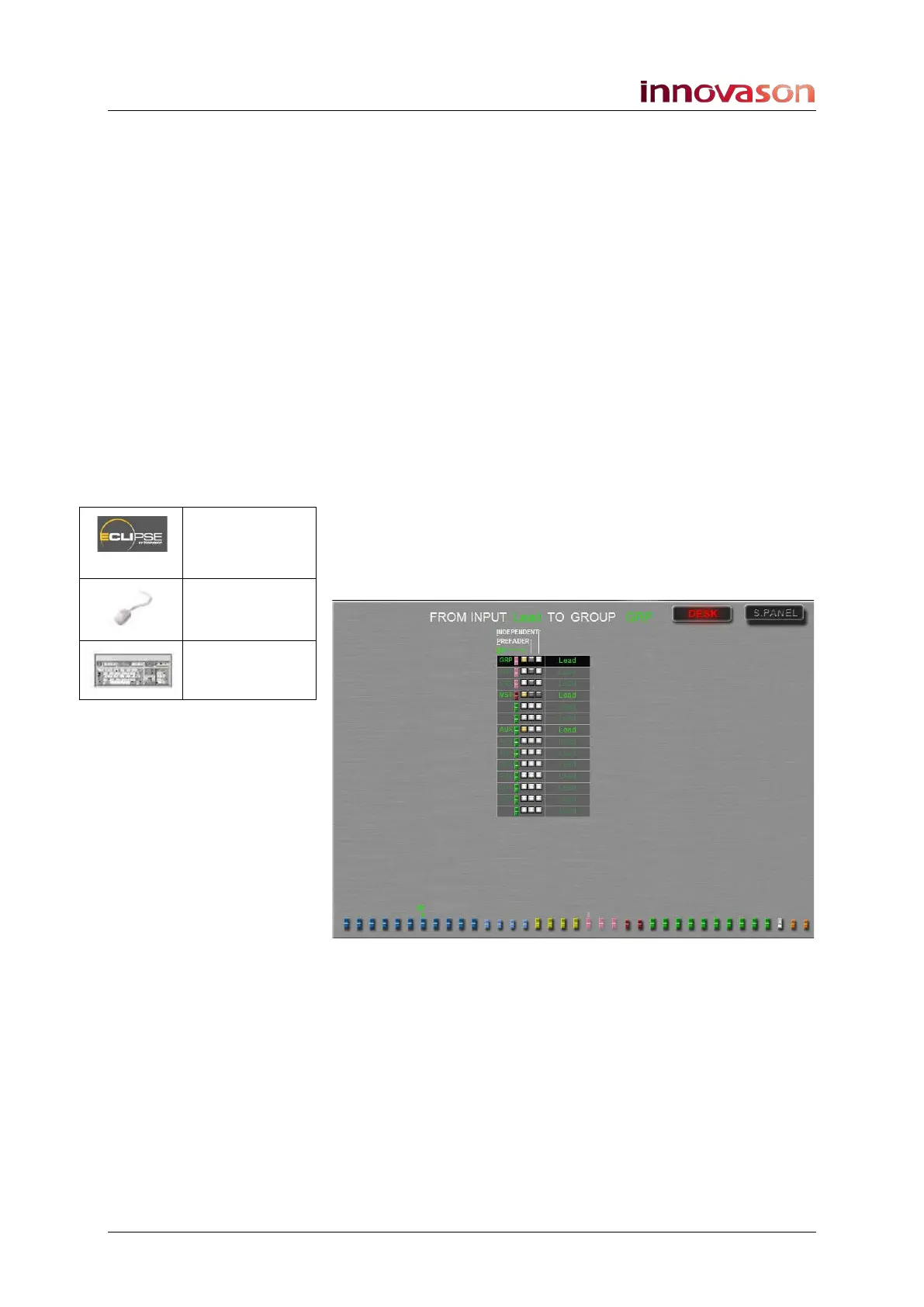
The display shows assignments from the selected input channel
(e.g. Lead) to every bus controlled from the DESK (Faders):
Above we have three Groups, a stereo Master and 10 Auxes
available, and our input is assigned (ON) to a Group, the
Master and an Aux. No other options are selected (PREFADER
and INDEPENDENT are off) so this means that the send is
Post-fader and will follow the channel Pan position.
Notice how the faders within the PAN display are colour coded
to help you separate Groups from Auxes from Masters.
Also notice that the bus assignment options vary depending on
the type of bus – for example, the Master can only be assigned
ON/off (PREFADER and INDEPENDENT are not available).
Pre/Pan
(UTILITIES)
“GRID ->
Pan”
[F11]



 To Next Page