Chapter 5: Console Operation
Stereo Channels: Balance and Width Control
Eclipse User Guide 2.0 187/ 526
Balance and Width Control
Stereo input, Aux and Group channels offer balance and width
control.
Note that there is no balance or width control for a stereo
Master or Matrix output channel.
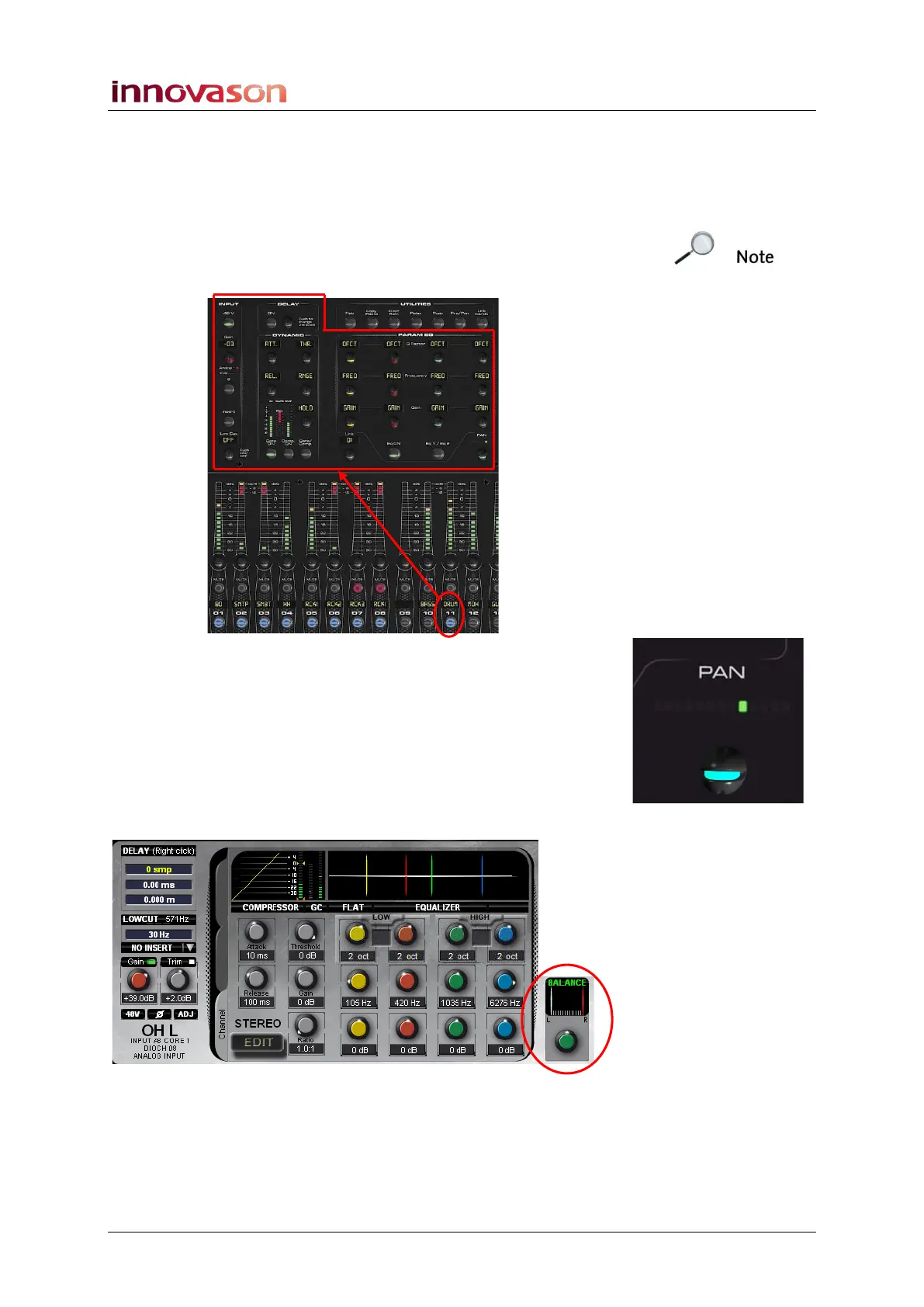
1. Press SEL on the channel you wish to pan.
2. Turn the PAN control to adjust the relative positions of
the left and right inputs (Balance).
From the default (centre) position, turn the control clockwise to
move the left input to the right, or turn anticlockwise to move the
right input to the left.
The Main Mix display shows the position of the left (white) and
right (red) inputs. BALANCE is highlighted in green when the
control is set to its default value:



 To Next Page