Chapter 6: Console Configuration
The Personal Console Builder: External VU Meter Feed
Eclipse User Guide 2.0 229/ 526
External VU Meter Feed
For some applications, such as live broadcast, you may wish to
connect an External VU meter which will follow the stereo
Monitor bus but be pre any monitoring level, AFL level, PFL
level, etc.
Note that this function uses two mix bus resources.
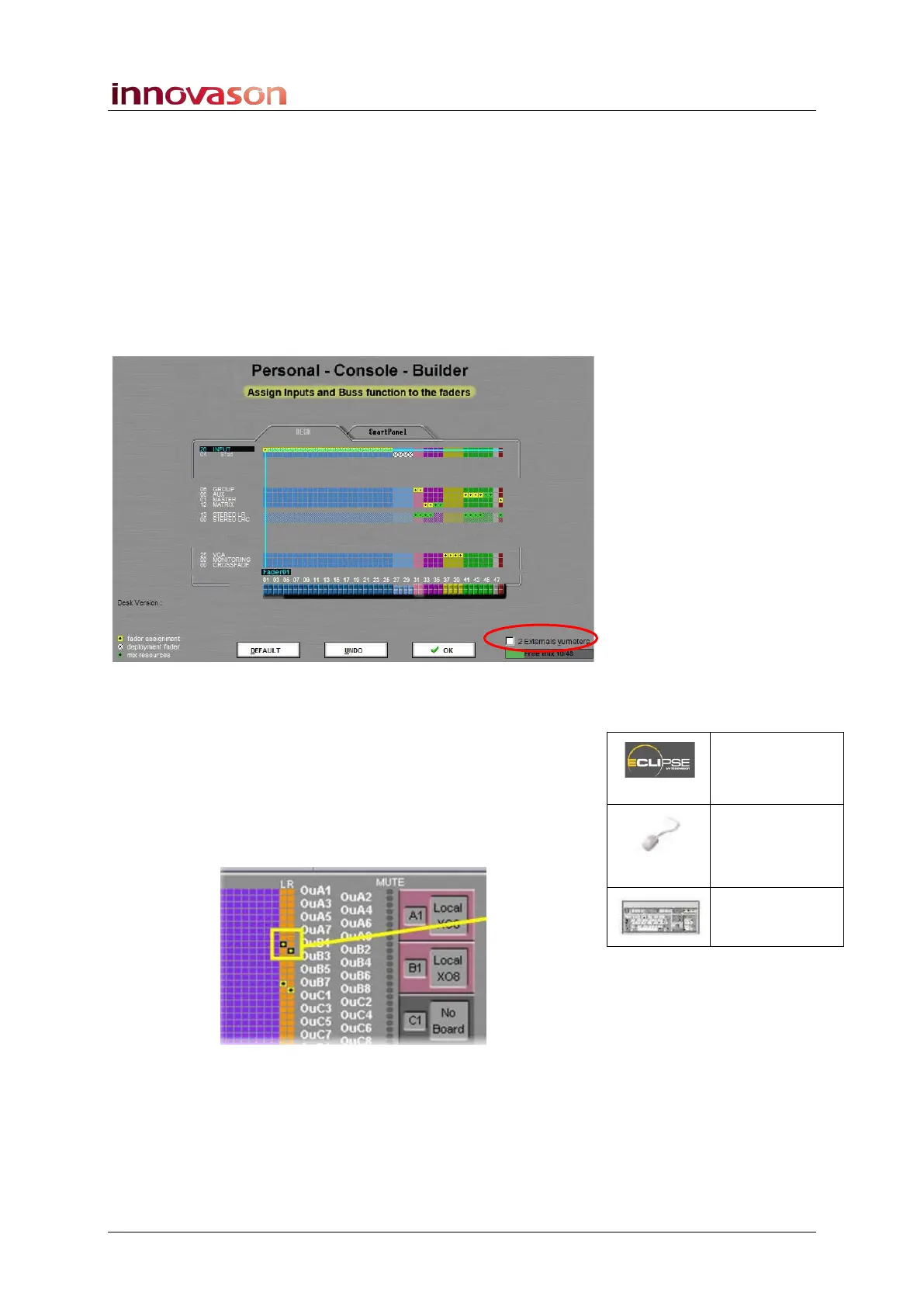
The 2 Externals vumeters checkbox, at the lower right of the
Personal Console Builder, reserves the two mix busses for the
follow monitor VU meter feed:
1. Tick the checkbox on the Personal Console Builder and
load the configuration by pressing OK.
2. Then open the PATCH OUT grid, see Page 247.
3. Select the left monitor fader (orange) and the physical
output feeding the left VU meter.
4. Press [v] on the console keyboard to patch the VU
(follow monitor) mix bus to the selected output:
The patch point uses a yellow dot on a black box to distinguish
it from a normal monitor output patch (black dot on yellow box).
5. Repeat steps 3 and 4 to patch the right meter feed.
Patch OUT
(UTILITIES)
“GRID ->
Patch
Output”
[F12]



 To Next Page