Chapter 6: Console Configuration
The Patch Input Display
232/ 526 2.0 Eclipse User Guide
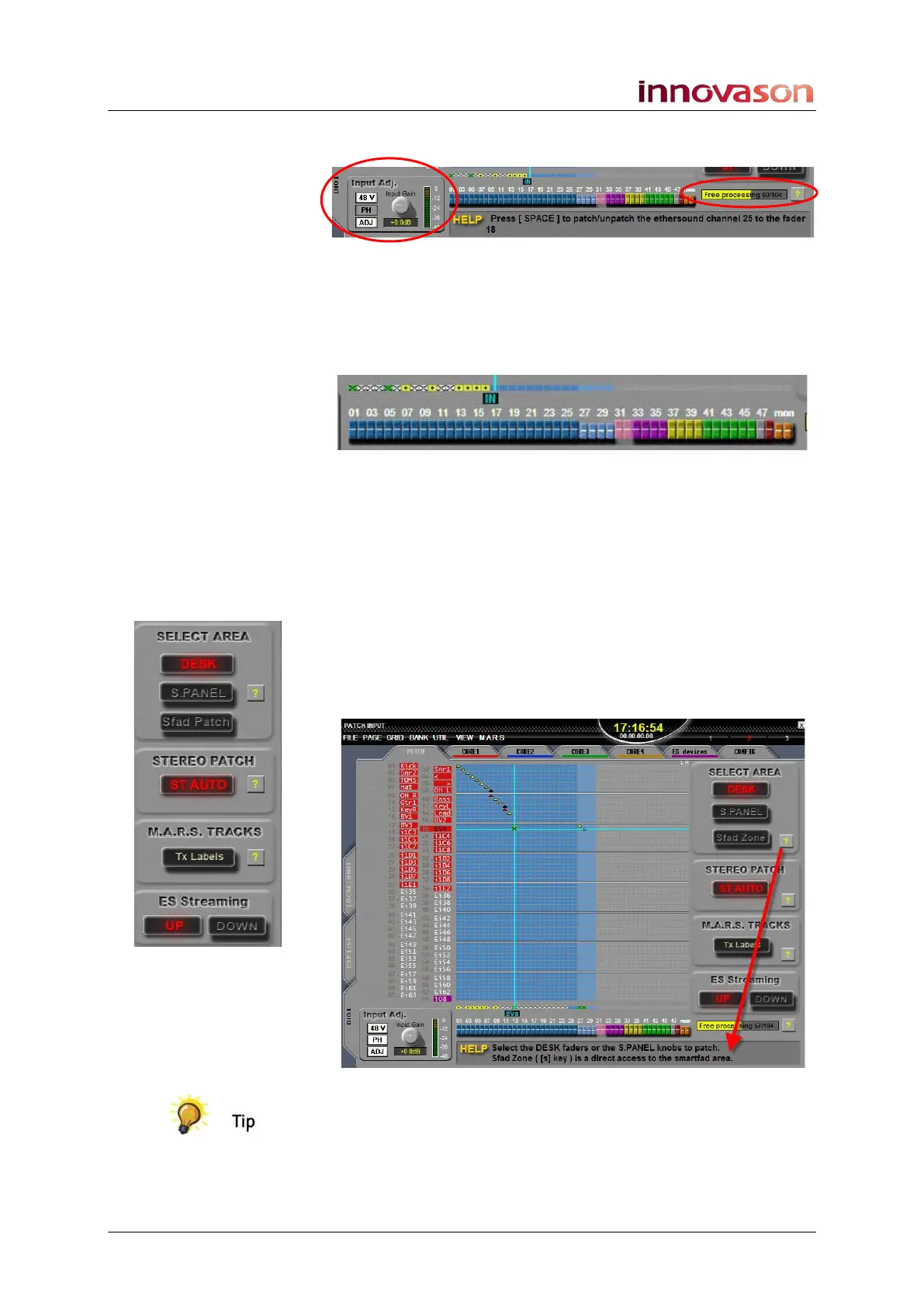
At the bottom of the display, the Input Adj screen controls
adjust and meter the selected source:
Also at the bottom of the display is the Free processing
resource counter. This shows the number of input DSP
channels available.
The input DSP resource is also represented by a row of boxes
above faders 01 to 48:
• Yellow = a mono input channel.
• White with a cross = a stereo input channel.
• Green with a cross = a Smart VCA (controlling multiple
input channels).
• Grey = no input DSP resource.
On the right are a number of on-screen buttons: SELECT
AREA, STEREO PATCH, M.A.R.S. TRACKS and E.S.
Streaming. You can interrogate the function of each by clicking
on the yellow question mark; the HELP area updates
accordingly:
The HELP area is available on all PATCH displays and
provides useful instructions on how to perform the next
operation, or on an interrogated function.



 To Next Page