Chapter 6: Console Configuration
The Patch Input Display
Eclipse User Guide 2.0 233/ 526
PATCH Tabs
Side Tabs
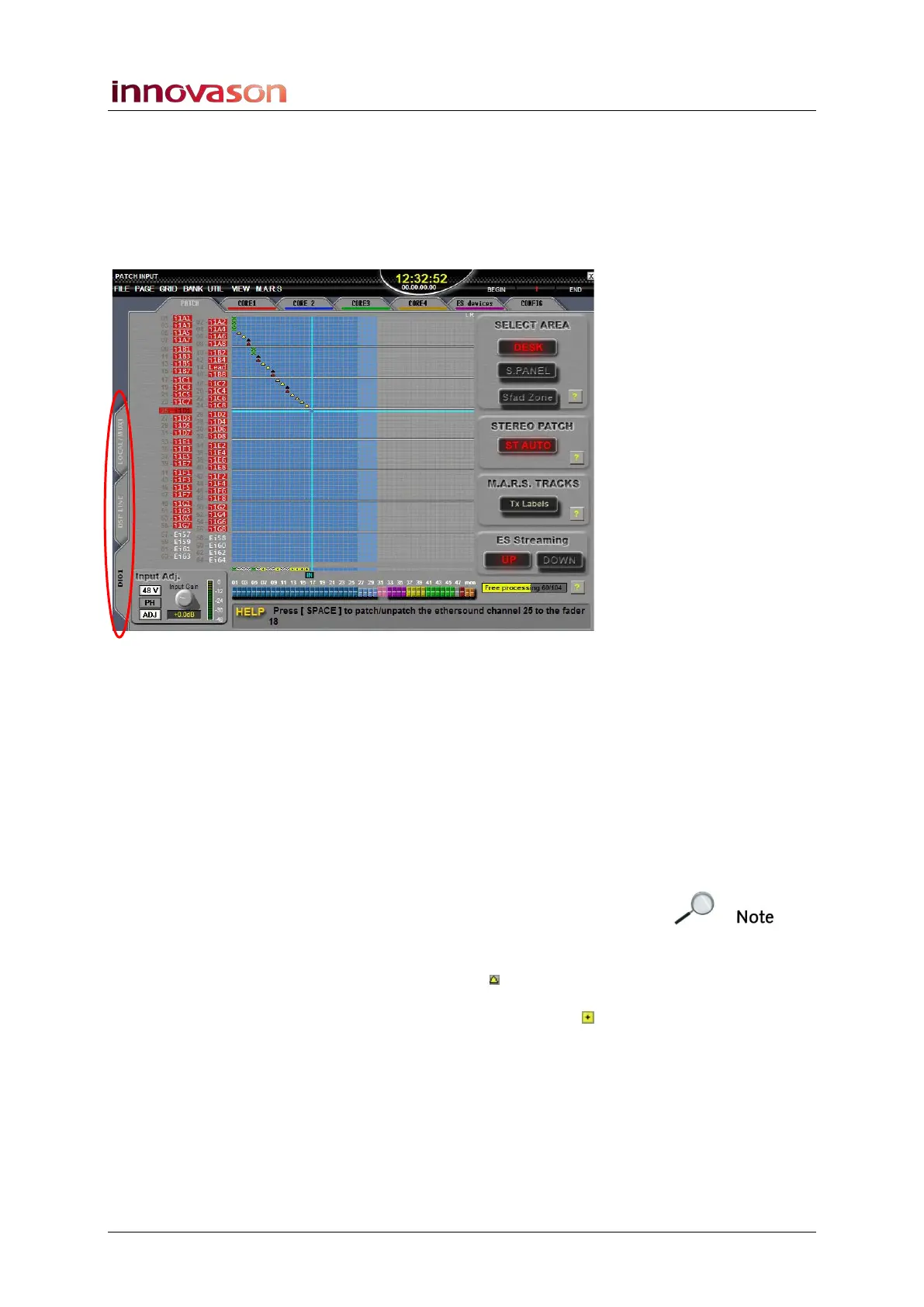
The three tabs on the left of the display allow you to choose
different categories of system sources:
• LOCAL / MUXI – this tab accesses the Muxipaire inputs.
In a standard Eclipse system, these are inputs on I/O
cards fitted at the rear of the console. If a remote
Stagebox is added, then the MUXI tab will access local
and remote Muxipaire I/O cards.
• DSP LINE – this tab accesses the 16 line level inputs on
the DSP card at the rear of the console.
• DIO1 – this tab accesses the 64 Ethersound channels
(connected to the Ethersound interface on the Sy80
DSP card at the rear of the console).
Note that not all options on the right of the display apply to
every source type. For example, E.S. Streaming is only relevant
to Ethersound channels, and therefore the buttons disappear if
you select either the LOCAL / MUXI or DSP LINE tabs.
Also note that within the DIO1 grid, the triangles indicate the
Ethersound streaming direction. However, if you make a patch
within the DSP LINE or LOCAL / MUXI grids, then a box
indicates the patch point. You can find more details on
Ethersound networks on Page 263.



 To Next Page