Chapter 6: Console Configuration
The Patch Output Display
248/ 526 2.0 Eclipse User Guide
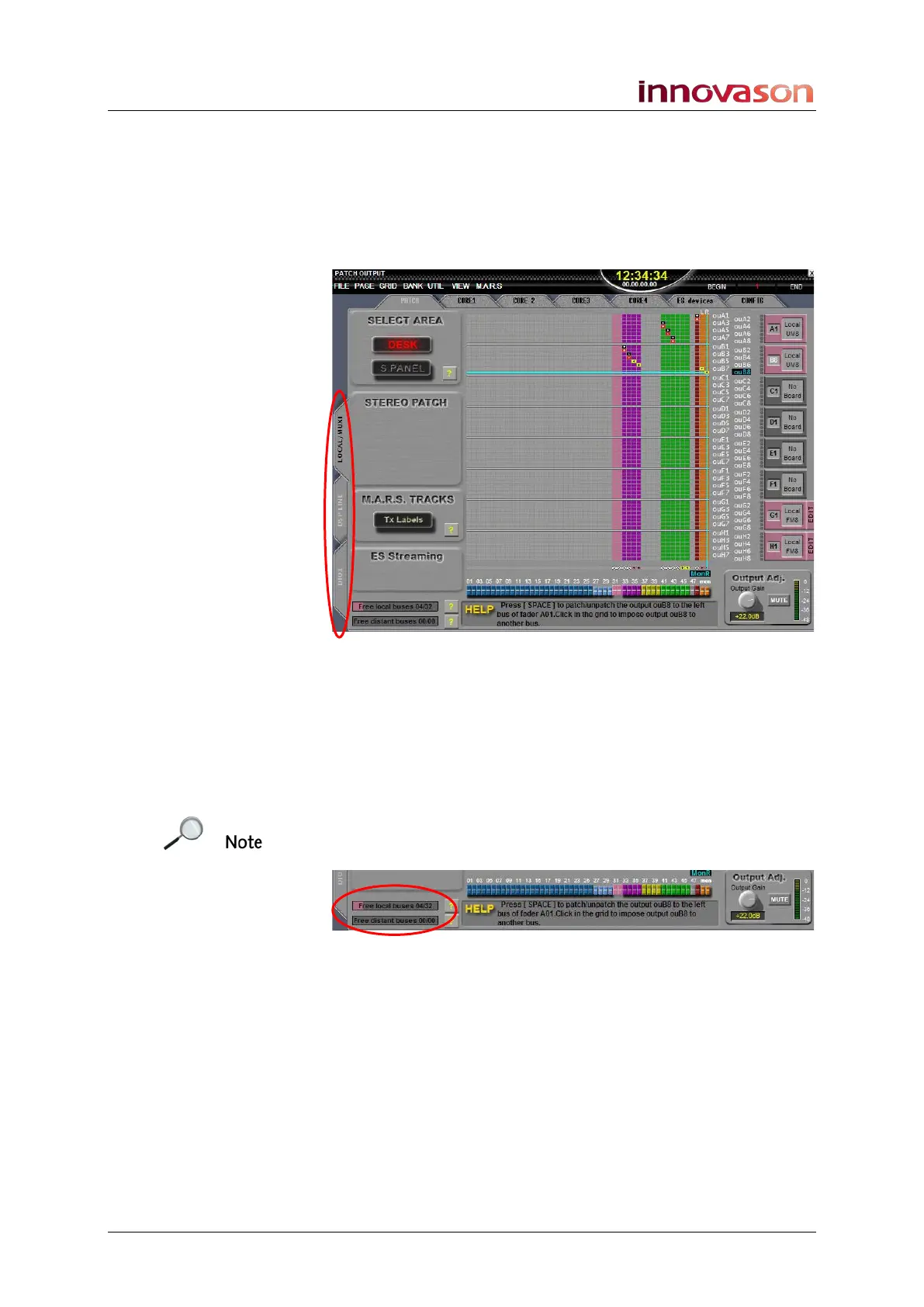
PATCH Tabs
Side Tabs
The three tabs on the left of the display allow you to choose
different categories of system output:
• LOCAL / MUXI – the Muxipaire outputs (I/O cards fitted
at the rear of the console or in a remote Stagebox).
• DSP LINE – the 16 Line Level outputs on the DSP card
at the rear of the console.
• DIO1 – the 64 channels feeding the Ethersound
network. See Page 263.
Note that if you select either the DSP LINE or LOCAL / MUXI
tabs, then the following information appears at the bottom left of
the display:
For technical reasons, you may only patch up to 32 mix busses
to Muxipaire interfaces. These are the I/O cards at the rear of
the console (Local) or in a Muxipaire Stagebox (Distant). The
display counter shows the number of local and distant busses
which have been patched. There is no limit on mix bus patching
within the DIO1 grid (Ethersound network).
Top Tabs
The top tabs access additional grids for patching and
configuring the Ethersound network or Muxipaire interface (see
Pages 263 and 285.



 To Next Page