Chapter 6: Console Configuration
Ethersound Networks
Eclipse User Guide 2.0 271/ 526
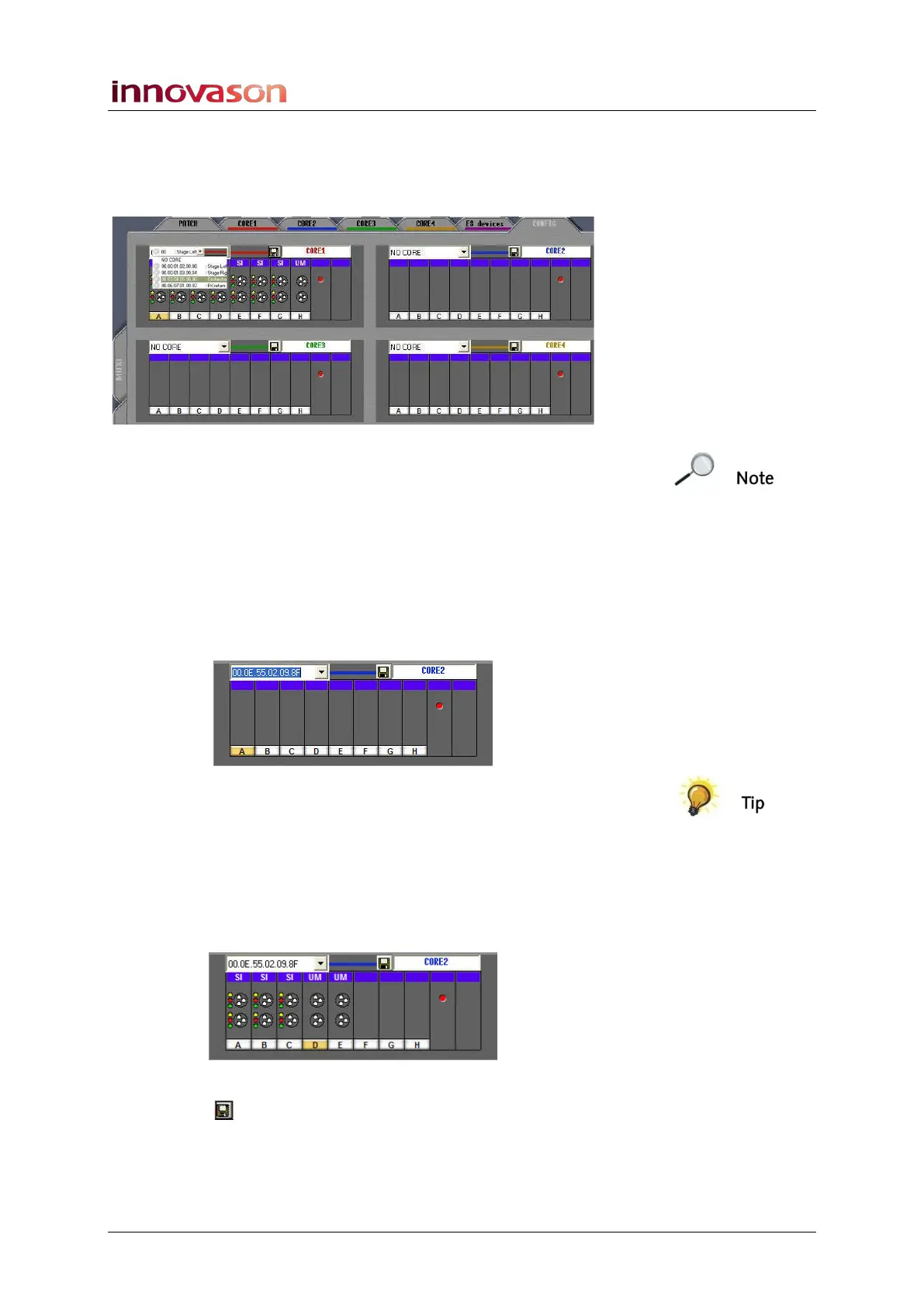
Selecting a DioCore
1. Click on the MAC address box and select the address of
the DioCore from the drop-down menu:
Note that all DioCores are automatically detected by the
Primary Master once they are connected to the network. So, if
you cannot see your device, check the network connections.
Offline Configuration
If you are working offline then you will only see the MAC
addresses of previously saved DioCores. If you have a new unit
to configure, then you can prepare a configuration offline:
1. Type in the DioCore MAC address:
The DioCore MAC address can be found on a sticker on the
ARC card’s PCB.
2. Then click on a card slot (e.g. A) and press the [+] or [-]
buttons on the console keyboard to scroll through the
available I/O card types.
3. Click the each slot and assign the I/O cards as they are
fitted to the DioCore:
4. Once you have finished, click on the save configuration
button , and press OK to confirm.
The Core configuration is saved; it can be loaded to any of the
four DioCore racks from the MAC address drop-down menu.



 To Next Page