Chapter 6: Console Configuration
Ethersound Networks
274/ 526 2.0 Eclipse User Guide
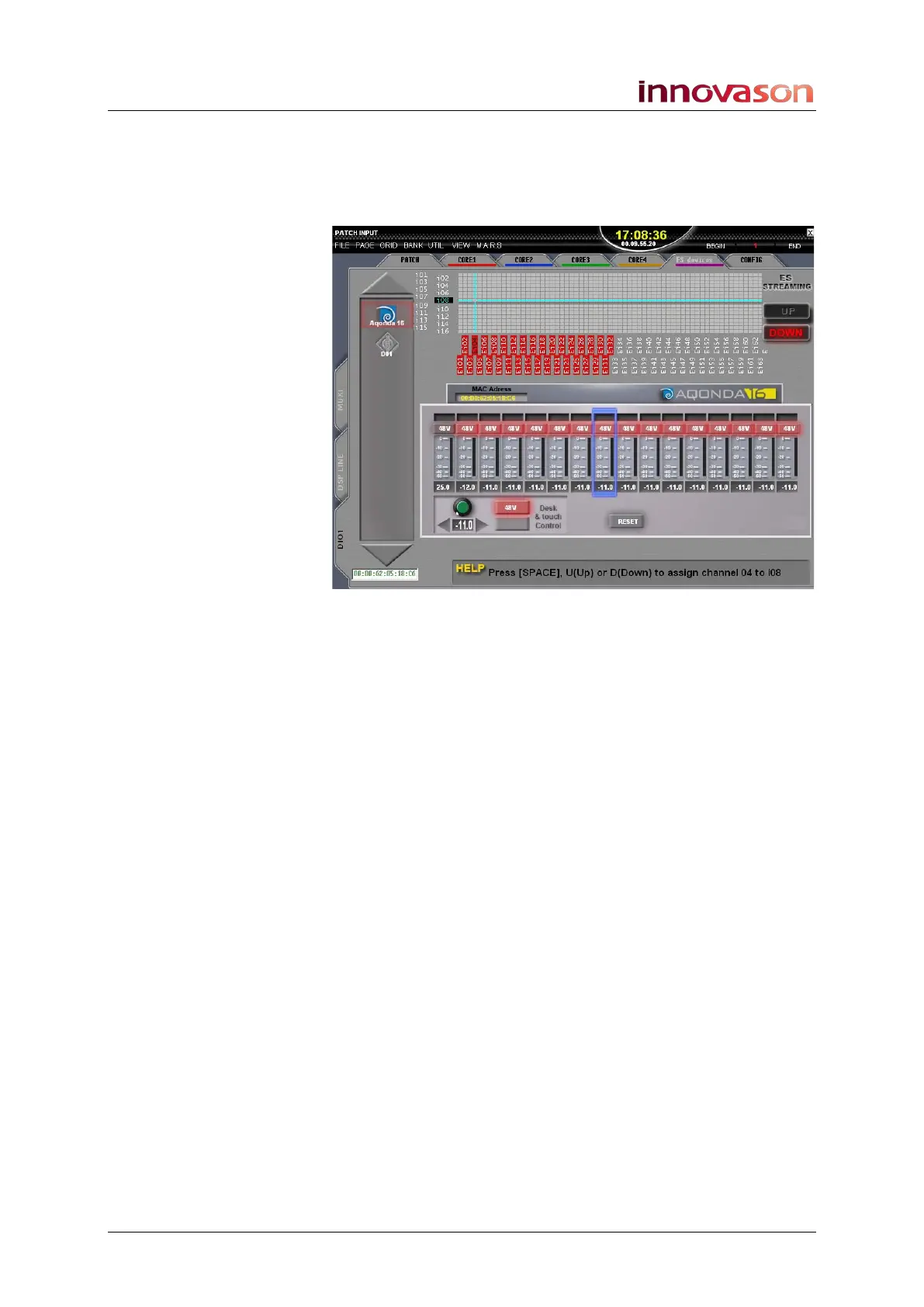
To view your Ethersound devices:
1. Select the PATCH INPUT display.
2. And select the DIO1 and ES devices tabs.
On the left of the display you will see a list of the Ethersound
devices which have been detected on your network. If a device
is online, then its logo is in colour. If a device is offline, then its
logo is greyed out. In our example, we have an Aqonda 16
online and a Neumann DMI-8 offline.



 To Next Page